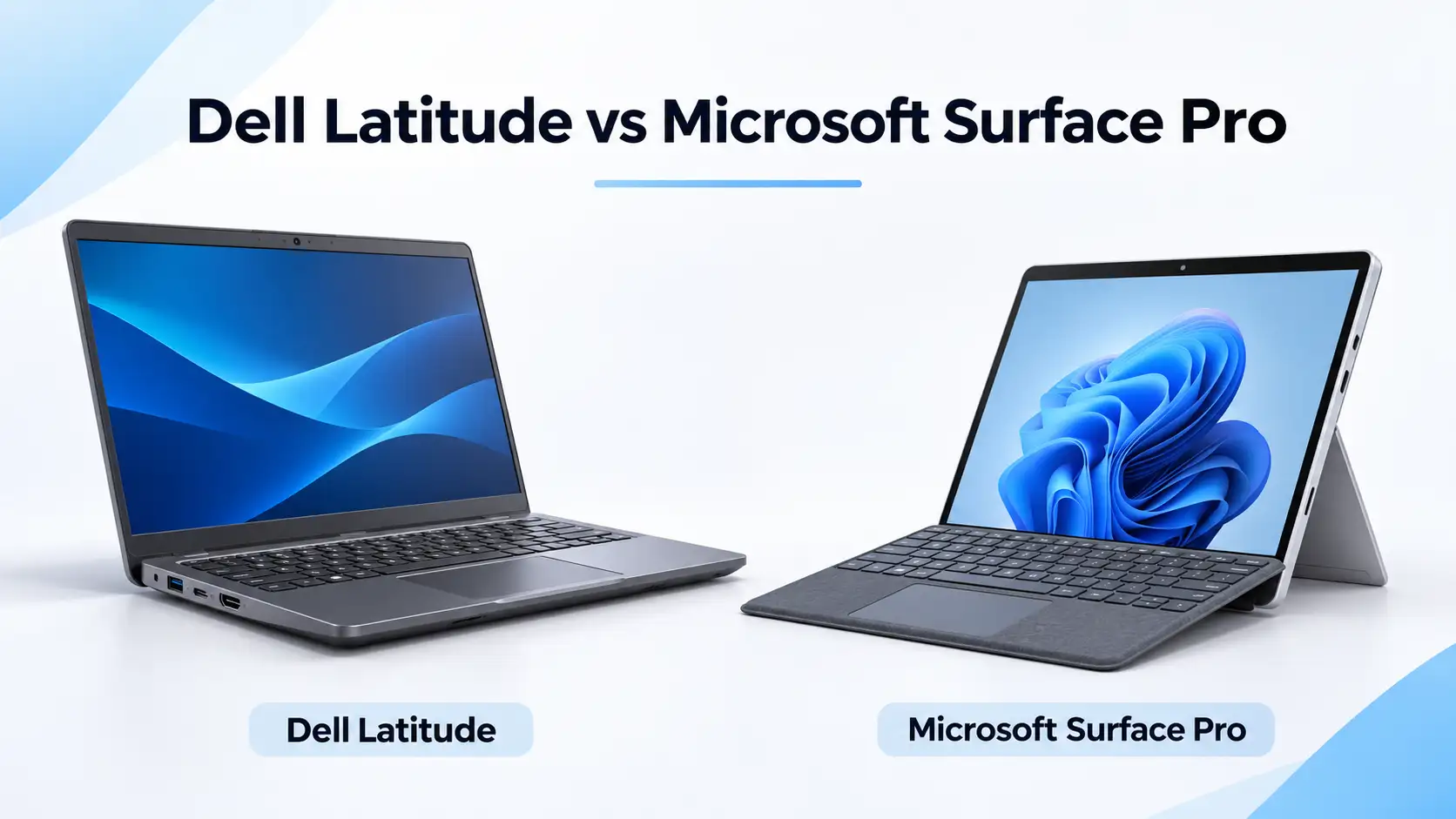
 1 September 2026
Dell Latitude vs Microsoft Surface
Compare Dell Latitude and Microsoft Surface Pro for work, travel and everyday use. Explore the key differences and choose the right refurbished laptop.
Read Guide →

Date Posted: 1 September 2026
For those looking for a durable laptop that will last for five years, consider a used Dell Latitude. For those in need of something portable to act as a tablet for presentations and meetings, consider a used Microsoft Surface. These are both excellent choices, designed for corporate use, but for different purposes. Australian Computer Traders stocks both ranges refurbished, with a 12-month warranty and free shipping Australia-wide if you already know which way you're leaning.
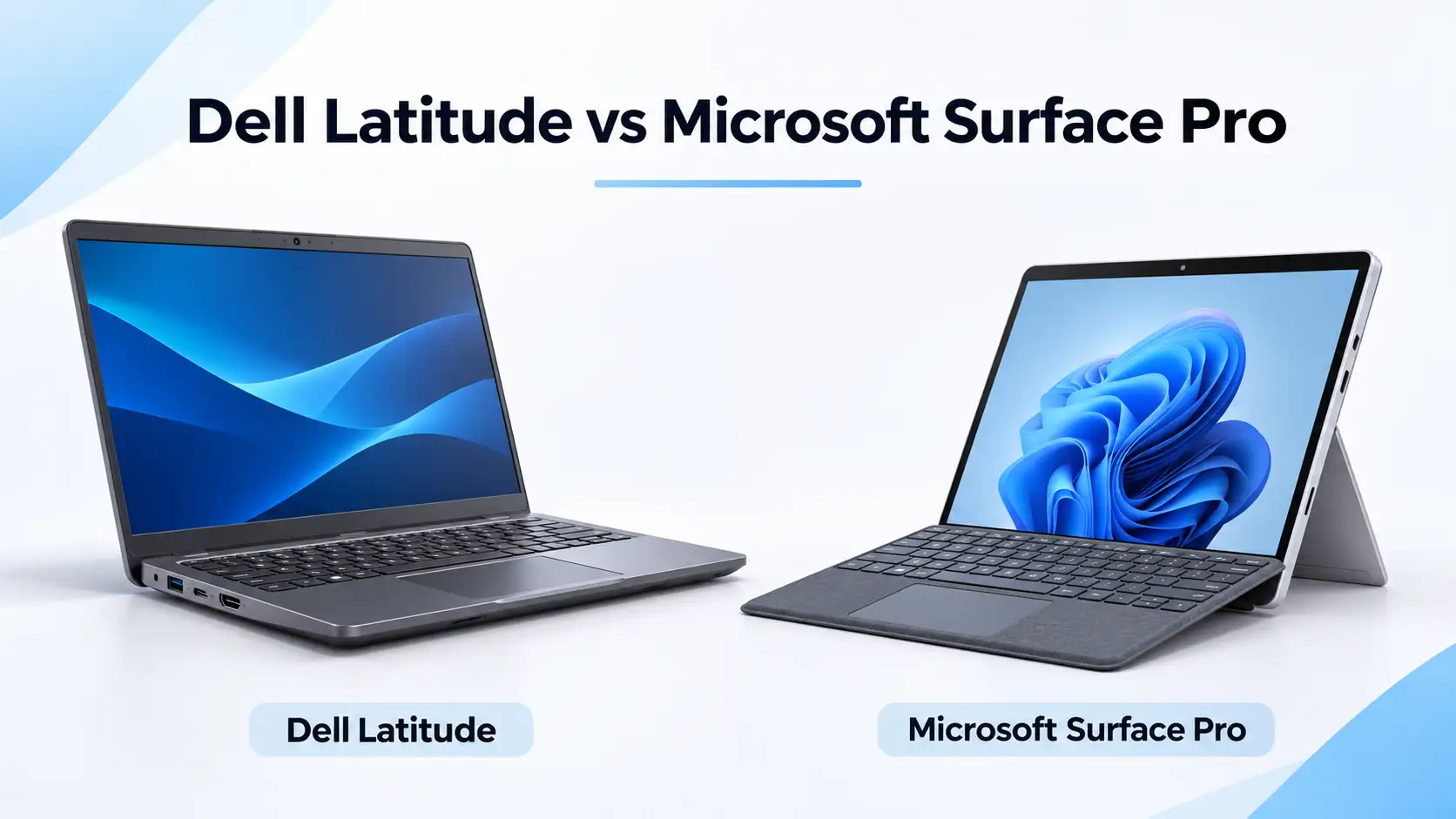
For business users who spend most of their day typing, working with spreadsheets or connecting external devices, a traditional Dell Latitude is often the more practical choice. It offers a built-in keyboard, convenient connectivity and a business-focused design. Some Latitude models also provide greater repairability and upgrade options, although these features vary by model.
The Microsoft Surface Pro is better suited to professionals who value portability, touchscreen functionality and handwritten notes. Its detachable keyboard and built-in kickstand make it useful for meetings, presentations and working on the move. However, accessories such as the Type Cover and Surface Pen may not be included, so check the individual product listing before purchasing.
If you're buying for a team, consider how each device will be used before deciding. Our business laptop buying guide explains the key considerations in more detail.
|
Feature |
Dell Latitude (e.g. 7420) |
Microsoft Surface Pro (e.g. Pro 7) |
|---|---|---|
|
Form factor |
Traditional clamshell laptop |
Detachable 2-in-1 tablet |
|
Typical screen size |
13.3" to 15.6" |
12.3" to 13" |
|
Resolution |
FHD (1920 × 1080), with UHD options | 2736 × 1824 PixelSense display |
|
Processor |
11th Gen Intel Core |
10th Gen Intel Core |
|
Keyboard |
Built-in |
Detachable Type Cover; check listing |
|
Pen support |
Optional on touch models |
Supports compatible Surface Pen |
|
USB-C |
2 × Thunderbolt 4 |
1 x USB-C |
|
Other connections |
USB-A, HDMI, microSD, audio |
USB-A, Surface Connect, microSDXC, audio |
|
RAM upgradeable |
Yes (most models) |
No (soldered) |
|
SSD removable |
Yes (NVMe) |
No, soldered |
|
Battery life |
Depends on battery condition and usage | Depends on battery condition and usage |
Specifications vary between generations and configurations. This comparison uses the Dell Latitude 7420 clamshell and Microsoft Surface Pro 7 as examples. Always check the specifications and included accessories of the individual refurbished device before purchasing.
Dell Latitude laptops are designed with everyday business use in mind. Traditional clamshell models feature a built-in keyboard, sturdy construction and practical connectivity, making them suitable for office work, study and professional environments.
Models such as the Latitude 7420, 5420, 7400 and 7490 offer different screen sizes, weights and materials depending on their configurations. Some Latitude models are also available as convertible 2-in-1 devices, although this comparison focuses on the traditional clamshell versions.
A conventional Latitude is particularly convenient when working from a desk, using your laptop on your lap or typing for extended periods. However, its attached keyboard and larger footprint make it less flexible for tablet-style tasks than a Surface Pro.
The Microsoft Surface Pro combines a Windows tablet with a built-in kickstand and optional detachable keyboard. The Surface Pro 7 weighs approximately 775–790g without its keyboard, making it a convenient option for professionals who frequently move between meetings, client offices and different workspaces.
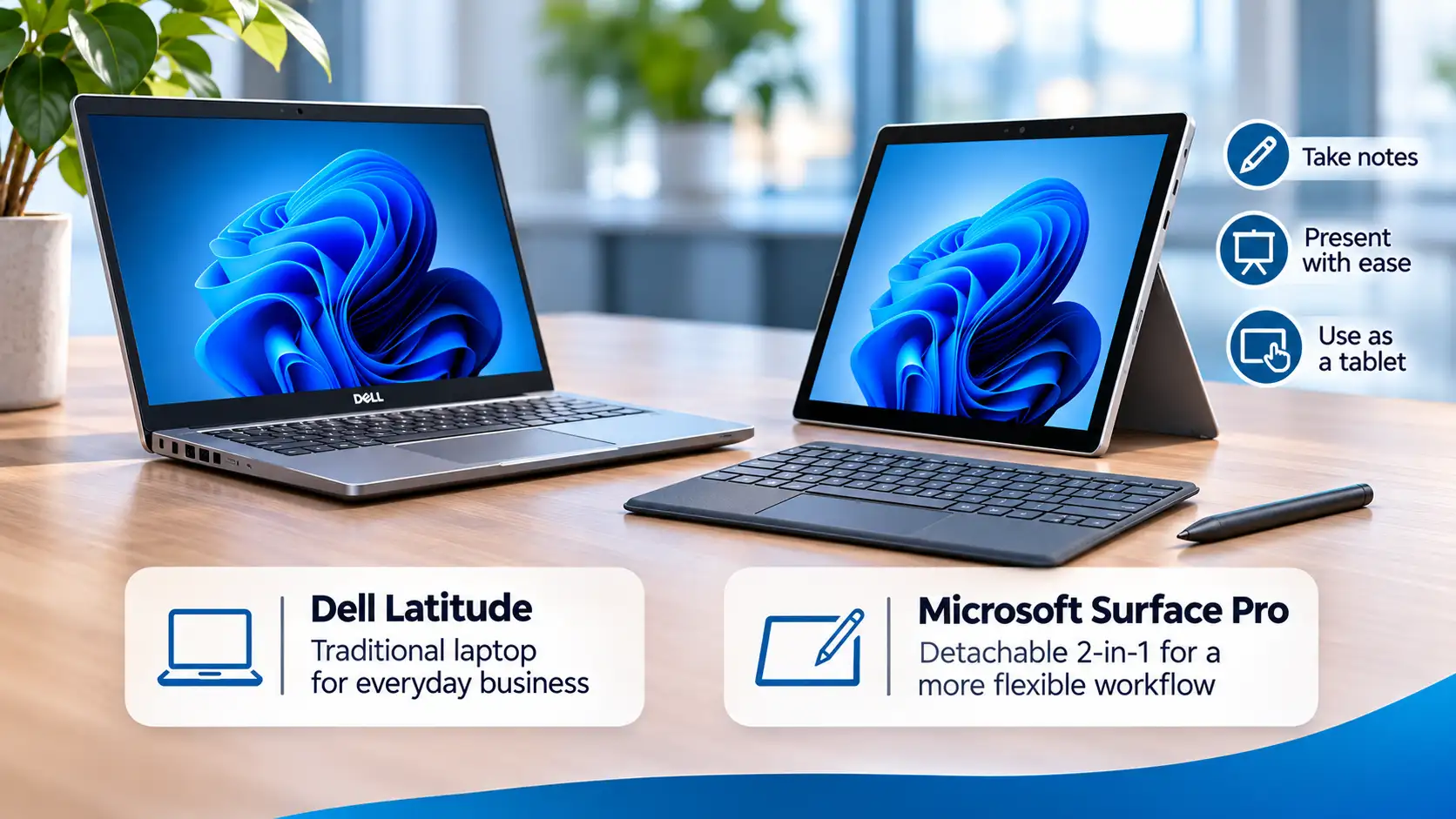
Its touchscreen supports a compatible Surface Pen, allowing you to take handwritten notes, annotate documents, sketch and interact directly with the display. When paired with a Type Cover, the Surface Pro can also be used for typing and everyday productivity tasks.
The main trade-off is ergonomics. While the kickstand works well on a desk or other stable surface, using a Surface Pro on your lap can be less comfortable than using a traditional laptop. Keyboard and pen accessories may also need to be purchased separately, depending on what's included with the refurbished device.
The Microsoft Surface Pro 7 features a 12.3-inch PixelSense touchscreen with a resolution of 2736 × 1824 pixels. Its 3:2 aspect ratio provides additional vertical screen space, which can be useful when reading documents, browsing websites and taking notes. The higher pixel density also helps text and images appear sharp on its compact display.
The Dell Latitude 7420 features a larger 14-inch display, with Full HD (1920 × 1080) commonly found on refurbished configurations. Higher-resolution and touchscreen options are also available on selected models. Display brightness, colour accuracy and viewing quality vary depending on the specific panel installed.
For everyday business tasks such as spreadsheets, emails and document editing, a Latitude's larger screen can be more comfortable. The Surface Pro is particularly appealing if you value a high-resolution touchscreen, handwritten notes and tablet functionality.
Neither display is universally better. The right choice depends on whether you prioritise screen size, resolution, touch functionality or portability.
Performance depends on the specific generation and configuration of each device. For example, the Dell Latitude 7420 uses 11th Gen Intel Core processors, while the Microsoft Surface Pro 7 uses 10th Gen Intel Core processors. Both ranges are available with different memory and storage configurations.
For everyday productivity tasks such as Microsoft 365, web browsing, video calls and document editing, either device can provide a responsive experience when appropriately configured. If you regularly work with multiple applications or large files, choosing 16GB RAM over 8GB can improve multitasking performance. Our guide to 8GB vs 16GB RAM explains the differences in more detail.
The Latitude's traditional laptop design may provide advantages during sustained workloads, depending on the model and cooling system. However, performance should be compared using the actual processor, RAM and storage specifications rather than the product range alone.
Both the Latitude 7420 and Surface Pro 7 use integrated Intel graphics, which are suitable for everyday office work, media playback and light creative tasks. Neither should be considered a dedicated gaming workstation, although less demanding games and applications can run on suitable configurations.
Battery life varies significantly between Dell Latitude and Microsoft Surface models, making it difficult to recommend one range over the other based on battery performance alone.
The Dell Latitude 7420 is available with different battery configurations, while Microsoft originally advertised up to 10.5 hours of typical device usage for the Surface Pro 7. However, manufacturer estimates are based on specific testing conditions and should not be treated as guaranteed real-world results.
Factors such as display brightness, processor workload, battery health, background applications and wireless connectivity all influence how long a laptop lasts between charges.
When purchasing refurbished, battery condition is particularly important. Batteries naturally lose capacity over time, so a refurbished unit may not achieve the same runtime as a brand-new device. Check the individual product listing and ACT's battery policy before purchasing, especially if you need the laptop to last for extended periods away from a charger.
Connectivity is an important consideration for business users, particularly those who regularly connect external monitors, storage devices, keyboards and other accessories.
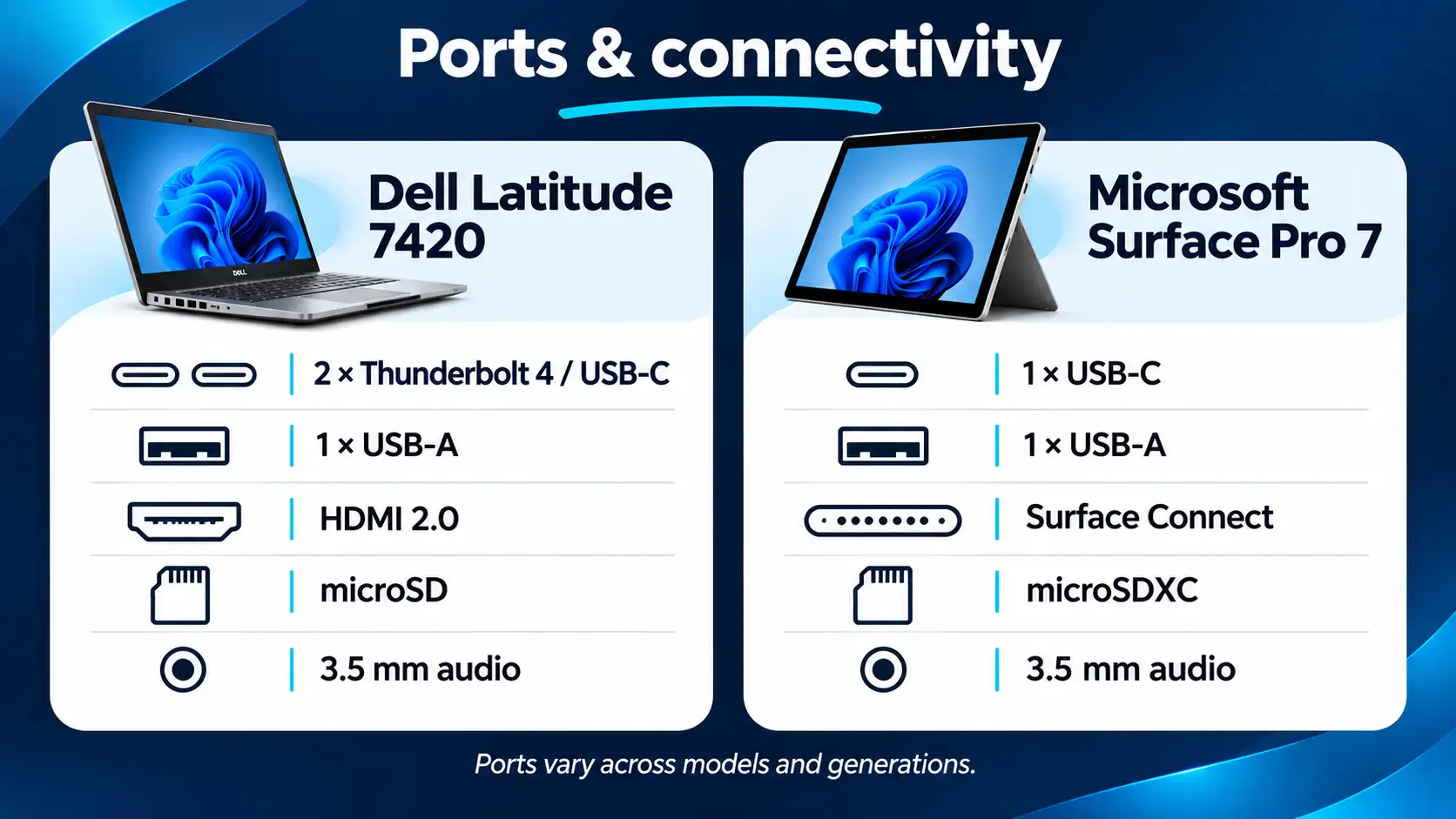
The Dell Latitude 7420 offers two Thunderbolt 4 USB-C ports, one USB-A port, HDMI 2.0, a microSD card reader and a combined headphone and microphone jack. These connections make it convenient for everyday office setups, although the 7420 does not include a built-in Ethernet port. A compatible adapter or docking station is required for wired network connections.
The Microsoft Surface Pro 7 provides one USB-C port, one USB-A port, a microSDXC card reader, a headphone jack and Microsoft's Surface Connect port. While it does not include a dedicated HDMI or Ethernet port, compatible USB-C adapters and docking stations can provide additional connectivity, including external display support.
Both devices support Wi-Fi 6 and Bluetooth 5.0. If you're planning to use multiple monitors or a single-cable docking setup, check the connections and compatibility of your chosen model before purchasing. ACT also offers a range of laptops with USB-C charging.
Dell Latitude laptops are designed for regular keyboard use, making them a practical option for professionals who spend long periods typing. The built-in keyboard and touchpad provide a stable working surface, whether you're at a desk or using the laptop on your lap.
The Microsoft Surface Pro takes a different approach. Its detachable Type Cover provides a compact keyboard and touchpad, allowing you to switch between laptop and tablet functionality. It's a convenient solution for emails, meeting notes and everyday productivity, particularly when working on a desk or stable surface.
However, the Surface Pro's kickstand and detachable keyboard may feel less stable when used on your lap. If your work involves extended typing sessions, it's worth considering which design feels more comfortable.
Keyboard features, including backlighting and the accessories supplied, vary between models and refurbished listings.
Both Dell Latitude and Microsoft Surface Pro devices are designed for regular professional use, although they take different approaches to construction.
Dell Latitude laptops typically feature robust business-focused designs, with materials and components selected for everyday portability and repeated use. Certain Latitude models undergo military-standard durability testing, but the specific certifications and tests vary between devices.
The Surface Pro uses a compact tablet design with a built-in kickstand and detachable keyboard. While its construction is well suited to portable use, the integrated design can make some repairs more challenging than on traditional business laptops.
When purchasing refurbished, the condition of the individual device matters more than broad claims about durability. Check the cosmetic grade and look for signs of damage around the screen, hinges, kickstand and connections. A professionally tested device with a warranty can offer additional confidence when buying either range.
Both Dell Latitude and Microsoft Surface Pro devices offer security features suitable for many business environments. Depending on the model and configuration, these can include TPM security, Windows Hello authentication, firmware protection and support for BitLocker drive encryption.
Certain Dell Latitude models also offer optional security hardware, such as smart card readers and fingerprint scanners, which may be useful for organisations with specific authentication requirements. The Surface Pro 7 includes a Windows Hello facial-recognition camera for convenient sign-in.
For business buyers, the installed Windows edition is particularly important. Windows 11 Pro includes features such as BitLocker management, domain joining, Group Policy and Remote Desktop hosting that may be required in managed IT environments.
Before purchasing refurbished devices for business use, verify the installed Windows edition, hardware specifications and compatibility with your organisation's security requirements. Not every refurbished Latitude or Surface Pro should be assumed to include the same hardware features or Windows edition.
The Latitude is designed for maintenance. Unscrew the bottom cover of any 7420 or 5420, and you will see an NVMe SSD that can be swapped out, replaceable RAM slots (unless you have the version without replaceable RAM), a battery that can be swapped out, and a Wi-Fi card that can be replaced. This means there is no need to replace the laptop when you need more storage space or RAM. You just swap out the specific part. Dell provides a service manual for each Latitude series.
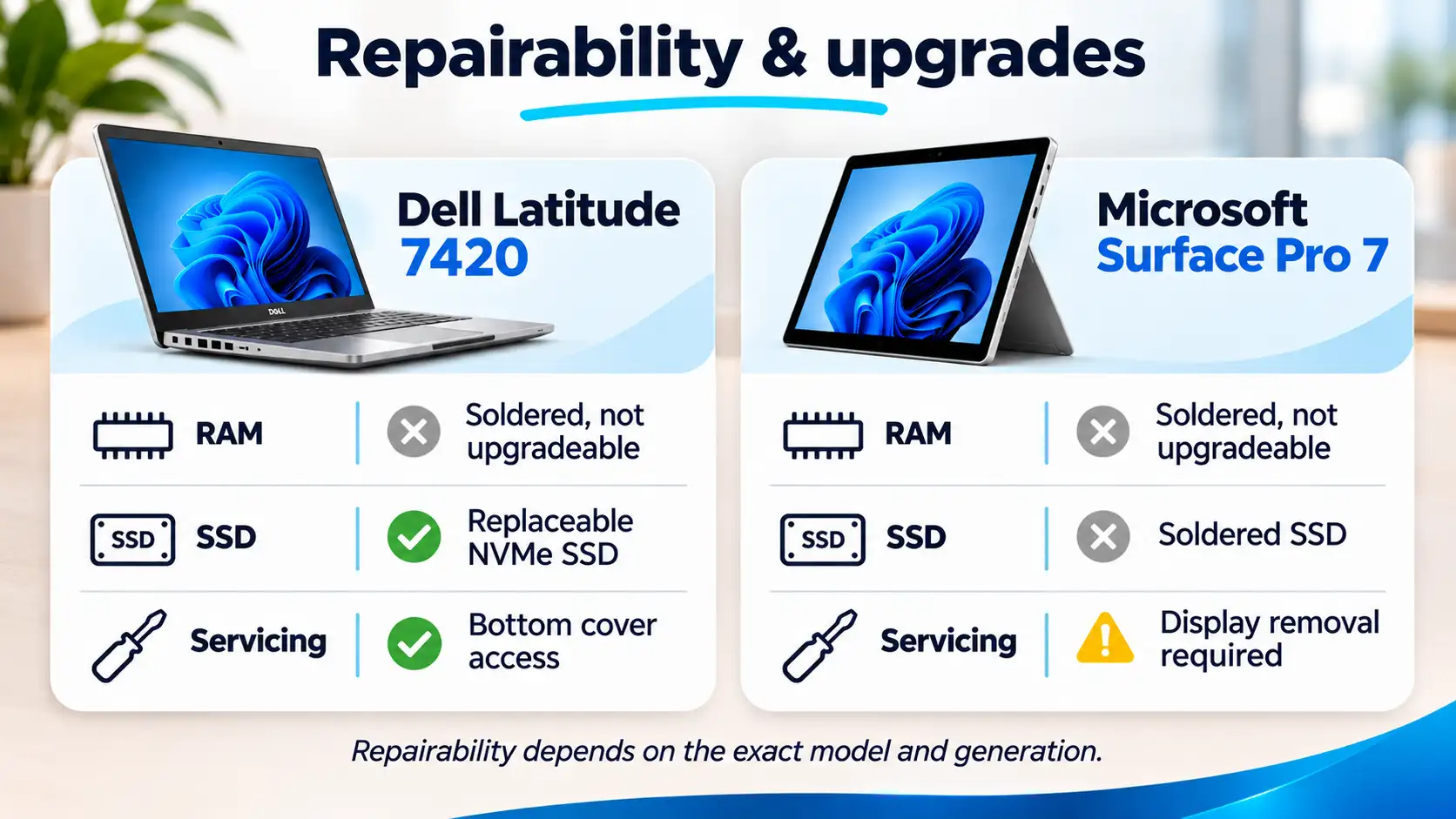
The Surface is the exact opposite. The RAM is fixed onto the motherboard, and the SSD of Surface Pro 7 and older can be removed only by using specialised equipment. The display is glued down. The Surface devices get the lowest repairability score of either 1 or 2 out of 10 on iFixit. If there is a failure outside of the warranty period, it makes more sense to replace the computer rather than fixing it. This issue has been addressed in newer models of Surface, but the majority of refurbishments come from the Pro 7 and Pro 8 lineups.
For a business buyer holding a device for five years, this changes the calculation. A Latitude with 8GB of RAM can become a Latitude with 32GB for around $80 in parts. A Surface with 8GB stays at 8GB for life.
When comparing refurbished Dell Latitude and Microsoft Surface Pro devices, it's important to consider the total cost of the setup rather than the laptop's advertised price alone.
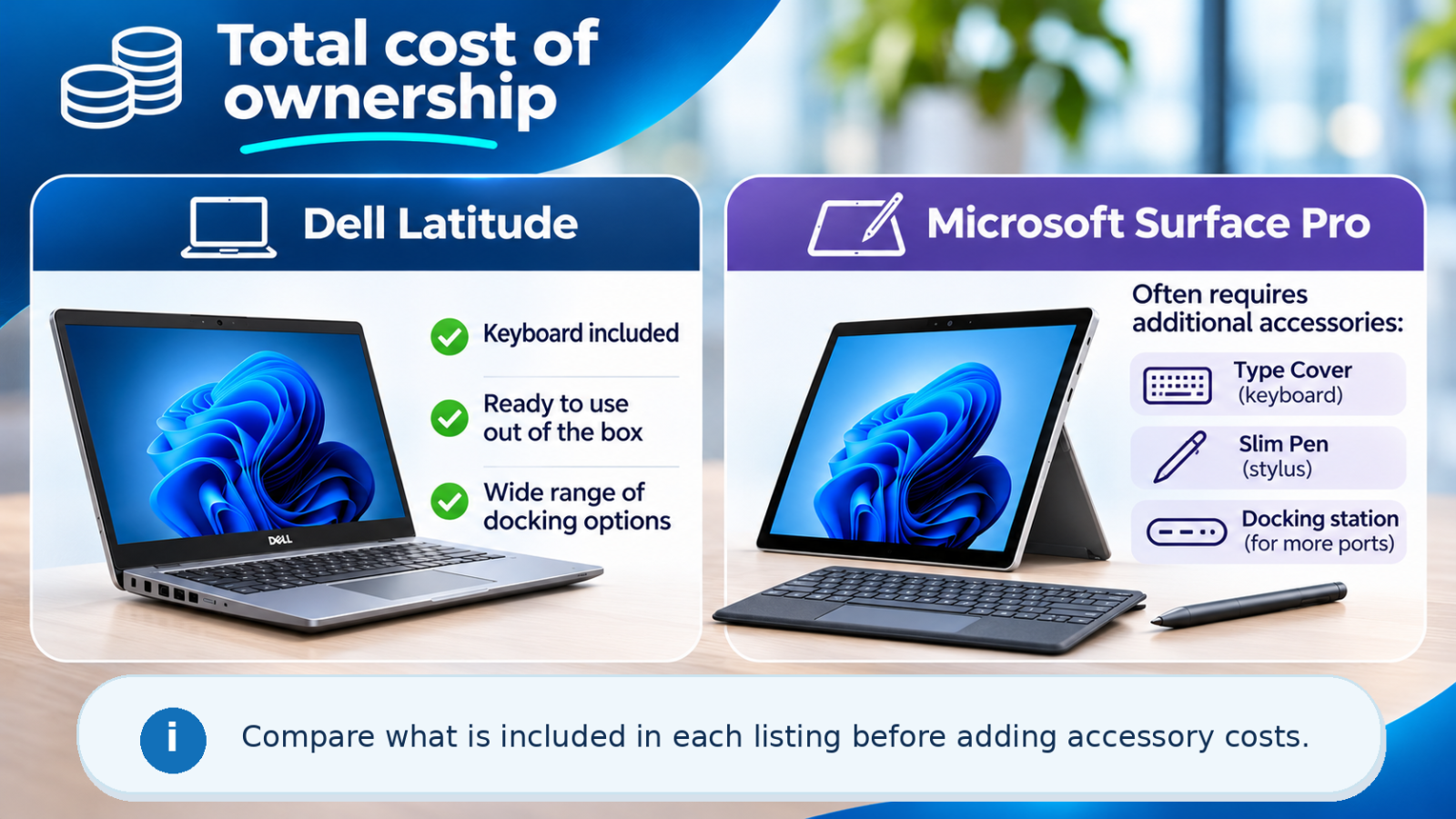
A Dell Latitude includes a built-in keyboard and touchpad, so most users can get started without purchasing additional accessories. Depending on your workspace, you might choose to add an external monitor, mouse or USB-C docking station.
The Microsoft Surface Pro offers greater flexibility through its detachable design, but you may need additional accessories to make full use of it. A compatible Type Cover is useful for regular typing, while a Surface Pen allows you to take handwritten notes, annotate documents and draw directly on the touchscreen. A docking station or USB-C adapter may also be useful for connecting external displays and peripherals.
Some refurbished Surface Pro listings already include a keyboard or other accessories, while others are sold as standalone tablets. Always check what's included before comparing prices.
For a fair comparison, calculate the total cost of the device and any accessories you'll need for your intended use. This will help you determine which option offers better value for your individual requirements.
Buying refurbished can make premium business laptops considerably more affordable. Both Dell Latitude and Microsoft Surface Pro devices are commonly available from previous generations, allowing buyers to access business-focused features without paying the price of a brand-new model.
The amount you save depends on the device's generation, processor, RAM, storage, condition and included accessories. When comparing refurbished and new prices, it's important to consider the differences in specifications rather than relying solely on advertised savings percentages.
For many buyers, a previous-generation Dell Latitude or Surface Pro can provide more than enough performance for everyday business tasks, including Microsoft 365, web browsing, presentations and video calls. Our guide to refurbished vs new laptops explains what to consider when choosing between the two.
At Australian Computer Traders, refurbished devices are professionally tested and backed by a standard 12-month warranty unless otherwise stated. Eligible laptops and desktops can also be purchased with an optional warranty extension to a total of 24 months. ACT offers free Australia-wide shipping on eligible orders and a 30-day change-of-mind return policy, subject to the applicable terms.
Cosmetic grading also helps buyers choose a device that suits their budget. Grade A devices are in good cosmetic condition with minor signs of previous use, while Grade B devices may show more noticeable cosmetic wear while remaining fully functional. Check the grade and condition specified on each product listing before purchasing.
Choose a Dell Latitude if you spend most of your working day at a desk, regularly type documents, use spreadsheets or connect external peripherals. Its built-in keyboard and practical connectivity make it particularly suitable for traditional office environments.
Latitude laptops are also worth considering for business fleets where consistency, serviceability and long-term maintenance are important. However, upgradeability varies by model, so choose a configuration with replaceable components if future upgrades are a priority.
For professionals who need a conventional laptop for everyday business tasks, a Dell Latitude is often a practical and cost-effective choice.
You're frequently in meetings, on flights, in client offices or moving between sites. You take handwritten notes or sketch as part of your work. Screen quality matters more than ports. You're a single user buying for yourself, not deploying a fleet. You don't mind the accessory cost because the form factor genuinely changes how you work.
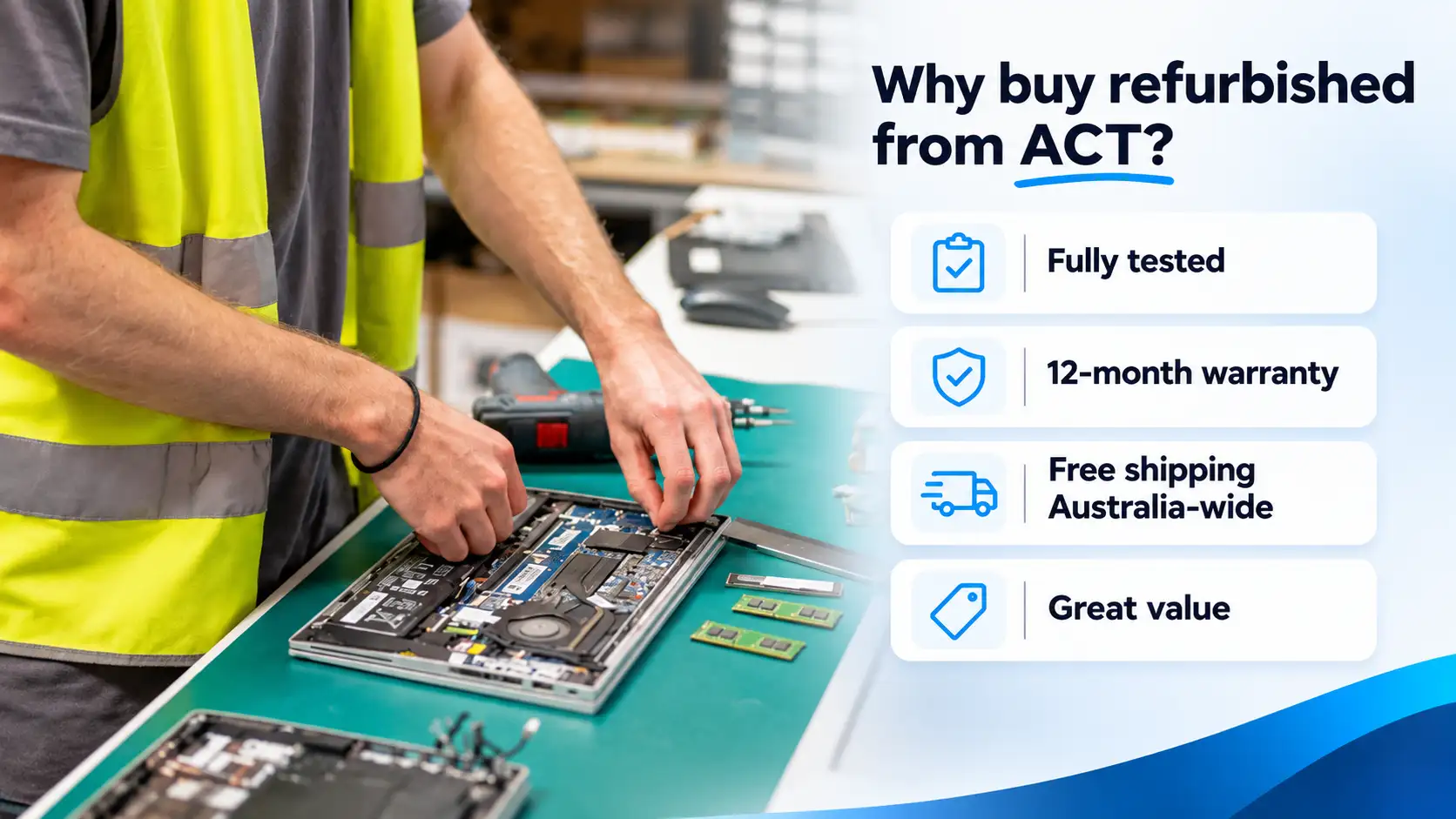
Australian Computer Traders offers a wide range of refurbished Dell Latitude laptops and Microsoft Surface devices for customers across Australia. With a history in refurbished IT dating back to 1993, ACT specialises in providing quality-tested computers for individuals, businesses and organisations.
Every refurbished device undergoes functional testing, secure data wiping and cosmetic grading before being made available for sale. Products are supplied with a licensed operating system and backed by a standard 12-month warranty unless otherwise stated.
Whether you're purchasing a laptop for everyday work or sourcing multiple devices for your business, ACT offers a selection of refurbished models across different specifications and price points. Business and bulk purchasing enquiries are also welcome.
Browse our refurbished Dell Latitude range or explore our Microsoft Surface laptops and tablets to compare available models.
You can also visit our retail store at 911 Stanley Street East, East Brisbane, or contact the team on 1300 727 516 for assistance choosing a device that suits your requirements.
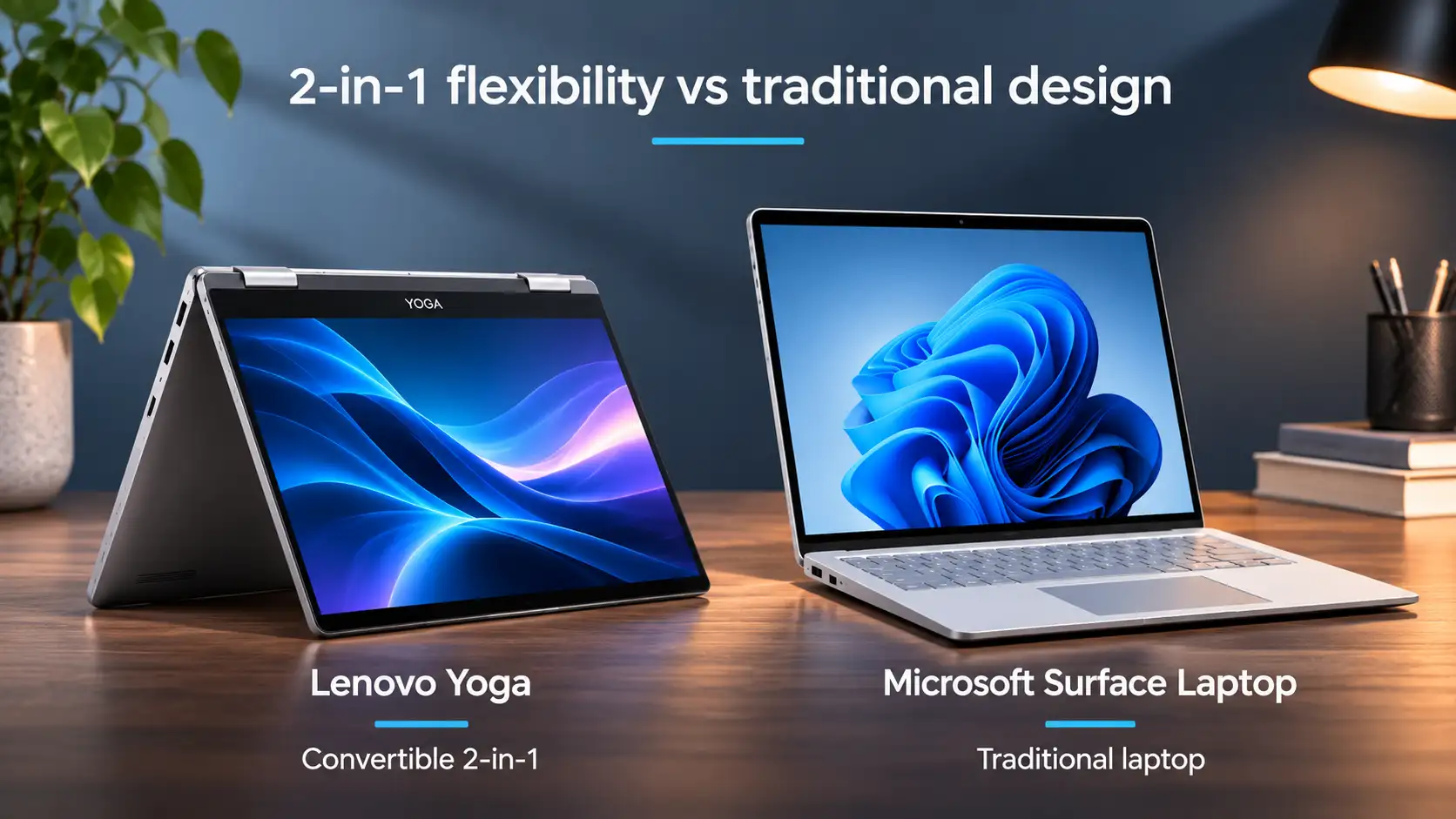
A Surface Pro is a Windows tablet that becomes a laptop when you attach the Type Cover keyboard. Microsoft calls it a 2-in-1. The Surface Laptop range, by contrast, is a traditional clamshell laptop and doesn't detach.
Some models do, most don't. Touchscreen variants are common on the 7000-series (like the 7420 and 7490) but cost more. If touch matters to you, filter for touch models specifically when you're browsing refurbished stock.
Both Dell Latitude and Microsoft Surface Pro devices are designed for professional use and can be suitable for business environments when properly maintained. Reliability depends on the specific model, condition and previous usage history.
At Australian Computer Traders, refurbished devices undergo functional testing and cosmetic grading before sale. They are also backed by a standard 12-month warranty unless otherwise stated, providing added confidence when purchasing refurbished.
A Microsoft Surface Pen may work with certain Dell Latitude touchscreen devices that support a compatible version of Microsoft Pen Protocol (MPP). However, not all touchscreen laptops support active pens, and some Dell models use different pen technologies.
Check the exact Latitude model and compatible stylus specifications before purchasing. For the most reliable experience, choose a pen specifically recommended for your Dell Latitude model.
Neither range is automatically better for battery life. Runtime depends on the specific model, battery condition, display brightness and the applications you use.
When buying refurbished, battery health is especially important because batteries naturally lose capacity over time. Compare the specifications of the devices you're considering and check the individual product listing for any battery information.
Compatible Dell Latitude and Microsoft Surface Pro models can run Windows 11, although the edition installed on a refurbished device may vary.
Windows 11 Pro includes additional business features such as domain joining, Group Policy and BitLocker management. If these features are essential for your organisation, check that the product listing specifically confirms Windows 11 Pro before purchasing.
1 September 2026
 30 August 2026
 10 August 2026
 14 July 2026
 2 July 2026
 29 June 2026
 4 June 2026
 30 March 2026
 19 February 2026

Thoroughly tested by qualified technicians

Most orders delivered within 3-7 business days

Our local team are here to help you

On all products except those sold AS-IS
We're here to help! Click here to contact Customer Service


 Help Centre
 Contact Us