 14 July 2026
MacBook vs Surface Pro
Compare MacBook and Surface Pro performance, displays and flexibility to find the right refurbished device for the way you work.
Read Guide →

Date Posted: 30 March 2026
Determining how much storage you need for your laptop can be challenging, especially if you aren't sure how much space you need or have previously struggled to fit everything on your laptop. Before searching for the perfect laptop, consider what you'll store and how you intend to use it, as this helps you narrow your choice and find a laptop that fits your needs and won't run out of storage. Today, we walk you through the storage you need based on your laptop's use and what to consider when choosing your new laptop.
In a hurry? Here’s the quick version:
The amount of storage your laptop needs depends on how you plan to use it. The storage capacity should reflect the space you need to complete tasks, including creating and editing documents, browsing the web, and playing high-resolution games. We have broken down the storage you will need depending on your planned usage for the laptop:
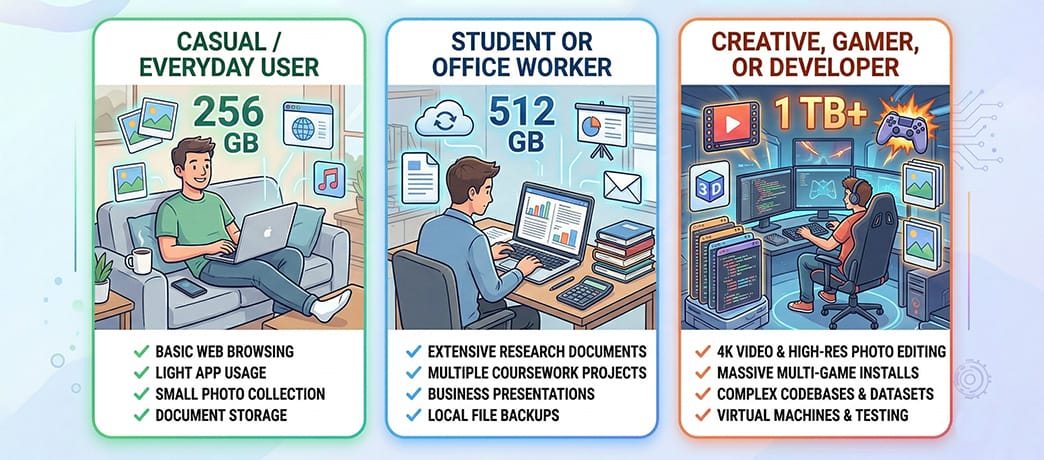
Casual laptop users typically use their laptops for browsing the web, creating and editing documents, storing photos, and streaming TV shows and films. For this, you don't need much storage, as you likely won't be saving much on your laptop. For basic, everyday use, 256GB to 512 GB is the perfect range. It allows plenty of space for you to download your favourite apps and programs, without worrying about slow speeds.
This storage also lets you use the laptop for school or work if your needs change, so you won't need to buy a new laptop or any external storage. For casual users, we recommend using cloud storage when needed, especially for photos. Photos and videos that sync from your phone to your laptop will quickly fill up your laptop's storage, slowing it down. Consider storing them in the cloud to save space without deleting any of your favourite pictures.
Students and office workers typically use their laptops similarly, with the majority of their work involving creating and editing documents or spreadsheets and browsing the web. Of course, this depends on the type of work you are doing or your studies, but many students will benefit from 256 GB as a minimum storage capacity. You can increase this if you will be carrying out simulations, editing videos, or working with other large files and programs. In these cases, you will want 512 GB of storage, which offers more space for mixed media and other offline files.
Ensuring your work is saved correctly is vital, especially as deadlines approach. Many students and office workers find themselves losing vital work, such as essays and reports, and are unable to restore them to their previously saved versions. To prevent disasters while working, we recommend portable backup storage, such as a memory stick or an external hard drive, to securely store your work and ensure it is backed up before logging off. Cloud storage can also be helpful here, but you will need an internet connection to access and save the latest versions.
Graphic designers, photographers, video editors, gamers, developers, and anyone working with large, media-intensive files need to prioritise storage when choosing a laptop. You will likely need a lot of storage to accommodate all your files and graphics. At least 1 TB is recommended, but you may need more depending on the size of your files and how many projects you will work on at once.
The storage space isn't the only aspect you should consider; you should also consider the type of storage. SSD storage is best, as it offers faster speeds than HDD. Your files will load and run quickly, and you will be able to save them quickly, too, so you don't need to worry about the latest changes being saved or any disruption to your editing flow. For huge files and projects, you should consider multiple internal drives to spread your workload without worrying about slower speeds. As with students and office workers, you may also want to consider cloud storage and external hard drives to back up your files, ensuring your work will not be lost.
If you are looking for the bare minimum storage, we recommend 128 GB. This will provide you with enough storage for your operating system and programs, but not much space for anything else. We only recommend 128 GB if you store all of your data and files on the cloud. There won't be any space to store many files on your laptop, and you will need to ensure you always have an internet connection to save your files.
When purchasing laptops with 128 GB of storage, look for models without fixed RAM. You will want the option to increase your internal storage and RAM when needed to create faster, more space-efficient storage. It is vital that you can adjust the laptop to suit your needs should they change.
When looking at the internal storage of a laptop, you have two options to choose from: SSD and hard drives. SSD, or solid-state drive, is a high-performance storage device that uses NAND flash memory to store your data. Doing so provides faster load times, a more responsive system, and greater durability than hard disk drives (HDDs).
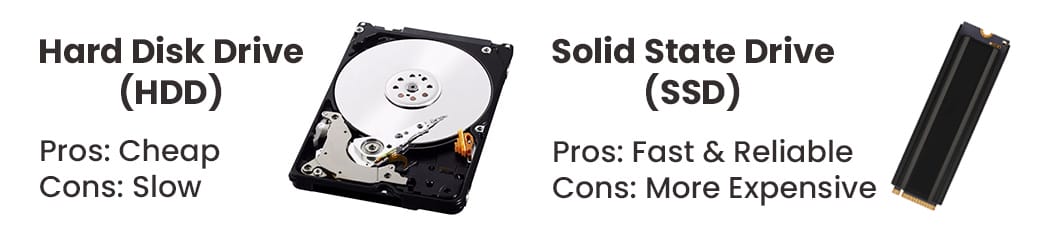
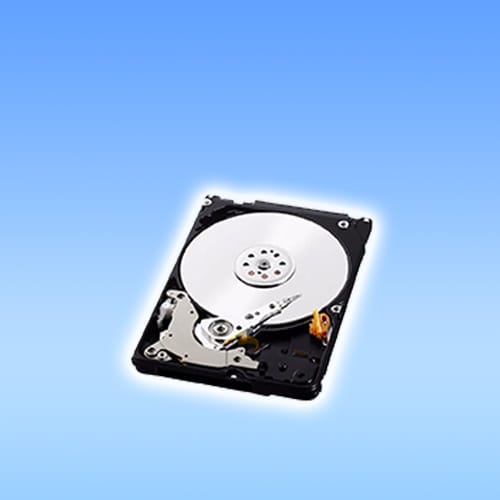
HDDs are the older internal storage option, but can still be found on laptops. HDDs are magnetically written to spin disks in sectors, with a read/write arm moving across them to access information. Internal HDDs are directly connected to the motherboard, providing fast speeds and ample storage. However, their moving parts make them slower than SSDs and less power-efficient so that you might notice an impact on your battery life. The speed of SSDs makes them a more favourable choice, though if you want more storage, HDDs are worth considering, especially as additional external hard drives.
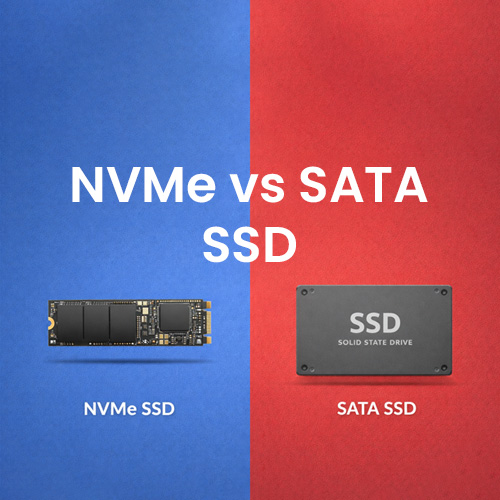
SSDs come as two options: SATA or NVMe. We recommend opting for NVMe, as they can provide faster data transfer speeds and lower latency, ensuring nothing is lost in translation from PCIe to the CPU. NVMe offers several benefits, including faster game load times and lower power consumption, allowing you to use your laptop for longer.
When looking at your laptop's memory, consider how much RAM it has and how much you need for smooth operation.
RAM, or random access memory, determines how fast and smooth your laptop feels when opening and switching between programs and tasks. RAM is how your computer juggles tasks, so the more you have, the easier it is for your laptop to multitask without slowing down. The amount of RAM you need will depend on how you intend to use your computer, just as with storage space.
For everyday users looking to run multiple browser tabs, stream films, open documents, and perform light productivity, 8 GB of RAM is perfect. If you multitask frequently, work with photo and video editing, or play light games, then 16 GB of RAM would be better. 32 GB of RAM is reserved for intensive workflows that require running multiple large programs and files simultaneously, such as heavy video editing, 3D rendering, or large datasets. It's essential to carefully consider how you intend to use the laptop to determine which RAM is right for you.
For some users, their laptops need to be replaced, and the RAM and storage they selected are no longer suitable. In these cases, you can upgrade without purchasing a new laptop by adding additional RAM and storage, but it's essential to know when and what to upgrade.
Upgrading your RAM provides a speed boost, ensuring that your laptop runs faster and smoothly when multitasking. With more RAM, your system keeps active programs in memory instead of slower storage, providing you with better performance. You will need to check that your laptop's hardware supports RAM upgrades, though. Modern laptops solder their RAM to the motherboard, so it cannot be upgraded. You would need to consider upgrading your storage or other hardware to increase performance. When purchasing your laptop, you should also check the maximum RAM capacity it supports to determine whether it will be suitable if your needs change.
Alongside internal laptop storage, there are other options worth considering that can provide more storage without adding to your laptop's internal components. Cloud storage is perhaps the most popular space-saving alternative, with several providers you can choose from. We recommend researching them thoroughly before making your choice, but some of our favourites include:
Google Drive
OneDrive
Dropbox
iCloud
If you want full-system backups or have large files, we recommend using external drives. These are more practical than cloud storage, especially if you cannot guarantee a constant internet connection. External hard drives and SSDs are often cheaper per terabyte than cloud subscriptions, making them the better option for storing large photo and video libraries or as long-term backups. Consider how you intend to use your external storage to make the right choice for your needs.
When purchasing your laptop, it's also important to consider long-term needs and ensure it's future-proofed so you don't need to worry about your needs changing. To do so, look for laptops with extra storage upfront, as this gives you plenty of room should you need to store more than you initially thought. You can also look for laptops that allow you to upgrade with replaceable components or accessible storage bays, providing space to add more storage and RAM when needed.
It is worth spending time exploring the upgrade paths on a laptop to see whether RAM and storage can be expanded, the maximum capacities, and the supported formats. Doing so allows you to determine if the laptop is suitable for you in the long term, should your needs change.
When purchasing your new laptop, we recommend using our practical buying tips and considering cost tradeoffs to ensure that it's the right choice for you:
Consider data security if you are storing sensitive files, looking for hardware encryption support and reliable backup strategies to keep your information safe
Check usable storage space after the operating system is installed, as system files and recovery partitions will take up a large chunk of your capacity
Choose faster drives over extra capacity, with smaller NVMe SSDs feeling quicker and more responsive than larger and slower options
Compare storage price per gugabute across models and brands to help find the best value
Before heading off to purchase your new laptop, we recommend that you do the following to ensure that you are making the right purchase for your needs:
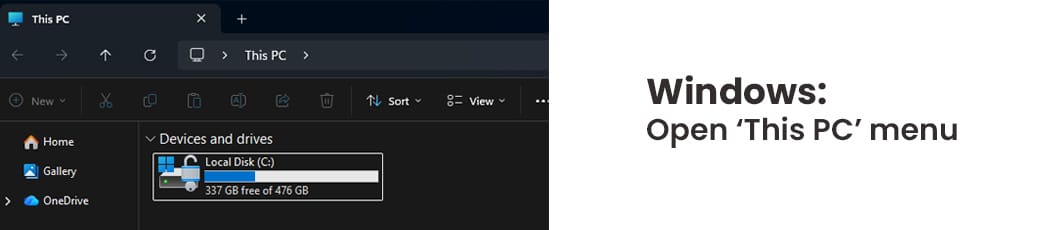
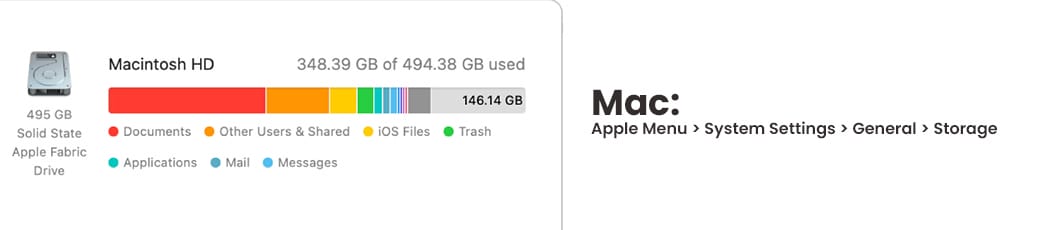
Check your current laptop to see how much free space you have, determining if this is enough or whether increasing your space is needed
Map your primary file types and sizes, as this will determine the type of storage that you need
When searching for storage, opt for the minimum, looking at storage sizes to ensure you are making the right choice for your needs
List upgrade and external storage options before you make your purchase, so you know what options are available to you should you need more storage space
By considering your intended use and expanding your options, you can find the perfect laptop storage that suits your needs and grows with you if needed. When choosing a laptop, storage is essential, but you also want a fast laptop that will last for years, like one of our options at Australian Computer Traders. All of our refurbished models feature powerful performance, with many offering expandable storage too! Plus, with free shipping and a 12-month warranty, your new laptop purchase could be sooner than you think. Check out our options today!
Typically, you have between 10 and 20% less storage after you have set up. This will depend on the operating system you choose, but preinstalled software and operating systems can take up 30-60 GB of storage, eating into your valuable space. It's worth considering this when choosing your laptop to ensure you have space for your files and programs after the necessary laptop setup.
Choosing a laptop with a faster SSD will make the laptop snappier, with better boot times and responsiveness. Choosing a laptop with more storage space is the better option if you have large file libraries, especially if you plan to add to the library. Most users will want a fast, moderate-capacity SSD, as it delivers faster performance that keeps you productive, especially if you don't need the larger capacity.
You can rely on cloud storage instead of laptop storage, but you will need a fast, reliable internet connection to do so. Using cloud storage frees up space on your laptop, but you need to consider speed limitations and subscription costs before deciding whether it is the right option for you.
On average, people need to upgrade or expand their laptop storage every 3 to 5 years, depending on their changing needs. This usually aligns with the average laptop lifespan, when most people look to replace their laptop and upgrade to a newer, more powerful model.
Most SSDs can last for five to ten years, but as people's needs change, looking for increased capacity or faster speeds, they will change their laptop, upgrading and expanding storage as they do.
Laptops with significantly more storage space than others will increase their resale value. We see this more with fast SSDs than with HDDs, thanks to their faster speeds and newer technology. More storage space will make your laptop an upgrade for most buyers looking for a new one, making it easier for you to attract a higher resale price, especially for those seeking more storage for large files or gaming.
14 July 2026
 2 July 2026
 29 June 2026
 4 June 2026
 30 March 2026
 19 February 2026
 2 February 2026
 6 January 2026
 29 December 2025

Thoroughly tested by qualified technicians

Most orders delivered within 3-7 business days

Our local team are here to help you

Industry leading warranty on all products
We're here to help! Click here to contact Customer Service


 Help Centre
 Contact Us