 14 July 2026
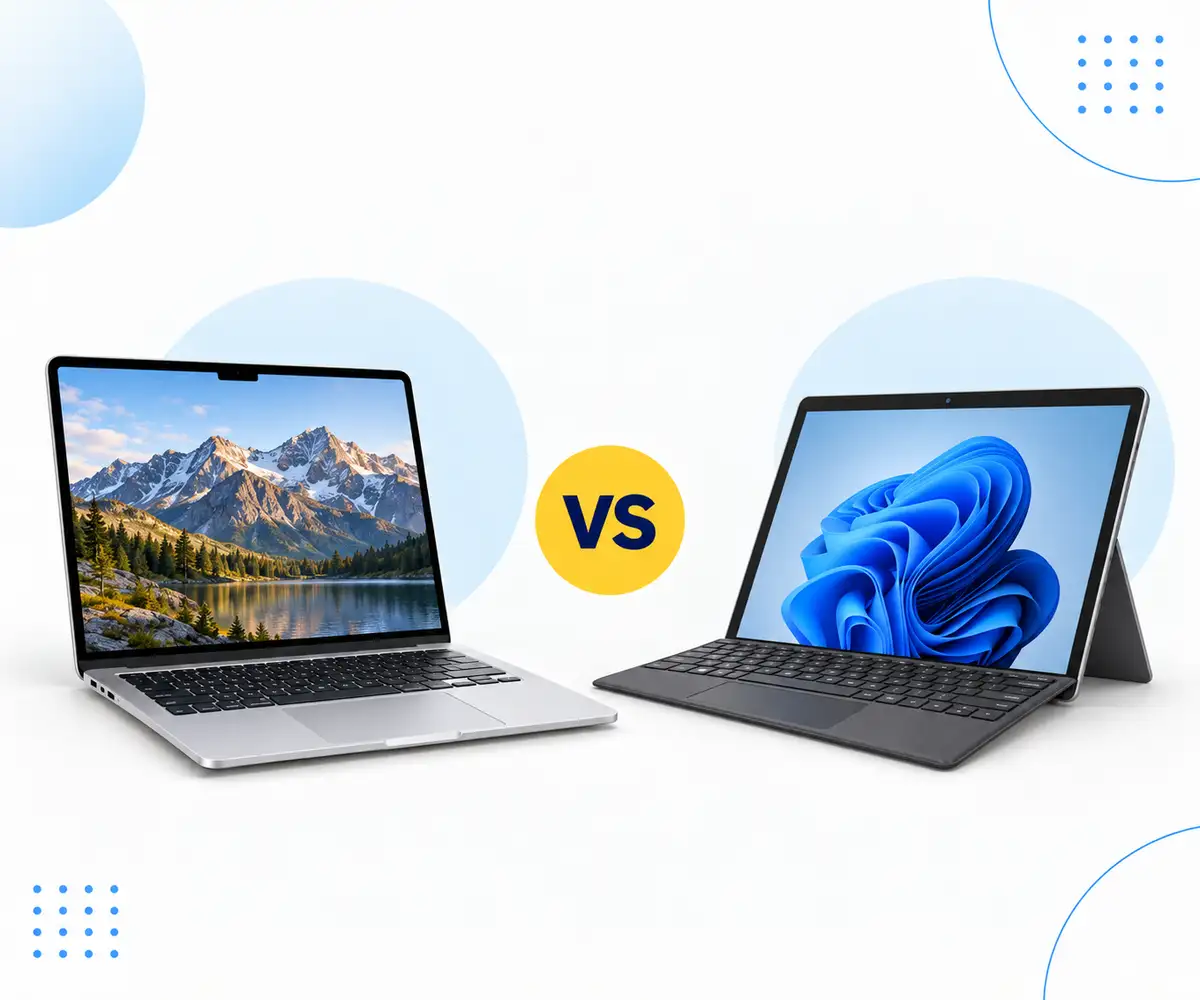
MacBook vs Surface Pro
Compare MacBook and Surface Pro performance, displays and flexibility to find the right refurbished device for the way you work.
Read Guide →

Date Posted: 29 December 2025
Choosing the right data storage option can be challenging, especially if you have never given it much thought before. Ensuring you have the right option allows plenty of space for your files, the right level of security, and can even impact the speed and performance of your laptop and PC. But how do you know what is right for you?
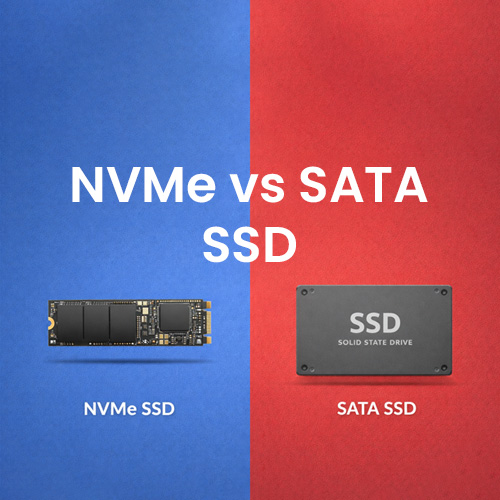
That is where we come in! Our handy comparison guide takes you through NVMe and SATA SSDs, comparing their speeds, bandwidth, compatibility, and more to help determine which data storage is right for you. Let us walk you through your options now.
Before we dive in, let's start with an overview of the two data options to help you learn more about them and determine which one is right for you. Both support SSDs, but they work in different ways, making them better suited to different users.
NVMe, or Non-Volatile Memory Express, describes a high-speed, highly parallel data transfer method. It features reduced system overhead per input/output per second and is commonly used in flash storage and solid-state drives (SSDs). NVMe is powerful and designed for high-performance needs, used by many businesses.
NVMe can provide better response times than HDDs, reducing bottlenecks at the CPU and enabling multiple data transfers to occur simultaneously. The storage technology was designed to replace SATA, working with the latest AI and ML technologies. Its key difference to previous storage is the Peripheral Component Interconnect Express (PCIe bus, which provides access to flash storage. The addition of PCIe eliminates the need for a middleman controller, providing faster speeds with a reduced chance of errors.
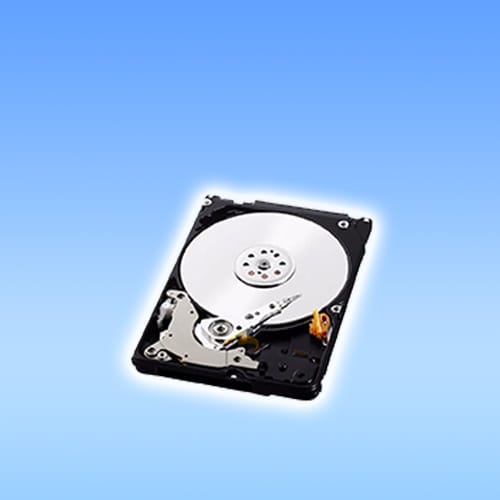
SATA, or Serial Advanced Technology Attachment, is a protocol that transfers data between a computer and a storage device, such as a hard disk drive (HDD). Until recently, most desktops and laptops contained SATA-compatible hardware, but with the popularity of SSDs and NVMe developments, SATA has lost its popularity in recent years.
When it first launched in 2003, SATA was designed to compete with and ultimately replace PATA interfaces, coming with the following advantages:
It offered faster data transfer speeds that reduced document and program loading times and enhanced image quality
It had more compact cable options, making cable routing easier and improving computer ventilation
It offered lower voltage connections, reducing crosstalk and distortion
Its differential signalling delivered high-speed data transfer with reduced power consumption
While SATA may not be as popular as NVMe, its benefit is that it remains compatible with older hardware. If you have older systems, you can enjoy greater compatibility without worrying about needing to replace other hardware or software.
When it comes to speed and performance, NVMe takes the lead. NVMe SSDs deliver higher speeds and performance than SATA SSDs, as they can send and receive NVMe commands more quickly. They provide better throughput, too, meaning your files are saved and sent to the right places faster, without any worries about them getting lost along the way. The increased speed is achieved by NVMe SSDs utilising PCIe to connect directly to the server or CPU for SSD storage. SATA SSDs, however, use the Serial ATA Express bus interface, which is significantly slower.
If faster data transfer speeds are essential, it's worth upgrading to an NVMe SSD, but be mindful that this comes with an added cost. You will want to carefully consider your budget before making a decision.
Parallelism is one of the most important features in NVMe, as it enables concurrent operations to be run simultaneously across multiple threads. This parallelism comes with a queue depth of 64,000, making it an ideal option for large-scale businesses that run multiple operations simultaneously. SATA does not have the same parallelism and can only support 31 I/O requests in a queue at any time. While it can be enough for personal or small-scale use, larger businesses or those with constant data transfers might struggle.
It is worth spending some time considering how important parallelism is to you and your needs to make the right choice.
The bandwidth is another important factor that needs to be considered. The PCIe connection NVMe uses is larger, coming with more bandwidth than SATA ports. Each generation of PCIe doubles the bandwidth of a previous generation, with PCIe 4.0 NVMe providing unbelievable bandwidth compared to 2.0 options!
SATA has lower bandwidth connections, and it is fixed, so you don't see an improvement with concurrent generations. The bandwidth you get with SATA won't increase, making it difficult to scale the bandwidth in line with your or your business's needs. For that reason, if you want scalable bandwidth, we recommend opting for NVMe, as their PCIe connections are scalable, using 'lanes' that allow users to double their bandwidth in the same generation.
Compatibility is a vital factor to consider, ensuring the data storage will work with your current setup. NVMe is considered more compatible with newer technologies like the cloud, ML, and AI. It was developed in parallel to these technologies over the same time period, ensuring that it works seamlessly with all modern operating systems, including gaming consoles, mobile phones, and laptops. Any newer devices and systems will work smoothly with NVMe.
However, if you have older systems, you will want to consider SATA. Older technologies, like HDDs, aren't compatible with NVMe. This is because they lack the necessary connections for the NVMe PCIe sockets, and you will need to use SATA instead. When choosing your data storage, check the compatibility of your current systems to ensure you make the right choice. If you are considering replacing your entire system, then NVMe is a good option, as i ensures compatiblity with the current technologies.
SATA SSDs take the lead when it comes to price, offering a more affordable option. Its lower price point does come with less speed, but if you don't need the faster speeds, you can save yourself some money and still enjoy powerful data storage.
The price of NVMe has lowered recently, but it still costs more than SATA. The price increases again when searching for enterprise-grade SSDs, and whether you opt for SATA or NVMe, the cost can reach four figures. When choosing between the two, consider your budget, intended use, and the power requirements to ensure you make the right choice.
NVMe is becoming the industry standard for enterprise-level workloads, but if you are working with PCs, SATA SSDs can be a better choice, especially when replacing current HDDs. When replacing HDDs, SATA offers faster speeds, making it easier for you to work without the added cost of NVMe.
One of the most important factors in deciding is the intended use of the data storage. PC users will find SATA a more affordable option, but it comes with the sacrifice of speed, which can disrupt workflow. Businesses will find NVMe a better option, although the higher price point can make it difficult for smaller businesses to justify. To help you see where each option is better suited, we have broken down the best uses for NVMe and SATA SSD interfaces below:
Data centres- where you can expand data storage capabilities without sacrificing performance
Demanding applications - for apps that use real-time customer interactions in data-rich environments, like e-commerce and personal finance apps, the speed of NVMe is perfect
High performance computing (HPC) - where the high speeds and capacity for parallel processing make it a great choice for high-performance computing applications like AI, ML, and financial trading
Audio production - where the NVMe speeds are not needed and SATA provides a sound alternative, unless you are working with multiple samples
Video editing - SATA offers plenty of speed for video editing, unless you are working with high bitrate footage (of 2,000 Mbps or higher), or on a project where footage from several cameras needs editing simultaneously
Legacy components - SATA is considered 'backwards compatible' and can be safely used with older software and hardware without adding stress to the processor
We recommend that you carefully consider the intended use of the data storage to narrow your choice and determine whether an NVMe or SATA interface is best suited for your needs.
Choosing between NVMe and SSD can be tricky, but it doesn't need to be. By considering your needs and budget, you can easily narrow your choice and find the perfect option for you. If you have large-scale data transfers and a higher budget, NVMe is ideal for you. However, if you typically work with older hardware or are looking to save money, a SATA SSD is ideal; however, you may experience some delays. When shopping for data storage, we recommend looking for refurbished models at Australian Computer Traders. Whether you are looking for separate storage or a new PC using NVMe or SATA, we can help you find the perfect option to suit your budget.
14 July 2026
 2 July 2026
 29 June 2026
 4 June 2026
 30 March 2026
 19 February 2026
 2 February 2026
 6 January 2026
 29 December 2025

Thoroughly tested by qualified technicians

Most orders delivered within 3-7 business days

Our local team are here to help you

Industry leading warranty on all products
We're here to help! Click here to contact Customer Service
Terms & Conditions
Welcome to our website. If you continue to browse and use this website, you are agreeing to comply with and be bound by the following terms and conditions of use, which together with our privacy policy govern Australian Computer Traders’s relationship with you in relation to this website. If you disagree with any part of these terms and conditions, please do not use our website.
The term ‘Australian Computer Traders’ or ‘us’ or ‘we’ refers to the owner of the website whose registered office is 30 Miller Street Murarrie QLD 4172. Our ABN is 75 063 483 474. The term ‘you’ refers to the user or viewer of our website.
The use of this website is subject to the following terms of use:
Privacy Policy
We may use the information we collect from you when you register, purchase products, enter a contest or promotion, respond to a survey or marketing communication, surf the website, or use certain other site features in the following ways:
We implement a variety of security measures to maintain the safety of your personal information. Your personal information is contained behind secured networks and is only accessible by a limited number of persons who have special access rights to such systems, and are required to keep the information confidential. When you place orders or access your personal information, we offer the use of a secure server. All sensitive/credit information you supply is transmitted via Secure Socket Layer (SSL) technology and then encrypted into our databases to be only accessed as stated above.
Yes. Cookies are small files that a site or its service provider transfers to your computer's hard drive through your web browser (if you allow), which enables the site's or service provider's systems to recognize your browser and capture and remember certain information.
For example, we use cookies to help us remember and process the items in your shopping cart. They are also used to help us understand your preferences based on previous or current site activity, which enables us to provide you with improved services. We also use cookies to help us compile aggregate data about site traffic and site interaction so that we can offer better site experiences and tools in the future.
We may contract with third-party service providers to assist us in better understanding our site visitors. These service providers are not permitted to use the information collected on our behalf except to help us conduct and improve our business.
We also partner with Microsoft Clarity and Microsoft Advertising to capture how you use and interact with our website through behavioral metrics, heatmaps, and session replays. This helps us improve and market our products and services. Website usage data is collected using first- and third-party cookies and other tracking technologies to determine the popularity of products/services and user activity on the site. This data may also be used for site optimization, fraud prevention, security, and advertising purposes.
For more information about how Microsoft collects and uses your data, please visit the Microsoft Privacy Statement.
You can choose to have your computer warn you each time a cookie is being sent, or you can choose to turn off all cookies through your browser settings. Each browser is slightly different, so please refer to your browser’s Help menu to learn how to modify your cookie settings.
If you disable cookies, some features that make your site experience more efficient may not function properly. However, you can still place orders over the telephone by contacting our customer service team.
We do not sell, trade, or otherwise transfer to outside parties your personally identifiable information unless we provide you with advance notice, except as described below. The term "outside parties" does not include Australian Computer Traders Pty Ltd. It also does not include website hosting partners and other parties who assist us in operating our website, conducting our business, or servicing you, so long as those parties agree to keep this information confidential. We may also release your information when we believe release is appropriate to comply with the law, enforce our site policies, or protect our or others' rights, property, or safety.
However, non-personally identifiable visitor information may be provided to other parties for marketing, advertising, or other uses.
We are committed to compliance with all laws and requirements relating to the use of your personal information. We will only use or disclose your personal information for direct marketing purposes if you have provided your information for that purpose (and you would expect us to use the information for that purpose), or if you have provided consent for your information to be used in this way.
From time to time, we may contact you with information about products and services offered by us and our related entities and our business partners, which we think may be of interest to you. When we contact you it may be by mail, telephone, email, SMS/text message or social media message.
Where we use or disclose your personal information for the purpose of direct marketing, we will:
You can ask to be removed from our marketing lists at any time by contacting us directly. If you do not wish to be contacted by Australian Computer Traders, please submit an enquiry and a member of our team will get back to you.
To modify your e-mail subscriptions, please let us know by modifying your preferences in the "My Account" section. Please note that due to email production schedules you may receive any emails already in production.
To delete all of your online account information from our database, sign into the "My Account" section of our site and remove your shipping addresses, billing addresses & payment information. Please note that we may maintain information about an individual sales transaction in order to service that transaction and for record-keeping.
In an attempt to provide you with increased value, we may include third-party links on our site. These linked sites have separate and independent privacy policies. We, therefore, have no responsibility or liability for the content and activities of these linked sites. Nonetheless, we seek to protect the integrity of our site and welcome any feedback about these linked sites (including if a specific link does not work).
The Australian Computer Traders mobile message service (the "Service") is operated by Australian Computer Traders (“Australian Computer Traders”, “we”, or “us”). Your use of the Service constitutes your agreement to these terms and conditions (“Mobile Terms”). We may modify or cancel the Service or any of its features without notice. To the extent permitted by applicable law, we may also modify these Mobile Terms at any time and your continued use of the Service following the effective date of any such changes
shall constitute your acceptance of such changes.
By consenting to Australian Computer Traders’s SMS/text messaging service, you agree to receive recurring SMS/text messages from and on behalf of Australian Computer Traders through your wireless provider to the mobile number you provided, even if your mobile number is registered on any state or federal Do Not Call list. Text messages may be sent using an automatic telephone dialing system or other technology. Service-related messages may include updates, alerts, and information (e.g., order updates,
account alerts, etc.). Promotional messages may include promotions, specials, and other marketing offers (e.g., cart reminders).
You understand that you do not have to sign up for this program in order to make any purchases, and your consent is not a condition of any purchase with Australian Computer Traders. Your participation in this program is completely voluntary. We do not charge for the Service, but you are responsible for all charges and fees associated with text
messaging imposed by your wireless provider. Message frequency varies. Message and data rates may apply. Check your mobile plan and contact your wireless provider for details. You are solely responsible for all charges related to SMS/text messages, including charges from your wireless provider.
You may opt-out of the Service at any time. Text the single keyword command STOP to AUSComputer or click the unsubscribe link (where available) in any text message to cancel. You'll receive a one-time opt-out confirmation text message. No further messages will be sent to your mobile device, unless initiated by you. If you have subscribed to other Australian Computer Traders mobile message programs and wish to cancel, except where applicable law requires otherwise, you will need to opt out separately
from those programs by following the instructions provided in their respective mobile terms.
For Service support or assistance, text HELP to AUSComputer or email enquiry@australiancomputertraders.com.au.
We may change any short code or telephone number we use to operate the Service at any time and will notify you of these changes. You acknowledge that any messages, including any STOP or HELP requests, you send to a short code or telephone number we have changed may not be received and we
will not be responsible for honoring requests made in such messages.
The wireless carriers supported by the Service are not liable for delayed or undelivered messages. You agree to provide us with a valid mobile number. If you get a new mobile number, you will need to sign up for the program with your new number. To the extent permitted by applicable law, you agree that we will not be liable for failed, delayed, or
misdirected delivery of any information sent through the Service, any errors in such information, and/or any action you may or may not take in reliance on the information or Service. We respect your right to privacy. To see how we collect and use your personal information, please see our Privacy Notice.
If we decide to change our privacy policy, we will post those changes on this page. Policy changes will apply only to information collected after the date of the change. This policy was last modified in August 14th, 2025.
We welcome your questions, comments, and concerns about privacy. Please send us any and all feedback pertaining to privacy, or any other issue.
This online privacy policy applies only to information collected through our website and not to information collected offline.
Please also visit our Terms and Conditions section establishing the use, disclaimers, and limitations of liability governing the use of our website.
By using our site, you consent to our privacy policy.


 Help Centre
 Contact Us