 30 August 2026
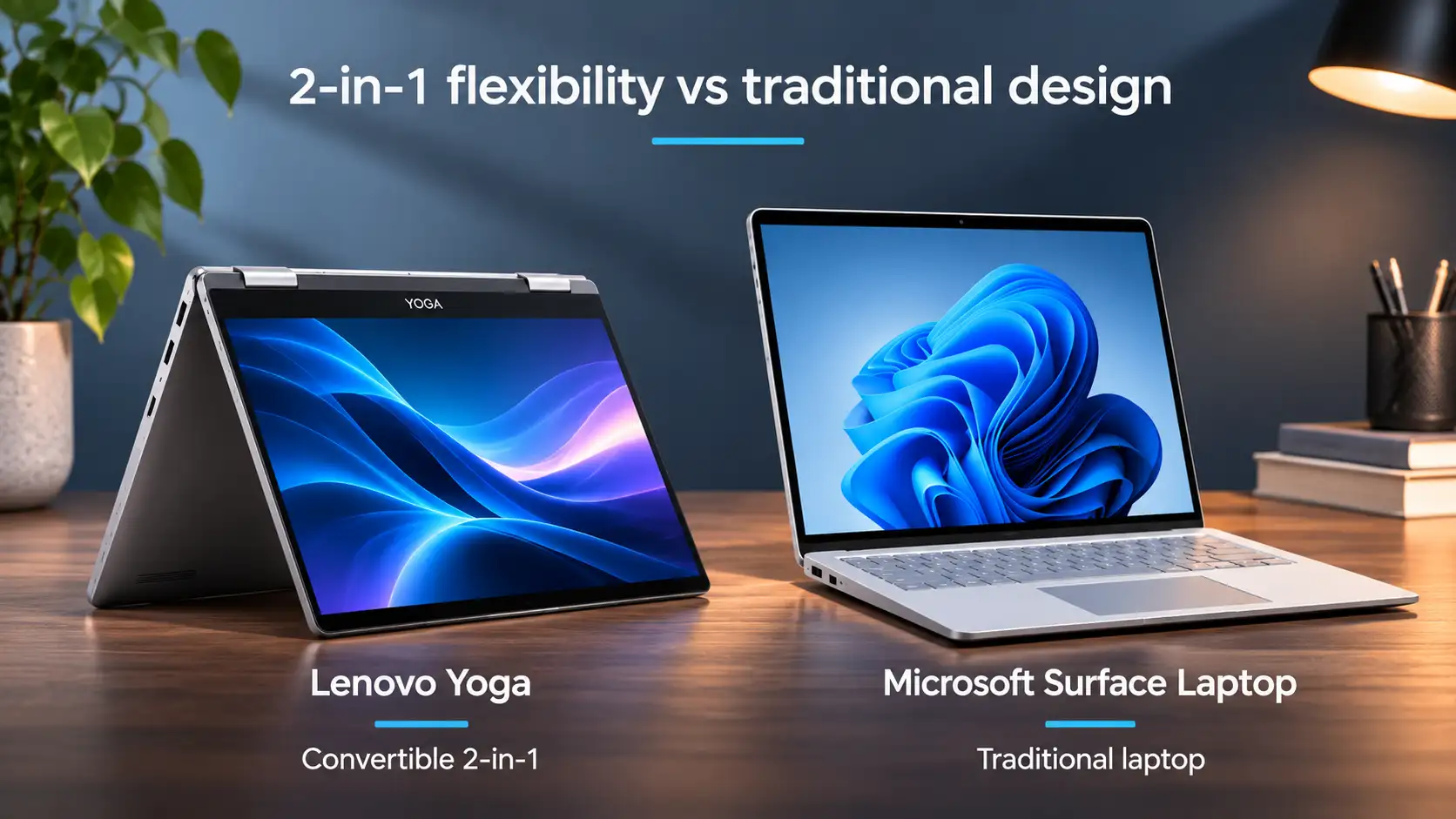
Lenovo Yoga vs Microsoft Surface Laptop
Compare Lenovo Yoga and Microsoft Surface Laptop performance, displays and battery life to find the right refurbished laptop for your needs.
Read Guide →

Date Posted: 10 August 2026
A 2-in-1 laptop computer is a popular choice for many users, especially those who want a hybrid laptop that allows them to type and use their fingers. But what exactly is a 2-in-1 laptop computer, and how do you decide if they are the right option for you? Deciding whether a convertible laptop is the right choice for you can be challenging, but it doesn't need to be! Today, let us guide you through everything you need to know about a 2-in-1 laptop to help you decide if it is suitable for you.
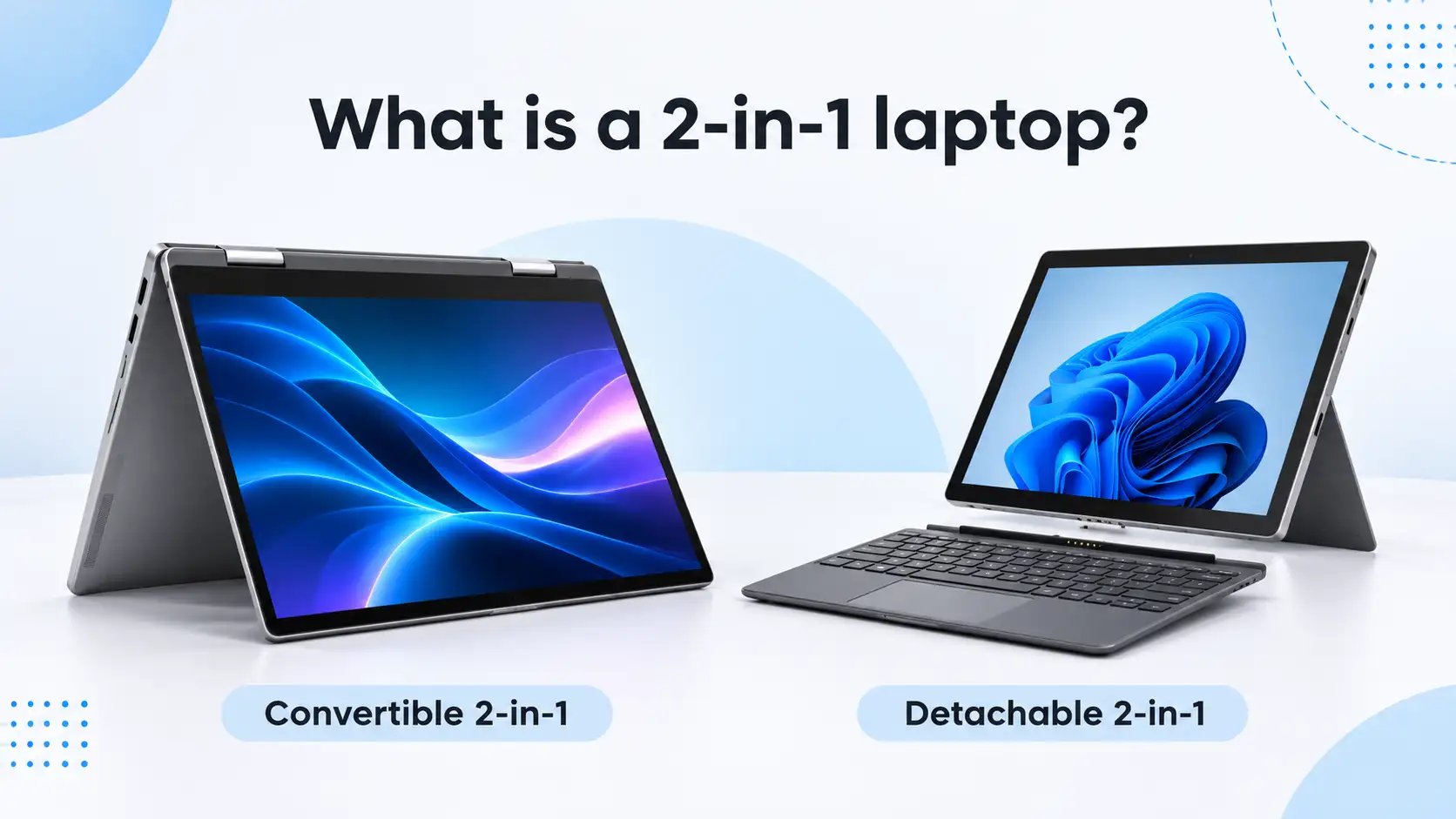
A 2-in-1 laptop computer combines the functionality of a traditional laptop and a tablet in one device. It features a touchscreen that allows you to navigate using your fingers, while the keyboard and trackpad make it easy to type, browse and complete everyday tasks. Some models also support a stylus, making them useful for handwritten notes, sketching and creative work.
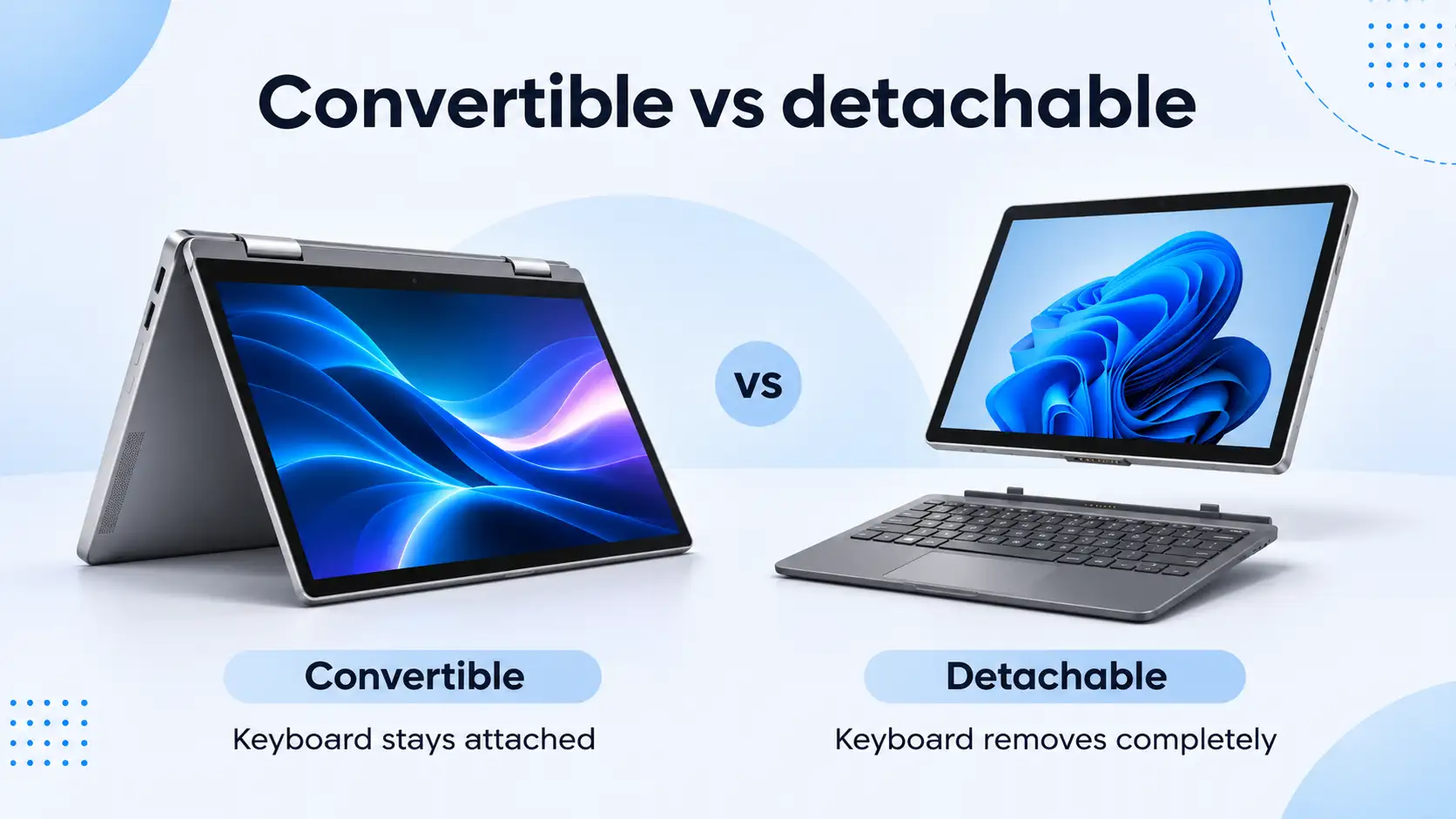
There are two main types of 2-in-1 laptops: convertible and detachable. Convertible models use a flexible hinge to switch between different positions, while detachable models allow the keyboard to be removed entirely. Both offer greater flexibility than a traditional laptop, but the best option depends on how you plan to use your device.
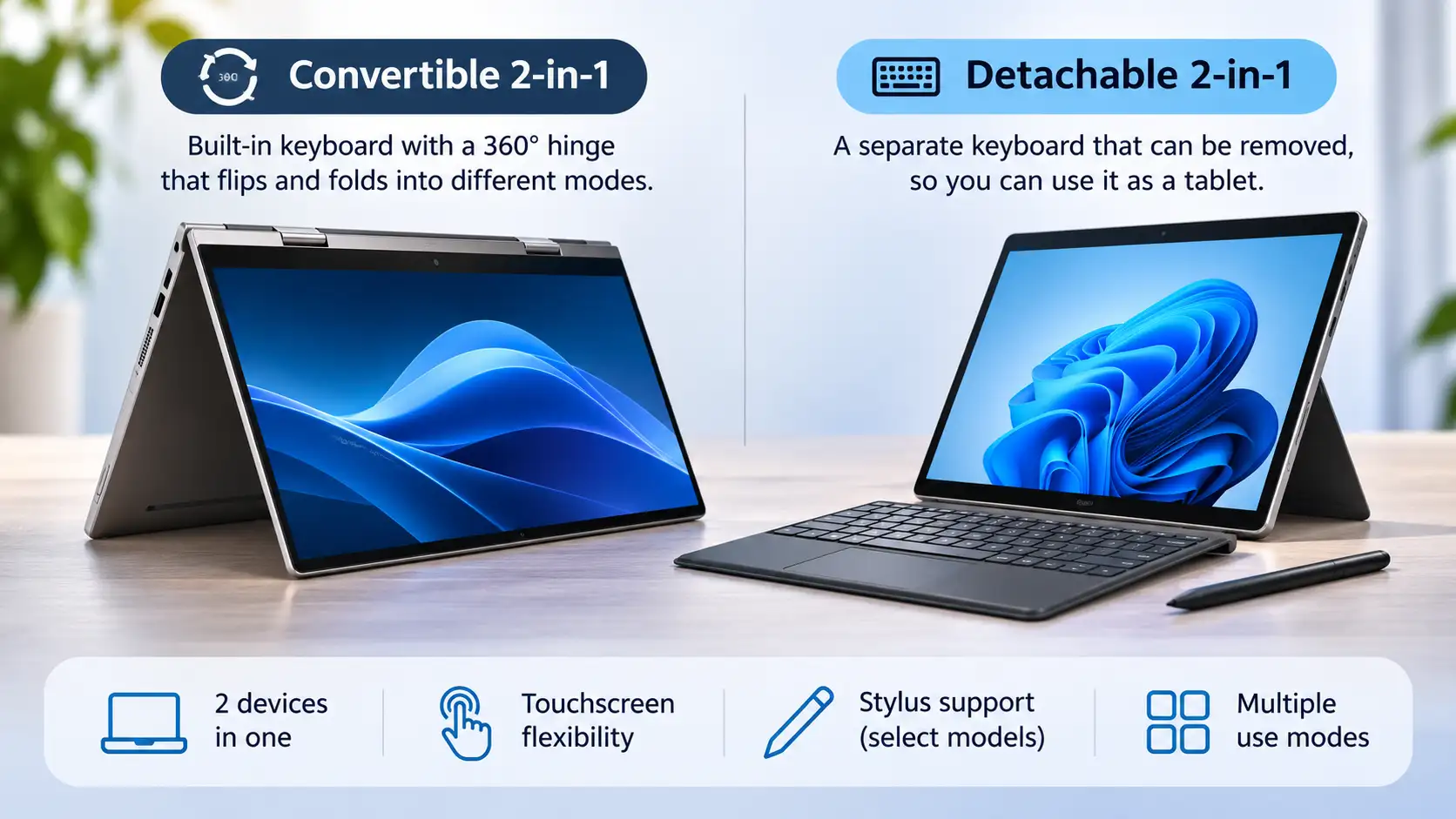
A convertible laptop features a built-in keyboard that is folded back or rotated, allowing it to be moved out of the way for easy touchscreen use. A convertible laptop will resemble a traditional laptop, featuring a 360-degree hinge that allows the keyboard to lie flat against the screen. This design is perfect for anyone who wants to switch between typing and using their fingers on the go, without worrying about storing the keyboard.
Detachable laptops feature a keyboard that can be removed from the screen. This eliminates the need for a keyboard, allowing you to use the screen like a tablet. If you plan to use the laptop in tablet mode frequently, a detachable keyboard can be the perfect option. You can leave the keyboard at home and travel with a lighter and more compact laptop instead.
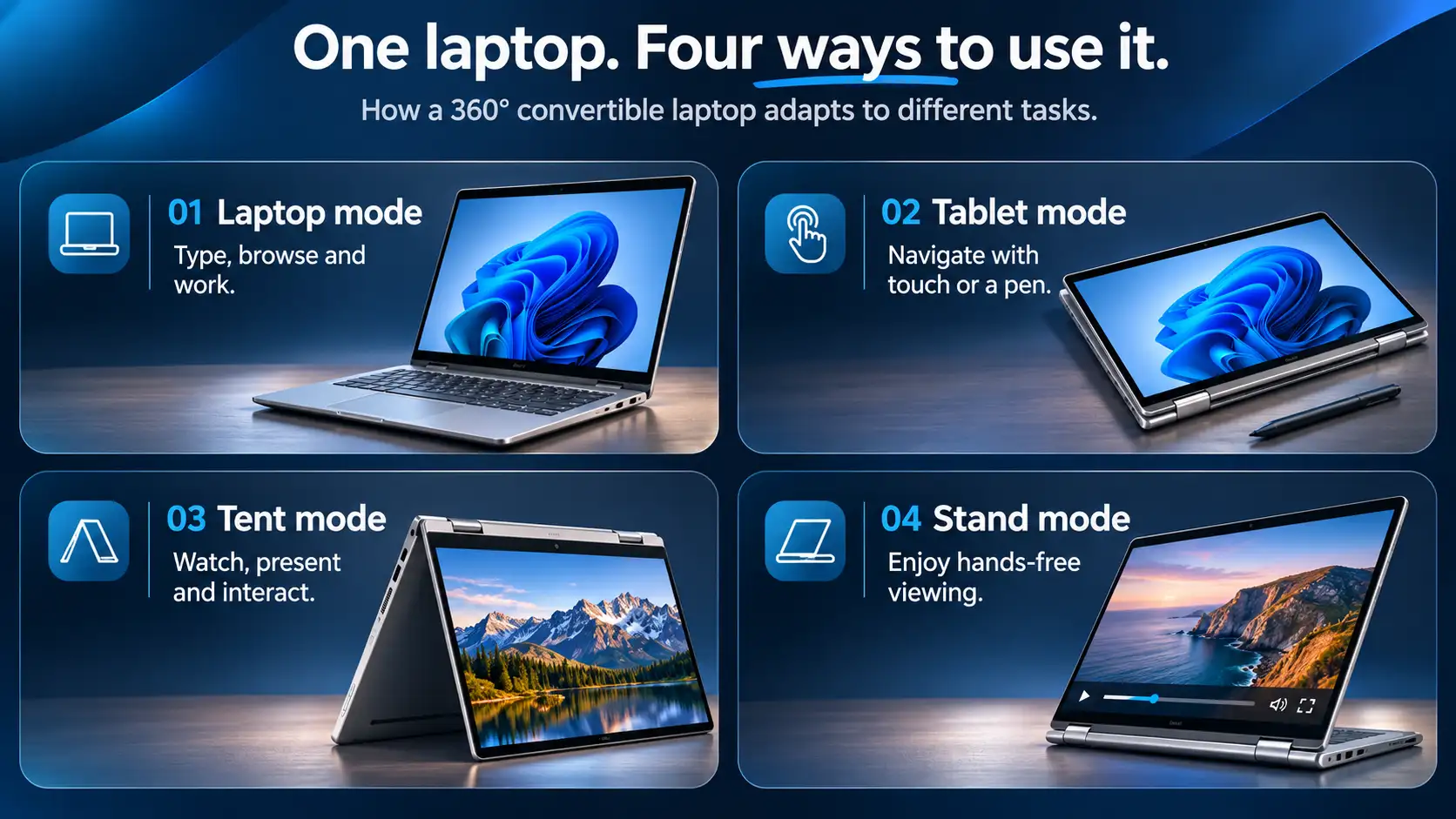
Many convertible 2-in-1 laptops offer four different ways to use your device:
Laptop mode: Use the keyboard and trackpad for typing, browsing and everyday work.
Tablet mode: Fold the keyboard behind the screen to navigate using touch controls.
Tent mode: Position the laptop like a tent, making it convenient for watching videos, presentations or touchscreen interaction.
Stand mode: Fold the keyboard underneath the screen to create a stable display for entertainment or hands-free viewing.
Detachable 2-in-1 laptops work slightly differently, allowing you to remove the keyboard completely when switching to tablet mode. Not every device supports all four configurations, so check the design of your chosen model.
A 2-in-1 laptop offers several benefits that make it the perfect choice, including incredible value and extended battery life. The benefits you experience can vary depending on the make and model, but you can expect to enjoy the following:
For many users, 2-in-1 laptops offer enhanced productivity, allowing them to complete more work in the mode that suits them best. 2-in-1 laptops that offer touchscreen and pen support allow you to take notes, sketch, and design with ease. Using a stylus pen can be easier for many, making it easier to work and allowing them to be more productive without mice and trackpads slowing them down.
A 2-in-1 laptop allows you to complete a variety of tasks without switching to a tablet, reducing any wasted time and ensuring it is easier to complete your tasks. You can use the laptop mode to type and edit documents before switching to tablet mode for drawing, playing games, or swiping through social media.
It's worth noting that not every touchscreen laptop supports an active stylus. If you plan to take handwritten notes or create digital artwork, check whether your chosen model supports a compatible pen and whether it's included with the device. Some detachable models also sell the keyboard separately, so it's important to confirm exactly what comes with your purchase.
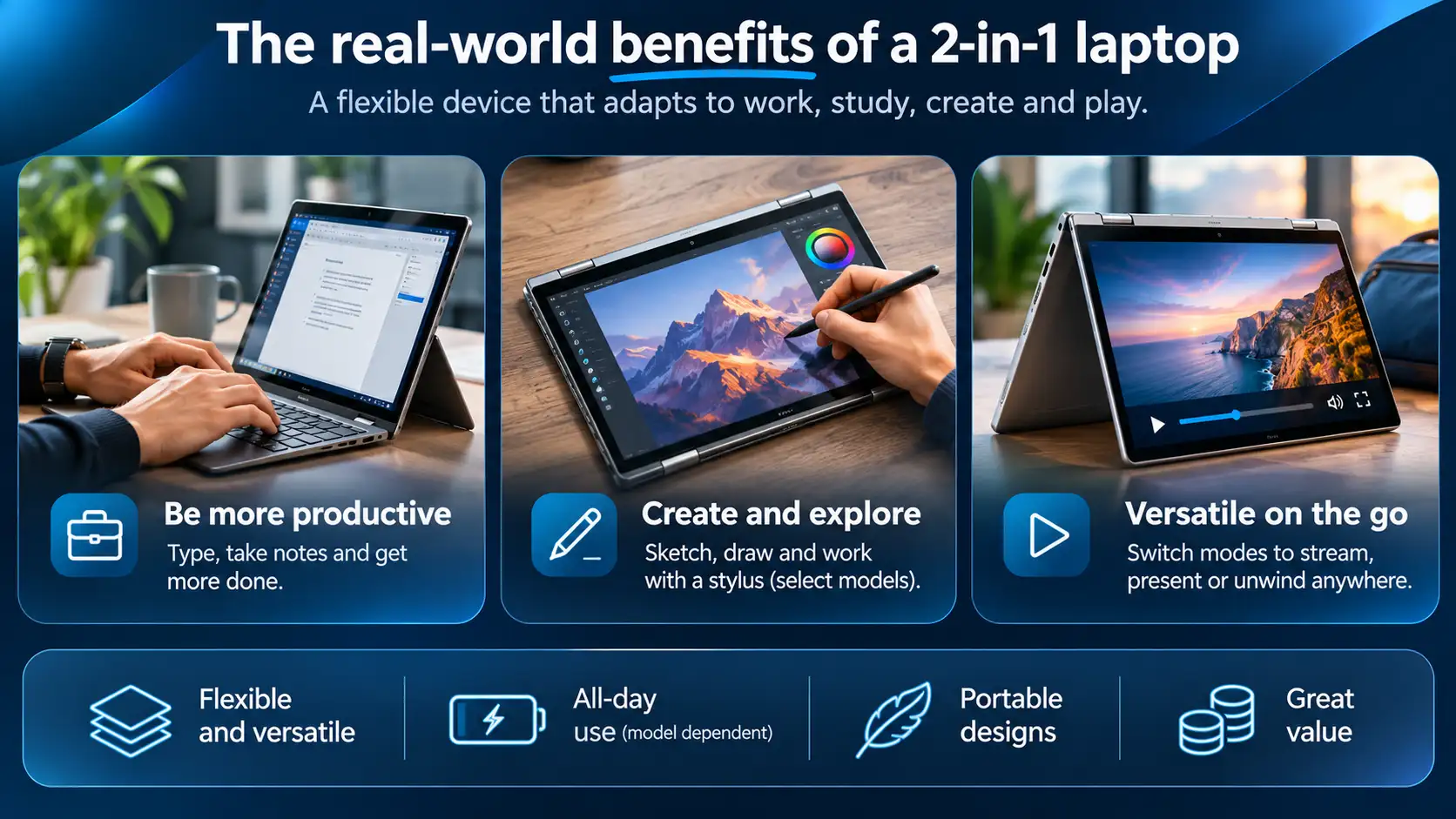
One of the biggest benefits of 2-in-1 laptops is their versatile and flexible design. You can switch between laptop and tablet modes with ease, either with the flip of a keyboard or by attaching and detaching it. For convertible 2-in-1 laptops, you can fold the keyboard back to create a stand that allows you to comfortably use the screen for creating or streaming movies. This versatility and flexibility make it easier for you to complete your tasks and work in your preferred method.
Battery life is an important consideration for anyone using a laptop on the go. While some 2-in-1 laptops offer excellent battery performance, the convertible design itself doesn't necessarily mean longer battery life than a traditional laptop.
Actual battery performance depends on several factors, including the processor, screen size, display brightness and how you use the device. Everyday tasks like browsing and document editing generally consume less power than video editing, gaming or running demanding applications.
When comparing refurbished 2-in-1 laptops, consider the battery specifications and remember that battery capacity can naturally decrease with age and use.
Many 2-in-1 laptops are designed with portability in mind, making them appealing to students, commuters and professionals who work across different locations. Their flexible design allows you to switch between laptop and tablet functionality without carrying two separate devices.
However, 2-in-1 laptops aren't necessarily lighter than traditional laptops. Weight and thickness vary depending on the screen size, materials and design. Some convertible models weigh just as much as a conventional laptop, while detachable models can be considerably lighter when used without their keyboards.
If portability is a priority, compare the weight and dimensions of individual models before purchasing. For detachable laptops, check whether the advertised weight includes the keyboard.
With a 2-in-1 laptop, you are buying a laptop and a tablet in one, making it an incredible value for money. You can enjoy all the features of a laptop and a tablet without needing to spend twice, making them an excellent option for anyone who wants both but does not have the budget to pay for two devices. A 2-in-1 laptop can be more expensive than a traditional laptop, but if you don't want to own a separate laptop and tablet, it makes sense to combine the two and pay once for a 2-in-1 laptop.
Despite the numerous benefits of a 2-in-1 laptop, there are a few drawbacks to consider before making a purchase. The drawbacks will vary depending on your intended use and preferences, but you might experience:
A common misconception is that 2-in-1 laptops are less powerful than traditional laptops. While some entry-level models prioritise portability over performance, many higher-end convertible laptops feature capable Intel Core, Intel Core Ultra or AMD Ryzen processors that can comfortably handle everyday productivity, multitasking and creative applications.
However, slim designs can limit cooling performance during sustained, demanding workloads. If you regularly use intensive video editing software, 3D rendering applications or modern games, a performance-focused laptop may be a better choice.
It's also important to choose the right specifications from the beginning. Most modern 2-in-1 laptops have processors that cannot be upgraded, and many feature soldered RAM. Check the processor, memory and storage specifications carefully before purchasing.
Many 2-in-1 laptops use integrated graphics rather than a dedicated graphics card. Modern integrated graphics can handle everyday tasks, video streaming, photo editing and some casual gaming without difficulty.
However, graphics performance varies considerably between processor generations and laptop models. More demanding activities, such as advanced 3D modelling, professional video production and modern AAA gaming, may require more powerful graphics hardware.
Before choosing a 2-in-1 laptop for creative or gaming purposes, check the recommended system requirements of the applications you intend to use. A traditional laptop with a dedicated graphics card may be more suitable for intensive workloads.
To keep the design compact and portable, some 2-in-1 laptops feature a smaller or more cramped keyboard and trackpad. You see this more on 2-in-1 laptops with a detachable design, where the keyboard can be smaller, making it uncomfortable to type. If you plan to use the keyboard frequently, consider its size and how comfortable it will be to type for extended periods to avoid any discomfort.
Convertible 2-in-1 laptops use specially designed hinges that allow the screen to rotate through 360 degrees. These hinges are built to accommodate regular switching between laptop, tablet and other viewing modes, but their durability can vary between manufacturers and models.
When purchasing a refurbished convertible laptop, it's worth checking the condition of the hinge. The screen should open and close smoothly, remain stable in different positions and show no signs of excessive looseness or damage.
For detachable models, pay attention to the keyboard connection and attachment mechanism. Choosing a well-built device that's been properly inspected can help provide confidence in its long-term reliability.
When choosing the perfect 2-in-1 laptop, several key considerations come into play, including your budget and the intended use of the laptop. To help you narrow your choice, we have compiled a list of your considerations below:
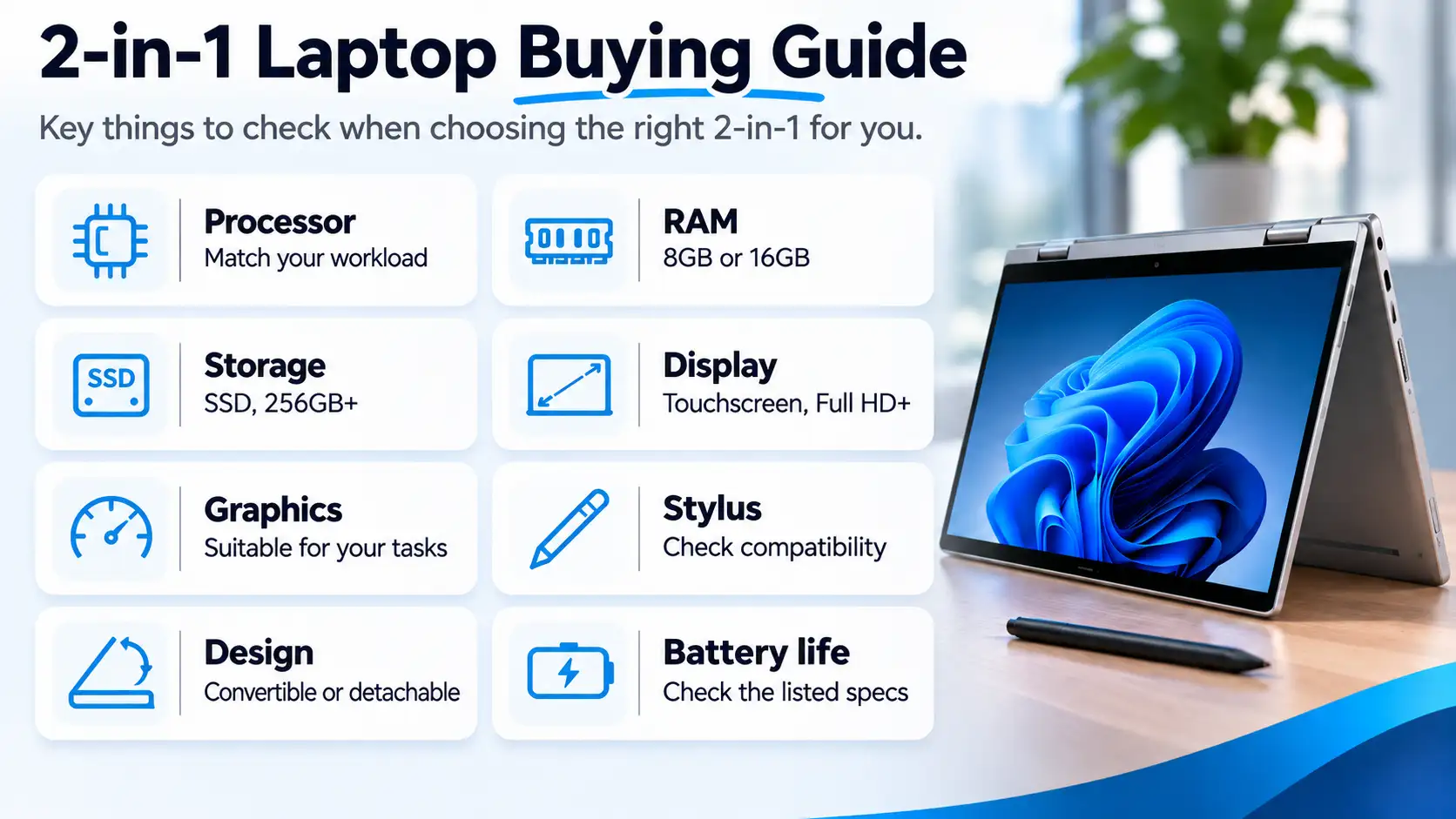
Consider the processor: Choose a processor that suits your intended workload. Look beyond the Intel Core i5 or i7 branding and consider the processor generation and performance. If choosing an ARM-based laptop, confirm that your essential Windows applications are compatible.
Consider the RAM: 8GB RAM can handle basic browsing and office tasks, but 16GB is a better choice for multitasking, creative applications and longer-term use. Remember that RAM cannot be upgraded in many 2-in-1 models.
Consider the storage: Look for SSD storage for fast startup times and responsive performance. A 256GB SSD may be sufficient for everyday tasks, while 512GB or more is preferable if you store large files, photos or videos.
Consider the graphics: Modern integrated graphics are suitable for most everyday users. If you plan to use demanding creative software or play games, check the graphics capabilities and recommended system requirements before buying.
Consider the design: Decide whether a convertible or detachable 2-in-1 best suits your needs. Convertibles provide an attached keyboard, while detachable models offer greater flexibility when used as tablets.
Consider the screen: Look for a touchscreen with a comfortable display size and resolution. Full HD or higher is a sensible starting point, while display brightness and colour accuracy may be important for creative work.
Consider stylus compatibility: If you plan to draw or take handwritten notes, check whether the laptop supports an active pen and whether the stylus is included.
Consider the build quality: Look for durable materials, reliable hinges and a comfortable keyboard. For refurbished models, pay attention to the stated cosmetic condition and included accessories.
Consider battery life: Compare the battery specifications of individual models rather than assuming that all 2-in-1 laptops offer similar performance.
Consider your budget: Focus on the features you'll actually use. A quality refurbished 2-in-1 laptop can offer excellent value without the cost of buying the latest generation.
A 2-in-1 laptop can be an excellent choice for students, professionals and everyday users who want the flexibility of both a laptop and tablet. Whether you're taking notes, working on documents, creating content or enjoying entertainment, the right 2-in-1 laptop can adapt to the way you work.
Buying refurbished is also a practical way to access premium features without paying the price of a brand-new device.
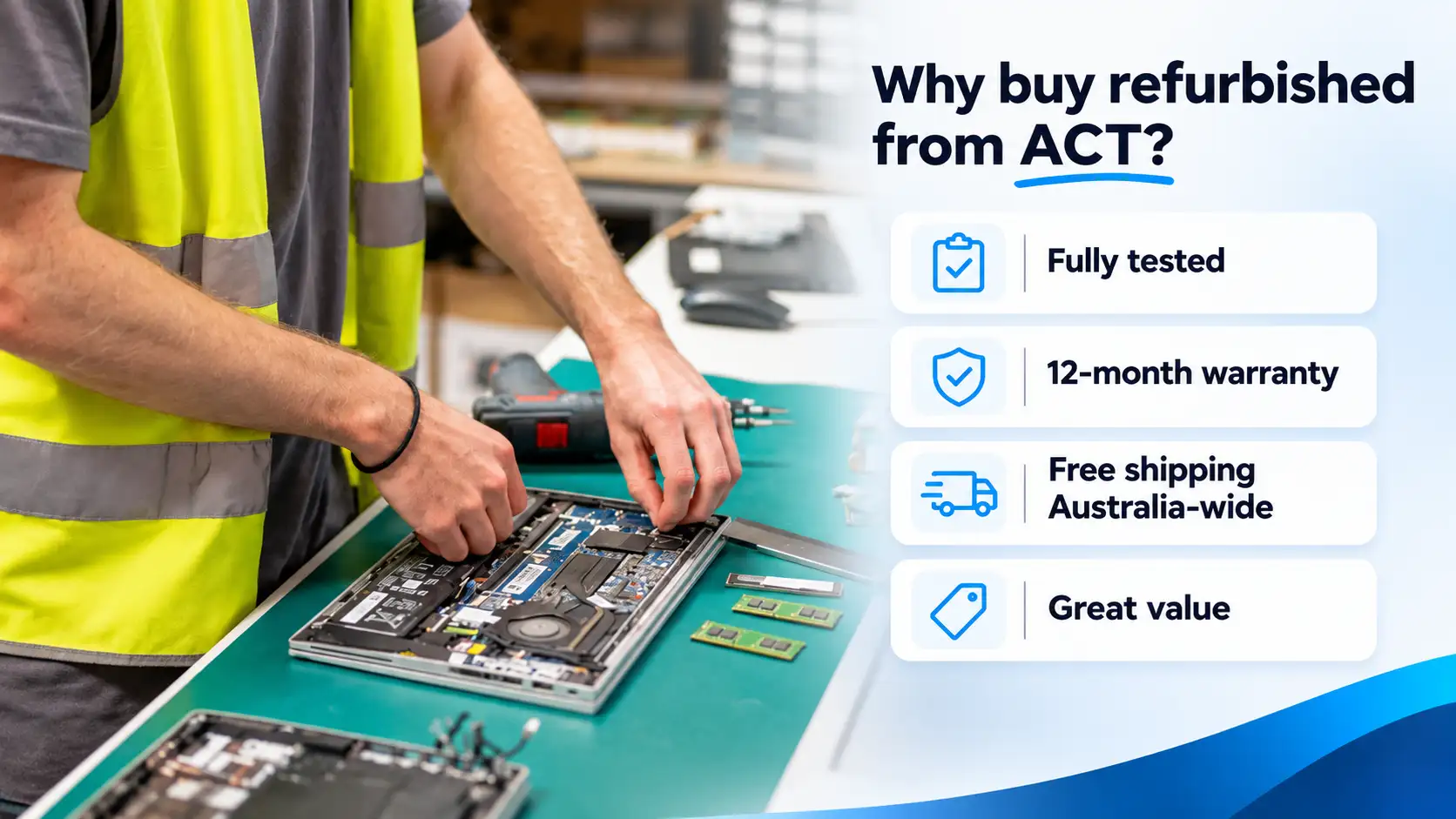
At Australian Computer Traders, our refurbished laptops are fully tested and backed by a 12-month warranty, with free shipping Australia-wide. Browse our range of refurbished 2-in-1 laptops to find a device that suits your needs and budget.
30 August 2026
 10 August 2026
 14 July 2026
 2 July 2026
 29 June 2026
 4 June 2026
 30 March 2026
 19 February 2026
 2 February 2026

Thoroughly tested by qualified technicians

Most orders delivered within 3-7 business days

Our local team are here to help you

On all products except those sold AS-IS
We're here to help! Click here to contact Customer Service


 Help Centre
 Contact Us