 14 July 2026
MacBook vs Surface Pro
Compare MacBook and Surface Pro performance, displays and flexibility to find the right refurbished device for the way you work.
Read Guide →

Date Posted: 29 June 2026
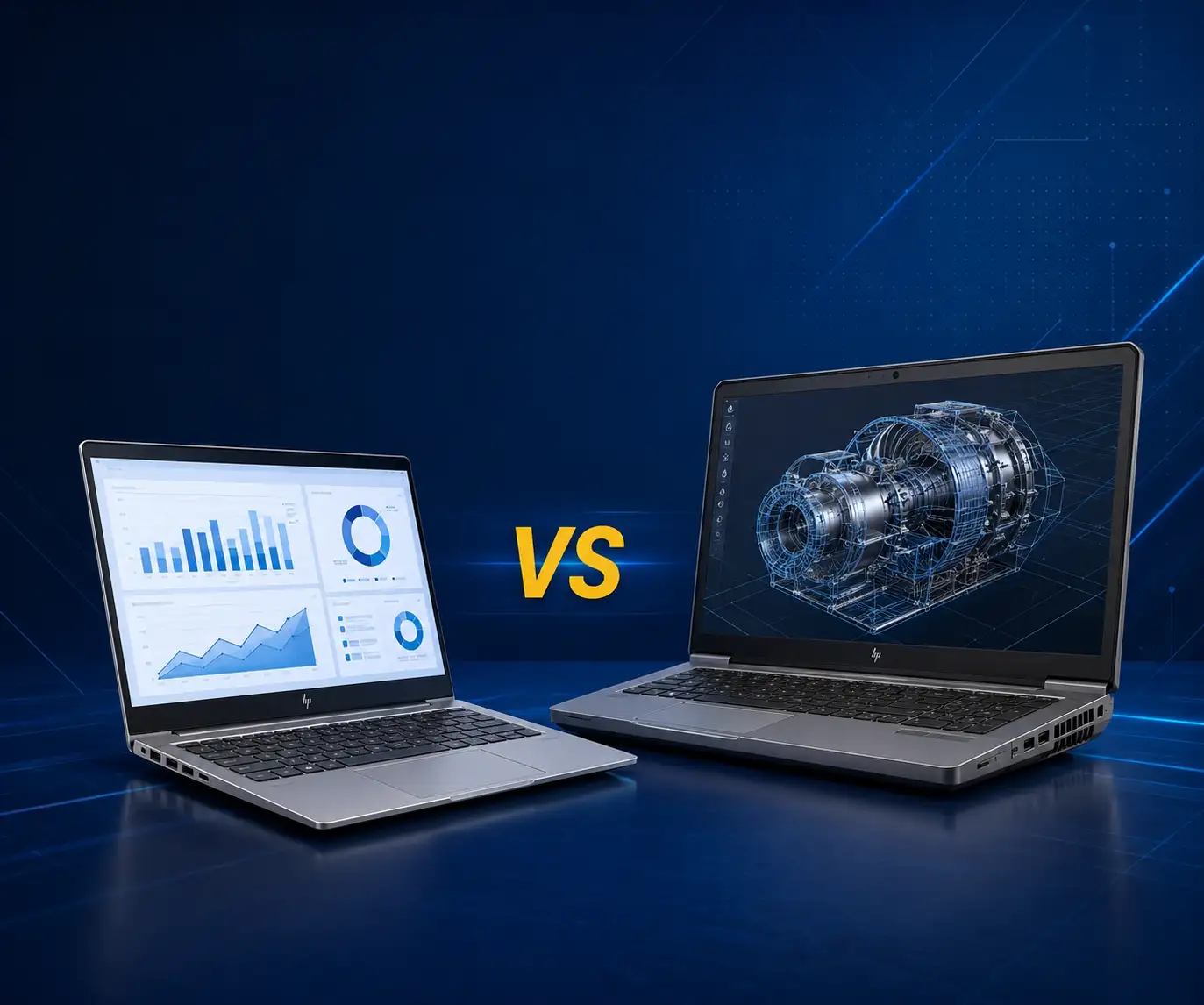
The choice between the HP ProBook and HP ZBook will depend on what exactly you intend to do on the laptop. The HP ProBook is ideal for general office work (e-mailing, web browsing, document creation, video conferencing). On the other hand, the HP ZBook is a mobile workstation aimed at creative and engineering tasks, requiring significant computational power and a dedicated graphics card. Get it wrong, and you may end up paying too much for a computer that does not fit your requirements.
Australian Computer Traders stocks both ranges, so if you already know what you need, you can jump straight to refurbished HP business laptops.
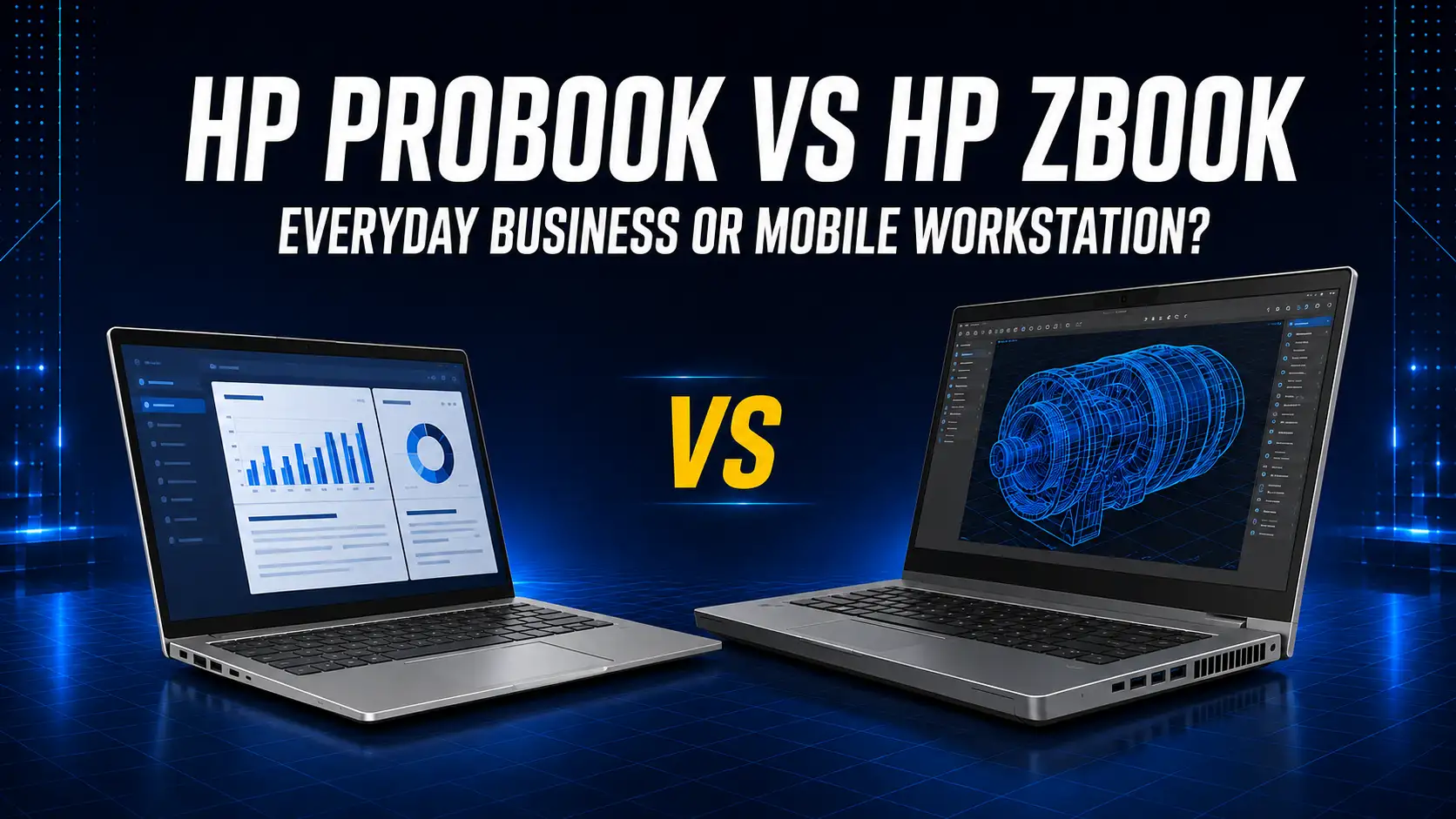
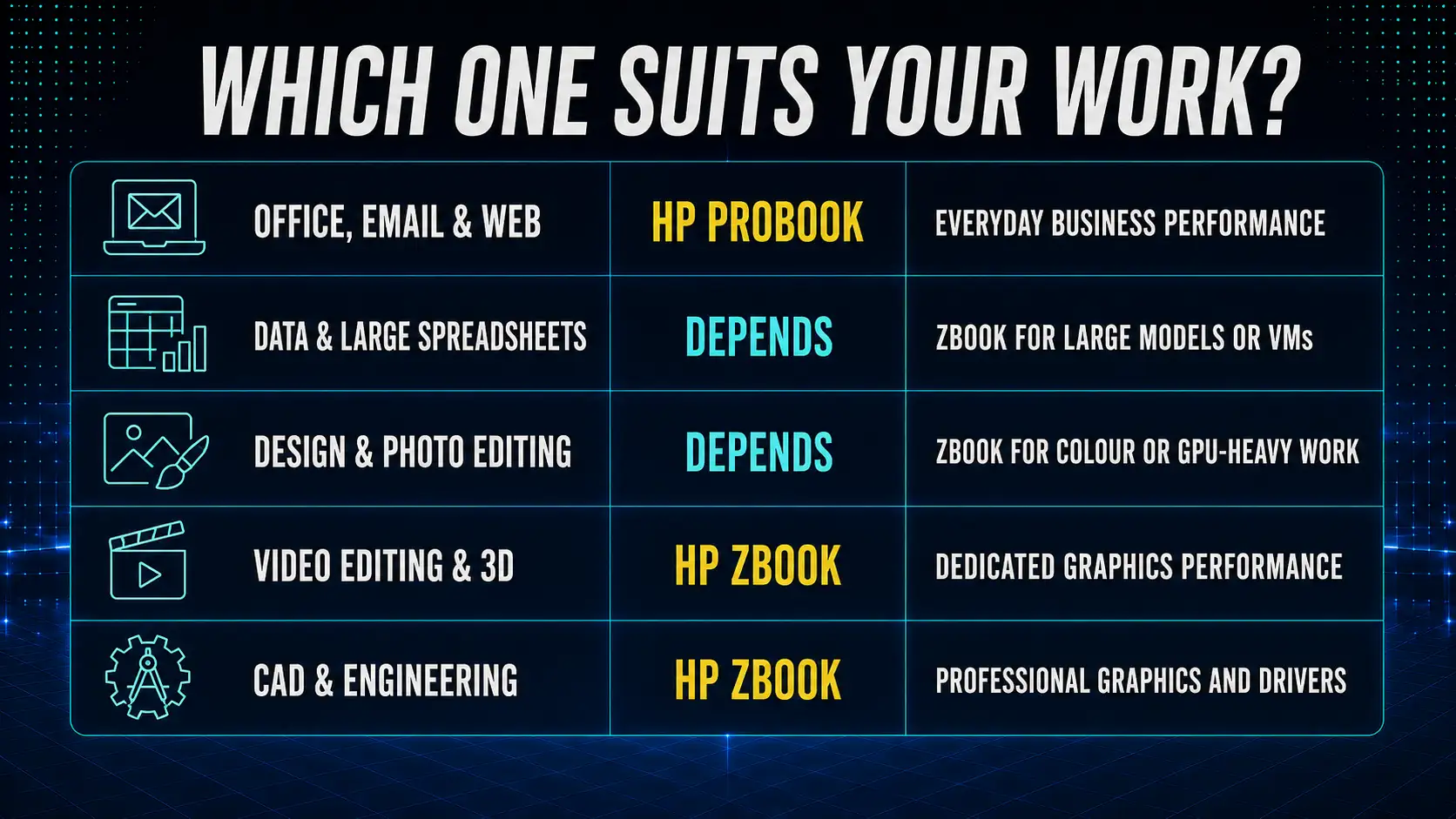
If your work involves Microsoft Office, web browsing, Teams meetings, emails, and some photo editing, then go for a ProBook. This is a reliable computer that performs well and costs less. You will not miss the workstation capabilities since you will never use them.
If you work on CAD programs, 3D rendering, video editing using programs like Premiere or DaVinci, or any other task requiring a graphics processing unit, then buy a ZBook. The ProBook will technically be able to handle most of these tasks, but will perform poorly.
ProBook and ZBook at a glance
ProBook and ZBook are two different product ranges that target different types of consumers. They are both business-class laptops from HP that are inspired by the EliteBook family but are more well-built compared to normal consumer laptops. The similarities end here.
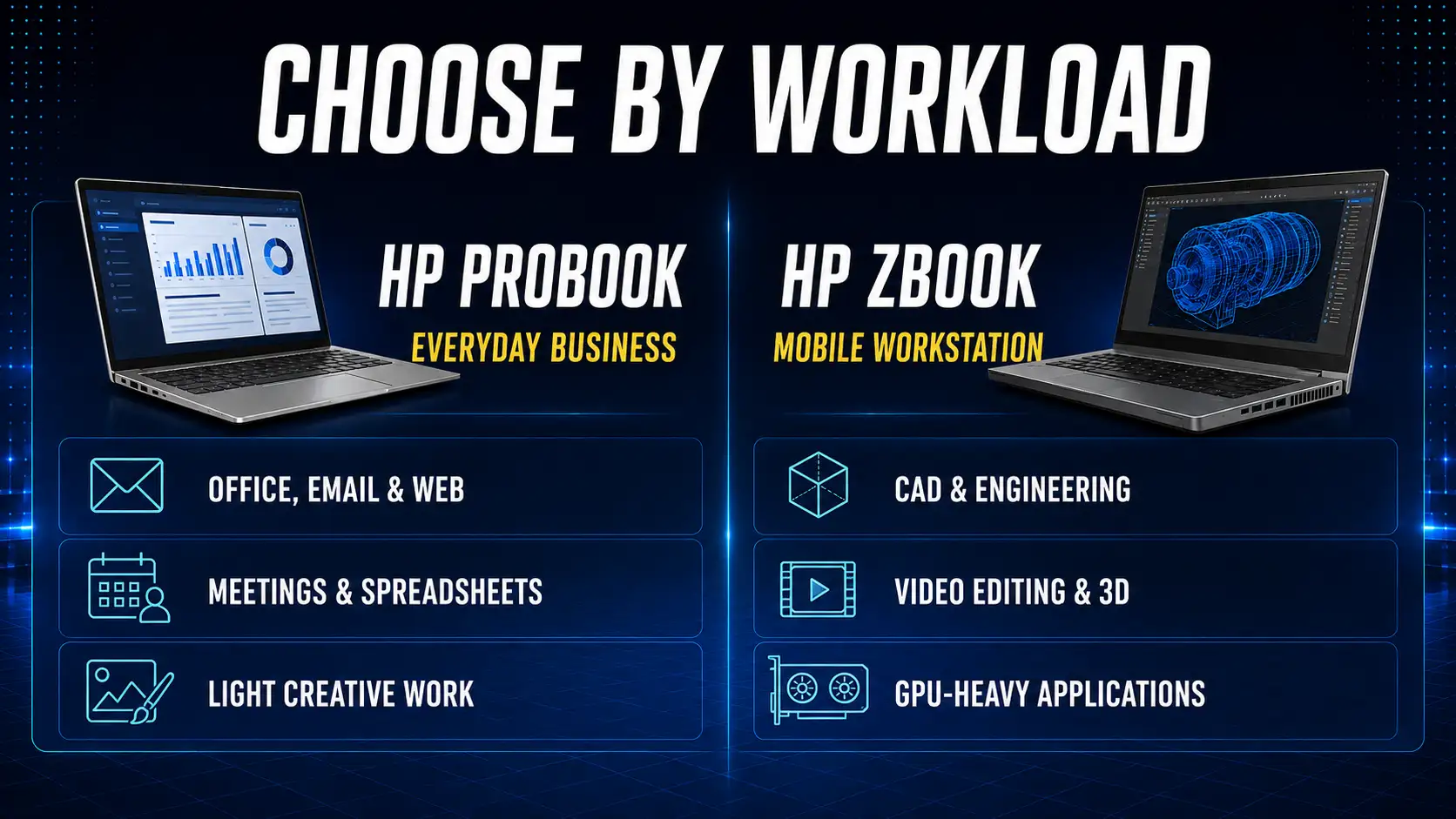
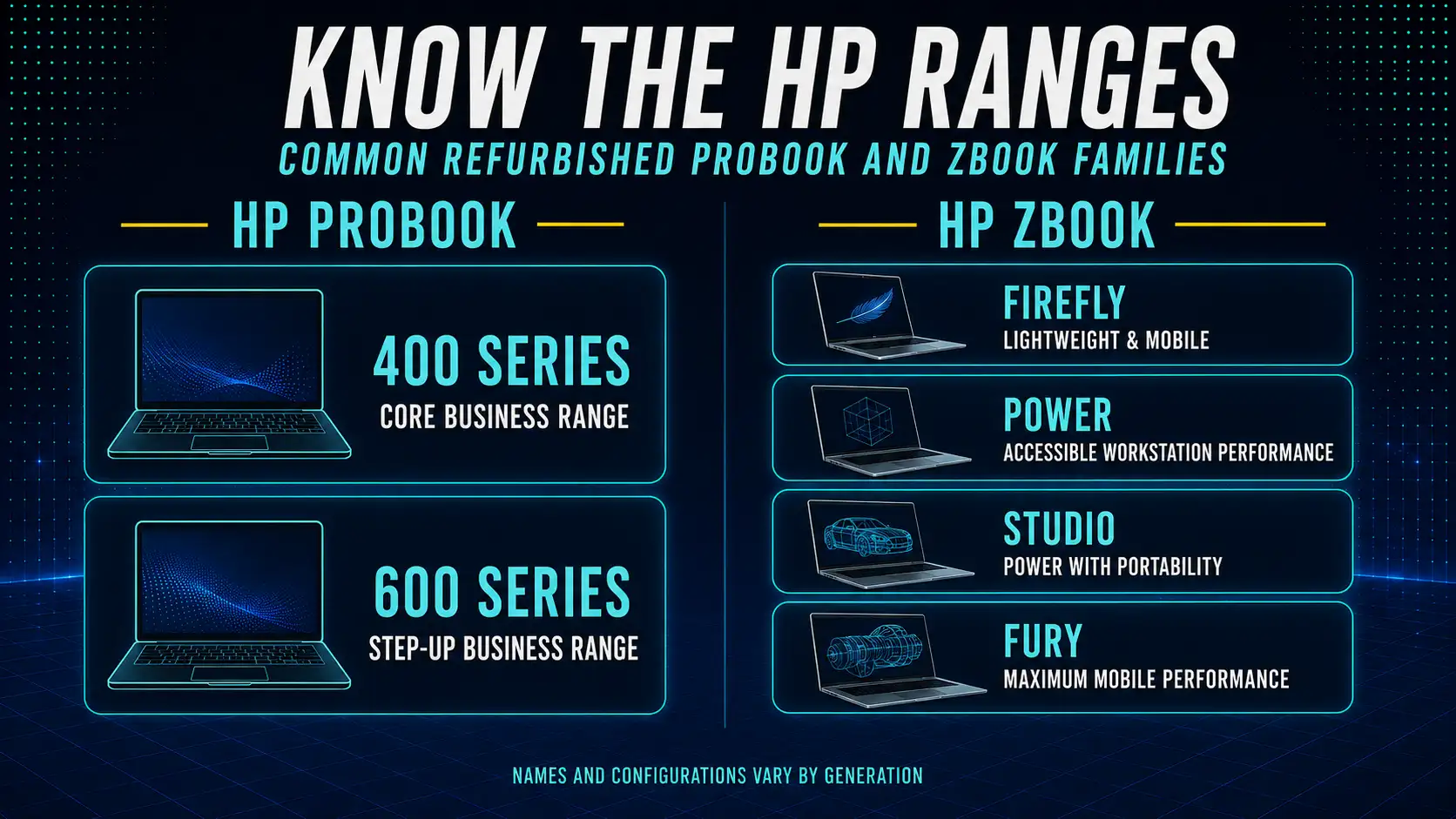
ProBook is the mid-range line of notebooks offered by HP. It falls behind the EliteBook line in terms of performance and build quality while being far ahead of consumer products when it comes to reliability. The ProBook line offers a solid build, powerful Intel Core i5 or i7 processor, 8GB to 16GB of RAM, an SSD, and a 13 to 17-inch display.
Security features are good for business purposes: TPM 2.0, fingerprint sensor, HP Wolf Security software, and support for Windows Hello. Pre-installed operating system includes Windows 10 Pro or Windows 11 Pro. It is definitely not an expensive ultrabook but rather an enterprise laptop. It is designed specifically for that purpose: deploy it to hundreds of employees and keep using it for three to five years before refurbishment is needed. You can browse the available refurbished HP ProBook laptops to see current generations and configurations in stock.
The ZBook, however, is something else entirely. This is HP’s line of mobile workstations that allows you to perform desktop-calibre computing tasks in a portable device. You get top-notch processors, whether Intel Core i7 or i9 (with Xeon alternatives available on certain models), 16GB to 64GB of memory, NVMe SSD storage, and an NVIDIA Quadro/RTX pro graphics card. The display screen will be either 15 or 17 inches, with colour-accurate displays on the more expensive models.
ZBooks are ISV-certified for professional applications such as AutoCAD, SolidWorks, Adobe Premiere, and Revit. They are designed to cater to the needs of creative professionals, engineers, architects, and data scientists who require maximum performance on-the-go. The drawbacks include weight, overheating, and reduced battery life. A ZBook is a portable workstation, not an ultrabook. The current refurbished HP ZBook range shows which generations and GPU configurations are available second-hand.
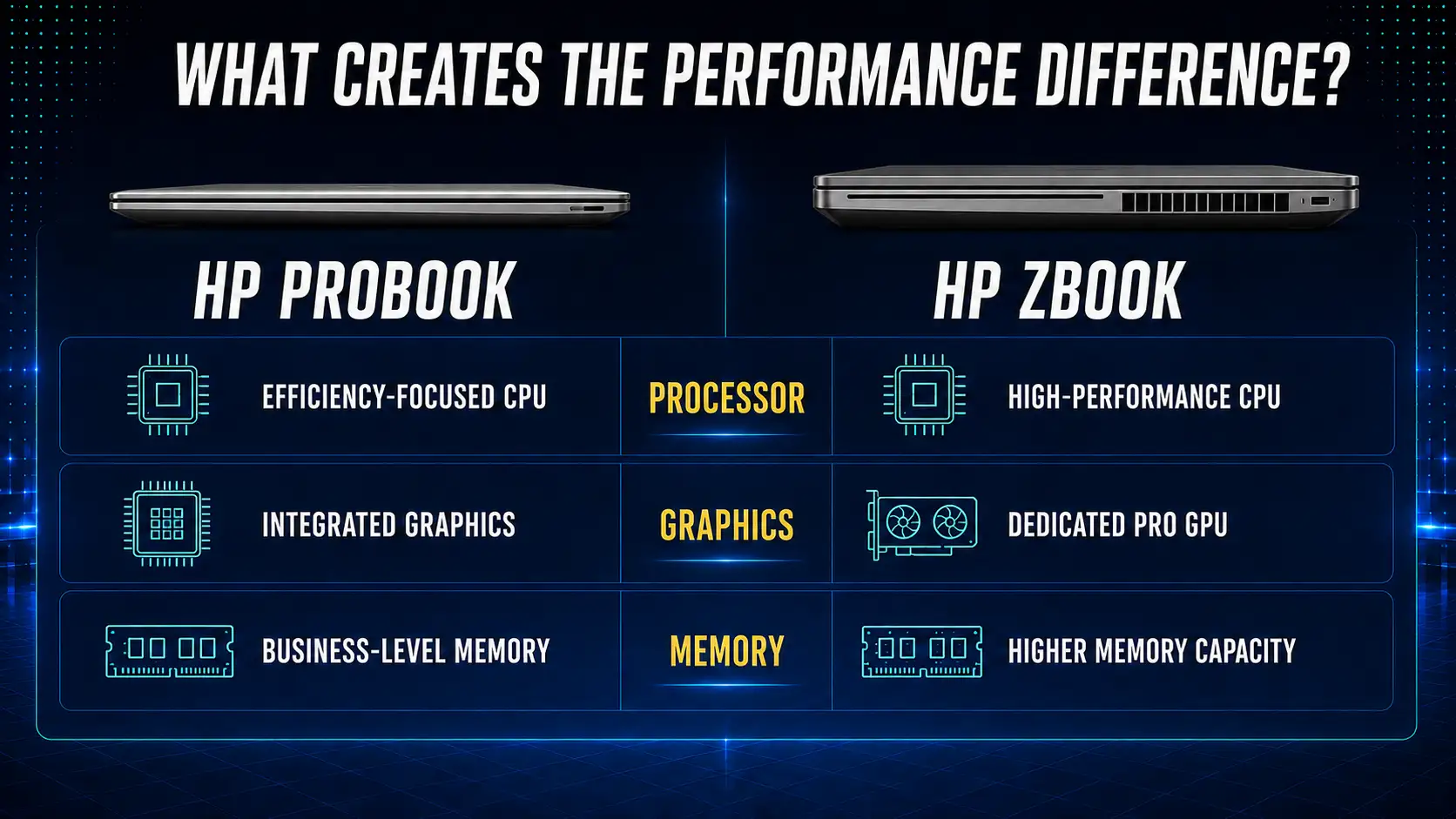
Most ProBooks come with either an Intel Core i5 or i7 processor, which is usually a U series or P series processor for efficiency. This will work well with any office tasks.
ZBooks have H-series processors that consume more watts because they are designed to operate under heavy loads. The high-end ZBooks, such as the ZBook Studio and ZBook Fury, have i9 or Xeon processors, which contain more cores and clock faster. These differences are evident when performing tasks like video encoding, 3D rendering, virtual machine management, and code compilation, where the ZBook will outperform the ProBook two times faster. If you're weighing up specific chips, our breakdown of Intel Core i7 vs i9 processors covers how the two perform under different workloads.
Most refurbished ProBooks have 8 GB or 16 GB of RAM, and the storage options include 256 GB or 512 GB SSDs. This is plenty of memory for business applications. Most ProBook models can be upgraded to 32 GB of RAM.
ZBooks start at 16GB and go up to 64GB or 128GB, depending on the model. The storage capacity will be either 512GB or 1TB NVMe storage, although there are some models that support dual drive options. For anyone dealing with large CAD assemblies or working with datasets that cannot be loaded into memory, the ZBook's maximum RAM is what counts.
This is the major distinction between the two brands. ProBooks come with integrated Intel graphics. This works well enough for web surfing, video conferencing, playing 1080p videos, and light photo editing using Lightroom. But it does not perform well with 3D rendering and GPU-assisted video editing. If you're not sure whether your software actually needs a discrete card, our guide on integrated vs dedicated GPU lays out the performance differences by use case.
ZBooks come with their own dedicated graphics card. Lower-end ZBooks come equipped with an NVIDIA T series or Quadro graphics card, while the higher-end ZBook Fury line comes with RTX A series graphics cards that compete with gaming laptop graphics cards in terms of sheer power but with optimised drivers for professionals.
ProBook displays are functional. The base panels have a resolution of 1080p TN or standard IPS, with brightness levels at about 250 nits. The more advanced models use better IPS panels, but not for accurate colours.
The ZBook display is made for visual tasks. The higher-end variants feature a 4K OLED or 4K IPS panel with 100% DCI-P3 colour gamut coverage and brightness of over 400 nits. This is significant if you are into graphic design or video editing.
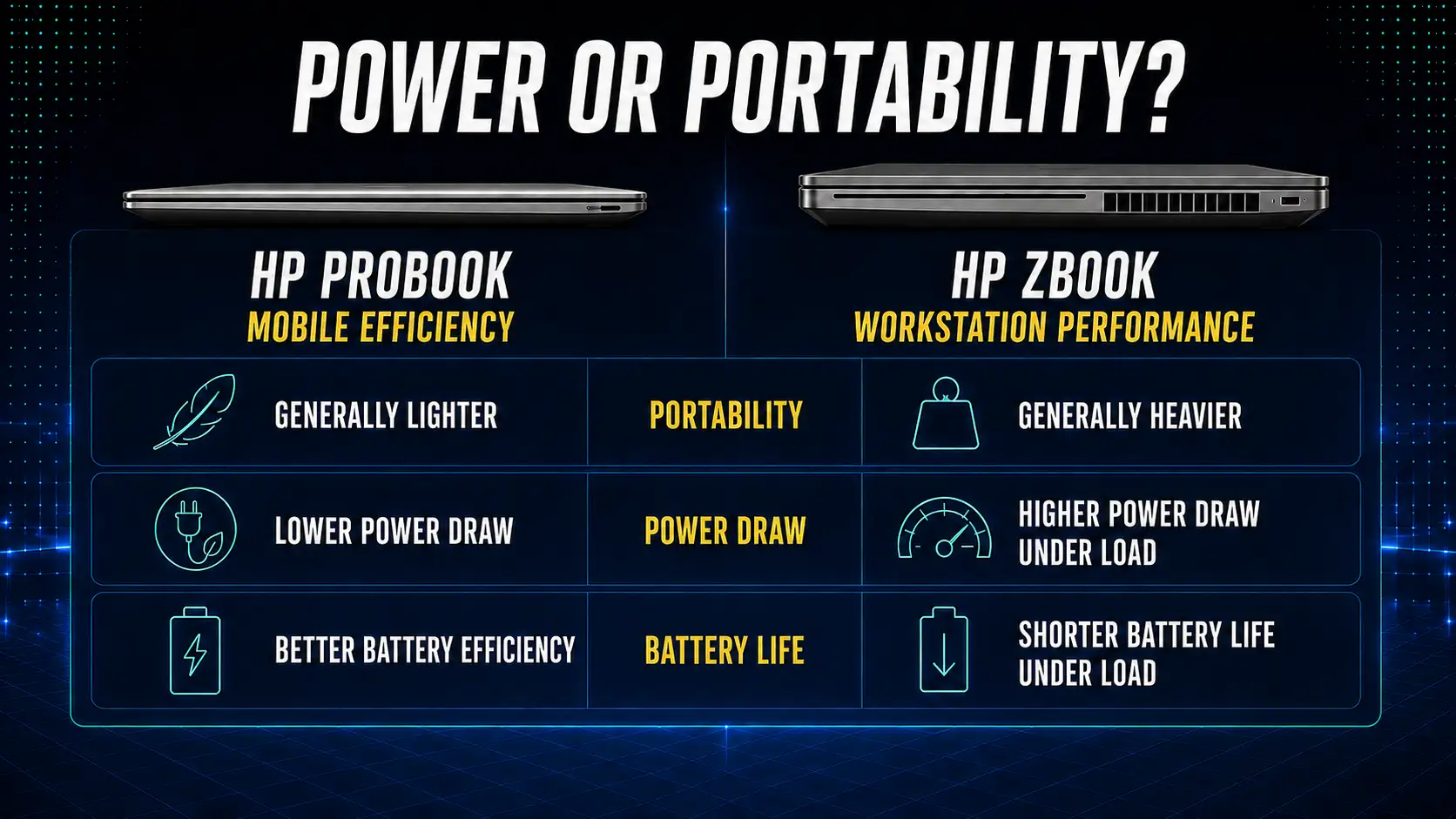
They both have strong builds, and most of the models have magnesium or aluminium bodies. They both feature a backlit keyboard in mid-range and higher versions. The ProBook is lighter in weight (usually weighing between 1.4kg to 1.8kg).
ZBooks are heavier. For instance, the ZBook Fury 17 can reach a weight of 3 kg due to its bigger battery. The ZBook Studio, however, stands out from this trend because its weight ranges between 1.8 kg. However, it is also among the most expensive laptops from HP.
The ProBook's battery endurance performs admirably during regular operation. It's quite normal to expect eight to twelve hours of active usage from the U-series and P-series units. This is because of the low-powered CPUs and integrated graphics cards.
Battery life for a ZBook is completely dependent on usage. If you use your ZBook for light office work, then you can expect a battery life of six to eight hours. However, if you are doing things such as exporting video in Premiere or rendering a CAD file, then you might only get two or three hours.
The two lines have very similar security technologies designed for business use cases, including TPM 2.0, fingerprint reader technology built into the vast majority of machines, HP Sure Start (protection at firmware level), HP Sure Click (isolation in browsers), and HP Wolf Security. ZBooks have additional security technology for protecting data, which is important for certain IP sensitive industries; however, for many, the security tech is basically the same.
New, the gap is enormous. A new ProBook starts around $1,400 AUD; a new ZBook Studio or Fury can run $5,000 to $9,000 AUD, depending on the configuration.
Refurbished is where they get their value. For example, refurbished ProBooks from Australian Computer Traders usually cost between $400 and $900 based on the generation and specifications. The ZBooks tend to be priced at around $700 and up to $2,500. This means that for both, you will be able to save up to 70% of their retail price, but your absolute savings for the ZBook will be significantly higher because of its price.
Purchase a ProBook. With an 11th or 12th generation Intel Core i5 processor, 16GB of RAM, 512GB of SSD storage, and a freshly installed Windows 11 operating system, a ProBook can easily handle Office 365, Teams, 30 open Chrome tabs, and a video call. Purchasing a ZBook for this is just wasting money on unnecessary hardware.
A ProBook handles most spreadsheet work fine, including 50,000-row datasets in Excel. Where it starts to struggle is large Power BI models and Python or R workloads on multi-gigabyte datasets, or running multiple VMs at once. If that's your day-to-day, a ZBook with 32GB+ of RAM is worth it. Data scientists almost always benefit from the upgrade.
When dealing with Photoshop, Illustrator, Lightroom, and InDesign on regular print and website projects, then a ProBook with 16GB RAM should be sufficient. But when working with accurate colour reproduction or multi-layer files that need the use of the screen, the calibrated screen and dedicated graphics processing unit of the ZBook make a world of difference.
ZBook. While a ProBook will technically allow you to open Premiere or DaVinci Resolve, the pain of rendering and scrubbing through 4K timelines without GPU acceleration might make you never want to use it again. If you’re working on any 3D modelling software such as Blender, Cinema 4D, Maya, or 3ds Max, the dedicated GPU is mandatory.
ZBook, and check the ISV certification list for your specific software. Applications such as AutoCAD, SolidWorks, Revit, CATIA, etc., are validated on ZBook hardware and drivers. They will generally work fine on ProBook in basic mode, but performance limits will be quickly reached when using an assembly of any complexity, and there will be no vendor support for graphics problems.
Refurbished buying is not an equal choice for both categories. There are a number of factors that become relevant in choosing one rather than the other. For anyone who has never considered buying used devices, our comparison between used and new laptops will give some insight into the pros and cons.
A refurbished ProBook with a slightly degraded battery is annoying. A refurbished ZBook with a slightly degraded battery is a real problem, because the ZBook draws far more power under load. A battery that's at 80% of its original capacity will get a ProBook through most of a workday, but a ZBook running a render on the same battery might shut down before the job finishes.
Battery testing is a standard procedure for all refurbished laptops sold by Australian Computer Traders. For example, on ZBooks, make sure you ask how many battery cycles your chosen model has or whether it’s in good condition. It’s not uncommon for some ZBooks to come with their batteries replaced.
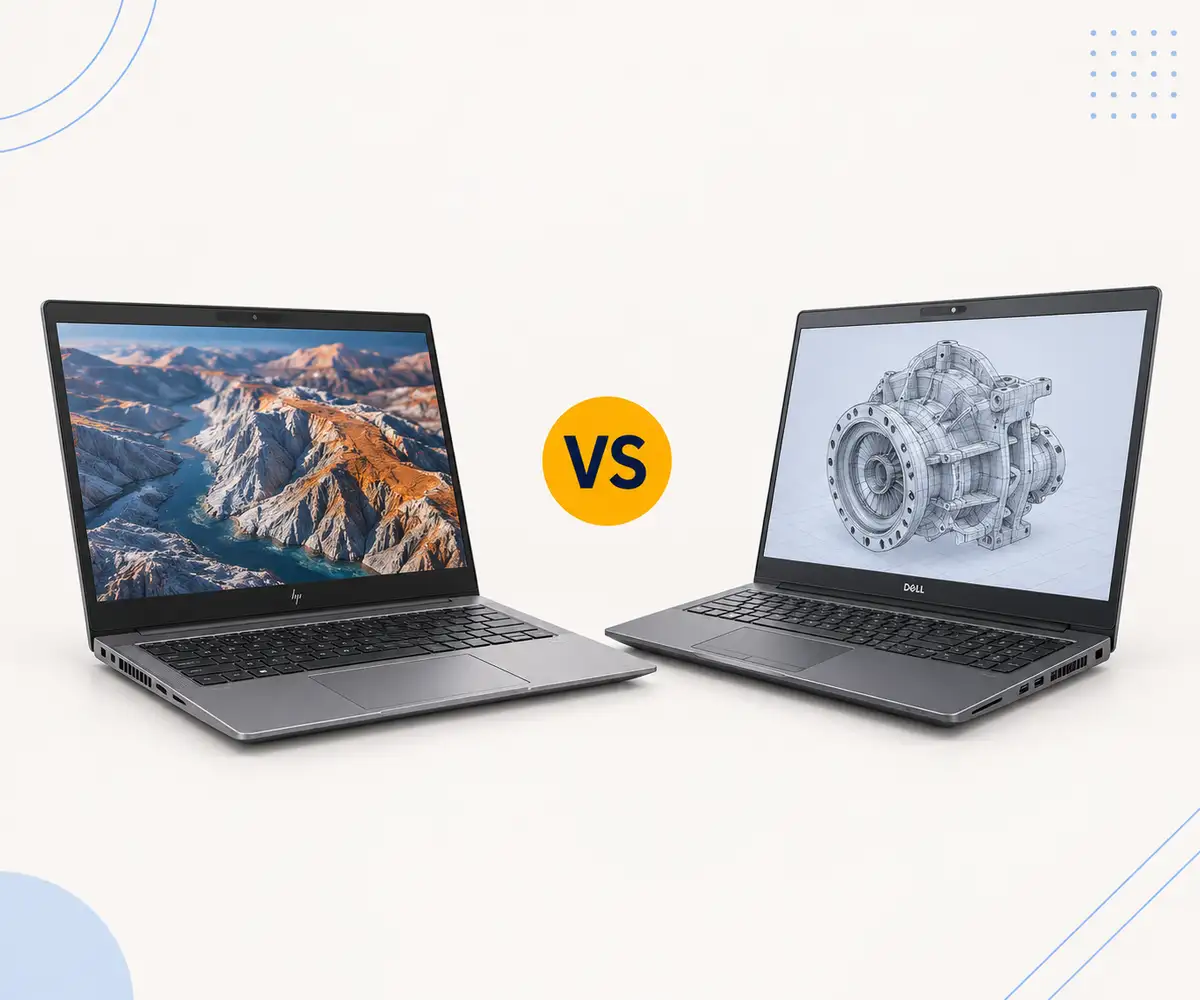
Since ProBooks feature integrated graphics, there is no dedicated GPU to burn out. The ZBook features a dedicated NVIDIA Quadro or RTX GPU, and previously owned ZBooks have typically been worked very hard. For instance, a ZBook that was in use at an architectural firm for three years would likely have been working its GPU constantly for thousands of hours. This is true of the entire range of refurbed workstation laptops, including both ZBooks and Dell Precisions.
Although wear on the GPU does not cause failures, degraded thermal paste and dust accumulation in the cooling system may result in throttling. The cleaning of the cooling system and replacement of thermal paste on the workstations is included in ACT’s refurbishing process.
Which generations are worth buying in 2026
The sweet spot for the ProBooks of 2026 is the 11th Generation (450 G8, 650 G8) and 12th Generation (450 G9, 650 G9). These have support for Windows 11 and are the best price wise, offering good SSDs and battery life. The 10th generation would be sufficient for basic office work if money is an issue. Anything before that starts to sacrifice performance and battery life.
ZBooks can only practically go back as far as the G7 and G8 lines. This includes the ZBook 15 and ZBook Fury, and also the ZBook Studio for those needing something more lightweight. All of these will include Turing-era NVIDIA Quadro RTX or T-series GPUs, which still do the job for current professional software. G9 and G10 ZBooks are beginning to show up as refurbished systems and are well worth the extra cost.
Battery cycle count or health percentage. Original RAM and storage versus upgraded (and whether the upgrade is documented). Whether the original power adapter is included (ZBooks need 150W or 200W chargers, not standard 65W). Condition grading: Grade A means excellent cosmetic condition, while Value+ or B Grade has minor cosmetic wear but full functionality. For ZBooks, confirm the exact GPU model, because the same ZBook can ship with very different GPUs depending on the original buyer's spec. For a broader walkthrough of grading, warranty and what to look for across brands, our refurbished laptop buying guide goes deeper than the ProBook vs ZBook view here.
For 80% of business buyers, the ProBook is the right call. It's lighter, has better battery life, costs less, and handles every typical office workload without complaint. Buying a ZBook because it sounds more capable is overpaying for power you won't use.
The ZBook is the right call when your software demands it. If you do video editing, 3D, CAD, large-scale data work, or any GPU-accelerated professional application, the ZBook is what the work actually requires.
If you're genuinely unsure, look at the software you use most and check whether it lists a discrete GPU or 32GB+ of RAM in its system requirements. If yes, get a ZBook. If no, save the money and get a ProBook.
ACT has been refurbishing ex-government and ex-corporate HP business laptops since 1993. Every refurbished ProBook and ZBook is tested and cleaned before it ships. You get a 12-month warranty, 30-day change-of-mind returns, free shipping across Australia, and Australia-wide phone support. If you're not sure which model fits your work, call the team on 1300 727 516 or visit the East Brisbane store to see the range in person.
If you are only going to do light editing (1080p, short videos, cuts using DaVinci Resolve or Premiere), then a ProBook with 32GB of RAM would be suitable. However, for 4K video editing or multi-camera video with effects and colour grading, the GPU will be the true limiting factor, no matter how much RAM you have.
Yes, in most cases. A refurbished ZBook 15 G7 or G8 with a Quadro RTX 3000 or T2000 GPU still handles current CAD, 3D, video editing, and rendering software well. The performance gap between a G7 and a G10 is real but not transformative for most users, and the price difference is significant. Generations older than G6 are harder to recommend in 2026.
At Australian Computer Traders, both options come with the same 12-month warranty included, extendable to 24 months for eligible models. The warranty covers hardware problems but not accidental damage or wear-and-tear parts, such as batteries, that are beyond their guaranteed performance levels.
A refurbished ProBook will cost you somewhere between $400 and $900, based on the generation and the specifications. A refurbished ZBook costs anywhere from $700 to $2,500 based on whether it is an older or more recent ZBook Studio or Fury. This is based on how old the generation is; however, it costs about twice as much as a ProBook.
Absolutely. ZBooks are workstations, and very few business people have workstation-type workloads. If your day consists of emails, Office applications, web browsing, and video conferencing, then the ZBook does nothing for you that the ProBook doesn’t, and at a higher price and higher weight to boot. Get a ZBook when your software demands it.
14 July 2026
 2 July 2026
 29 June 2026
 4 June 2026
 30 March 2026
 19 February 2026
 2 February 2026
 6 January 2026
 29 December 2025

Thoroughly tested by qualified technicians

Most orders delivered within 3-7 business days

Our local team are here to help you

Industry leading warranty on all products
We're here to help! Click here to contact Customer Service


 Help Centre
 Contact Us