 30 March 2026
How Much Storage Do I Need For My Laptop?
This guide helps you choose the right laptop storage size for everyday use, study, work, and more.
Read Guide →

Date Posted: 5 March 2024
.jpg)
It today's fast-paced digital world, a reliable laptop is an essential tool for work, study, and entertainment. But different people have different budgets and this, mixed with the plethora of laptop options available, can mean that finding the right laptop that suits your budget but still offers excellent performance becomes pretty daunting.
That's why we've put together this ultimate laptop buying guide. Here, you'll find information on what to look for when choosing between budget laptops, how to find the best laptop to match your preferences, and everything else you need to make buying a budget laptop a stress-free experience.
.jpg)
Let's start by talking about what a budget laptop is, exactly. Put simply, a budget laptop offers basic functionality and features at an affordable price.
As such, they typically prioritise cost-effectiveness over high-end specifications and build quality, and while they may not offer the same level of performance or features as premium laptops, they are ideal for basic computing needs, including web browsing, word processing, and light productivity tasks.
The main difference between budget laptops and standard laptops is their specifications. Budget laptops are designed to offer basic functionality, which means that premium features are sacrificed in order to keep costs as low as possible. This is what makes them such affordable laptops.
But what premium features do budget laptops lack? It basically comes down to their key components, and budget laptops have lower-end processors, less RAM, and smaller storage capacities compared to standard laptops.
Budget laptops also typically have lower-resolution displays and fewer connectivity options which, compared to standard laptops, means the won't offer the same visuals or versatility.
.jpg)
In the same was as you would if you were buying a standard or high-end laptop, there are certain things you need to keep in mind when buying a budget laptop. These include:
While the performance offered by a budget laptop will typically be less powerful than a standard laptop, you still need to make sure it is capable of doing what you need it to do.
Look at the processor, RAM, and storage capacity to ensure the laptop can handle your basic computing needs smoothly and choose one with at least a mid-range processor to ensure you get good performance for everyday tasks.
This comes down to personal choice, but it's a good idea to choose a budget laptop that has an operating system you're familiar with. This won't only make navigating it easier, but means that you may be able to integrate it with your other devices, like a smartphone or tablet.
Windows laptops are among the most popular operating systems in budget laptops, but MacOS is also a good choice if you need creative software and want to sync your laptop with your iPhone.
You also need to look at the display quality when choosing a budget laptop, including the screen size, resolution, and panel type. Much like most other elements of a budget laptop, these won't be as good as you'll find on a standard laptop, but they should still be good enough to offer decent colour accuracy and provide a detailed viewing experience.
Your budget laptop's battery life should also be considered, especially if you're planning to use it on the go or you're going to be away from power outlets for most of the day.
Check the battery specifications provided by the manufacturer and look at these in line with real-world usage scenarios to determine whether the laptop has enough battery life to meet your needs.
Portability is another key consideration, especially if you need to carry your laptop with you regularly. Think about the weight and dimensions of the laptop to ensure it is portable enough for your needs, without weighing you down throughout the day.
Thinner and lighter laptops are better for this, and are also more convenient for travel and commuting. While larger laptops may offer a slightly better performance and a larger display, they will be less portable.
Your connectivity options are also important, especially if you want to attach peripherals and accessories. Compared to standard laptops, budget laptops will likely have fewer ports, but if you can find one with USB C or HDMI ports, you'll be able to connect printers, storage devices, and monitors, achieving extra versatility in the process.
To keep costs low, budget laptops are usually made with more affordable materials, such as plastic. However, you should still take some time to assess the overall build quality and durability of the laptop, paying attention to how it feels and it's potential for easy flexing or cracking.
This is especially true around the screen and keyboard areas, and if anything feels weak, it would be best to choose something more solid.
.jpg)
When it comes to budget laptops, looking at some of the interior components and what they're capable of is essential if you want the best performance possible at a lower cost. One of the most important things to look at is the Central Processing Unit (CPU), as the number of cores this contains will dictate the laptop's performance.
Typically, a budget laptop will feature a dual-core or quad-core processors, which offer sufficient performance for basic tasks, such as browsing the internet, email, and document editing. These processors, usually from the Intel Core i3 or Pentium Serious, provide an excellent balance of performance and affordability, but are best for simple everyday tasks.
For those looking for something that can handle more demanding tasks, such as multitasking, photo or video editing, or casual gaming, a processor with four cores and higher clock speeds (like the Intel Core i5) would be a better choice while still remaining budget-friendly.
You can go even higher if you need more power for content creation or gaming, choosing a CPU with six or eight cores, like the Intel Core 7 or Ryzen 7. It is important to note, however, that while these offer a more powerful performance they do come with a higher price tag, and you run the risk of leaving the budget laptop market altogether.
.jpg)
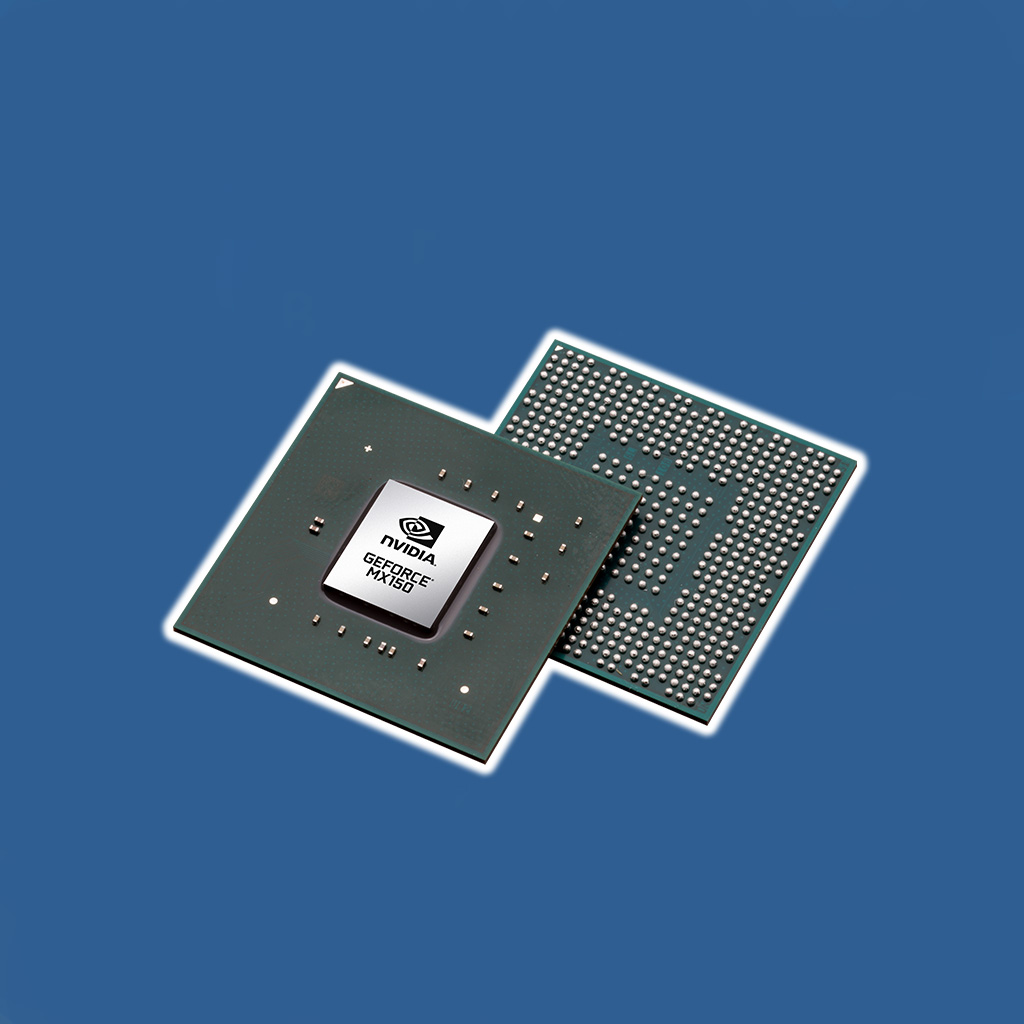
Another thing you'll need to look at when buying a budget laptop is the graphics card. This will fall into two options (integrated graphics and dedicated graphics), and the right one for you will depend on your personal needs.
Integrated graphics, which are provided by the CPU's Graphics Processing Unit, are suitable for basic computing tasks, like web browsing, email, and document editing. You'll get a decent performance from integrated graphics, and they're also more energy-efficient and cost-effective, making them one of the most common graphics cards in budget laptops.
A dedicated graphics card is a separate GPU with its own dedicated memory and processing power. These offer high performance for more demanding tasks, such as video editing or gaming, and they also provide faster rendering time and generally better graphics quality compared to integrated graphics. This makes them a better choice if you're looking for a budget gaming laptop but still want great performance.
.jpg)
Much like every other aspect of buying a budget laptop, the processor and RAM it contains will depend on what you're planning to use the laptop for.
For basic computing tasks, a budget with a mid-range processor and at least 4GB of RAM would be suitable for browsing the internet, multimedia consumption, and light productivity. Processors like the Intel Core i3 or Pentium Series are good choices here, and provide excellent results when paired with 4GB of RAM for smooth and responsive performance.
For tasks that require more processing power, look for a budget laptop with a quad-core processor and at least 8GB of RAM. The Intel Core i5 or AMD's Ryzen 5 Series are good choices here, and have four cores and high clock speeds that ensure better performance when multitasking.
Or, if you're planning to use your budget laptop for gaming or content creation, it would be best to choose a model with a higher-end processor and at least 16GB of RAM.
.jpg)
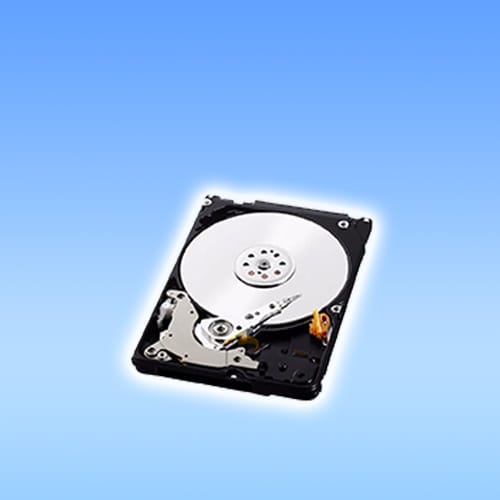
Along with RAM memory, you'll need to look at how much storage space your budget laptop offers and at whether a Solid State Drive (SSD) or Hard Disk Drive (HDD) is the best option for your needs. SSDs offer faster read/write speeds and this results in quicker boot times and application loading, making them a good choice for anyone who needs to access and load apps quickly.
They're also a lot more durable than HDDs, consume less power, and are generally quieter. However, an important thing to keep in mind about SSDs is that they are more expensive per gigabyte compared to HDDs and offer lower storage capacities. For this reason, they aren't commonly used in budget laptops.
On the other hand, HDDs provide larger storage capacities at a lower cost per gigabyte, which makes them ideal for storing large video files, photographs, and games. However, they are slower than SDDs, which results in longer boot times and slower application loading.
When it comes to choosing the right option for your needs, you're going to have to weigh up the importance of speed vs storage capacity, and if you need fast loading times, an SSD would be the way to go. Keep in mind, however, that as HDDs are cheaper per gigabyte, it's more common to find these in budget laptops.
.jpg)
Even though you're spending less money on a budget laptop than you would compared to more expensive laptops, you still need the display to right for your needs. There are three things you need to look into with the display - screen size, resolution, and panel type.
Regardless of what you're using your budget laptop for, it's best to choose a screen size that works best for your needs. Smaller screen sizes (usually around 11-14 inches) offer better portability, making them a good choice for anyone who travels frequently and needs a laptop suited for life on-the-go.
Conversely, larger screen sizes (around 15-17 inches) provide more screen real estate for multitasking and immersive viewing experiences. However, they aren't as portable, so would be better for stationary use.
Higher screen resolutions, such as Full HD or 1080p, offer sharp images and texts providing a clearer viewing experience for web browsing, streaming, and general productivity work.
However, most budget laptops feature lower resolutions, like HD or 720p, as this keeps construction costs down and allows manufacturers to pass the savings onto you. This doesn't mean they aren't any good, though, and while lower resolutions may not offer the same level of clarity as higher resolutions, they are still suitable for basic tasks.
Things can get a bit confusing with panel types, but you'll typically have two to choose from when buying a budget laptop: In-Plane Switching (IPS) and Twisted Neumatic (TN).
IPS panels offer excellent colour accuracy and wide viewing angles, making them a better choice for tasks that require accurate colour representation, such as photo editing and graphic design. They do, however, come at an increased price, and while they aren't very common in budget laptops some models do feature them - you'll just have to be prepared to pay a little more.
TN panels are more affordable, and for this reason they are the most common panel type in budget laptops. However, they have narrower viewing angles and poorer colour reproduction compared to IPS panels, and are better suited for basic computing needs.
.jpg)
This is often overlooked, but it's important to consider the keyboard and the trackpad on budget laptops, too, assessing the overall typing experience and ease of navigation.
Budget laptops often feature keyboards with chiclet-style keys, and these offer a good level of tactile feedback and key travel for comfortable typing. However, this quality of the keyboard can vary quite dramatically between model and manufacturer, so read user reviews before you buy. Or, if at all possible. test the keyboard for durability and comfort.
Similarly, budget laptops usually come equipped with simple trackpads that offer basic functionality for cursor navigation and gesture control. While these may not provide the same level of precision and responsiveness as premium trackpads found in expensive laptops, they are still very good for comfortably and conveniently navigating the cursor.
You also need to take a moment to look at the laptop's construction. Many laptops may feature plastic or lower-grade materials, so take some time to look at the solid build quality, as this will ultimately dictate how durable the laptop is.
It's also a good idea to inspect the hinges, chassis, and overall finish, to make sure everything feels sturdy enough to withstand everyday use without getting easily damaged.
.jpg)
Along with the interior components that make up a budget laptop, there are certain other things to keep in mind if you want to narrow down the best budget laptops for your personal needs.
The battery life offered by your budget laptop is a crucial thing to look at, especially if you're planning to use it for on-the-go productivity. It's best to choose a laptop that offers 8+ hours of battery life, as this will allow you to use it all day without the need to stop and recharge too frequently.
However, one thing to keep in mind is that, as with most other elements of budget laptops, components are often cheaper to keep the costs down, and this extends to battery life. So, if you are entirely reliant on the battery, it may be best to choose something outside of the budget laptop realm.
Regardless of how long the battery life on your budget laptop is, you're still going to need to recharge it. As such, it's important to consider your charging options and choose a laptop that offers the most convenience and flexibility.
Laptops with USB C ports are a good choice, as this allows for charging across a variety of different chargers and power banks. It's also a good idea to look at average charging times, and if you need to boost your battery life in a short amount of time, choose a model with fast charging technology.
The number of ports and connectivity options offered by your budget laptop is another important thing to consider, as this will dictate how many peripherals and accessories you can pair with it.
It's best to look for a laptop with a variety of ports, such as USB C, USB A, HDMI, and audio jacks, as these will allow you to connect printers, additional monitors, headphones, and more. Look at whether it offers Bluetooth connectivity, too, as this will give you the option of connect to certain devices wirelessly.
The whole point of a budget laptop is to save money, so it's also a good idea to look at the upgradability and future-proofing offered by the laptop, as this can help save you even more money in the long-run.
For instance, models that offer accessible components like RAM and storage are good options here, as you'll be able to easily upgrade certain components rather than having to change the laptop altogether.
.jpg)
While budget laptops are inherently cheaper, prices can still vary quite significantly depending on what features and performance you need. As such, it's essential that you think about what you need from your laptop and choose a model that is best suited to those needs.
Below, we've listed a variety of budget laptops for different needs, which should give you a better idea of how much you may need to spend.
With options for AMD or Intel Core processors, the Acer Aspire 3 offers excellent performance for everyday use. Its sleek design, ample storage options, and reliable connectivity give it a "best overall" status, and it is ideal for students, professionals, and casual users alike.
Another great thing about this budget laptop is its long battery life, offer up to 17 hours of use before it needs recharging. It also has a 15.6 inch screen, making it portable enough for on-the-go use while still offering a great display.
Featuring a lightweight design that can easily be carried between classes and a long battery life, the Asus Chromebook Plus CX34 is an ideal budget laptop for students.
It also uses a Chrome OS, which provides access to a huge range of educational apps and resources, along with a convertible design that allows for a seamless transition between laptop and tablet modes. This makes it ideal for note-taking and, with the included stylus, both creativity and productivity are enhanced.
Another convertible budget laptop, the Lenovo Ideapad Duet 5 is perfect for light use and it's compact, lightweight design also make it ideal for on-the-go use.
This budget laptop features a vibrant display that provides immersive viewing, so whether your playing games or watching movies, you're offered excellent colour reproduction. It also has a detachable keyboard and comes complete with a stylus, enhancing both its value and performance.
The main reason why the Gigabyte Aorus 15 BMF stands out as one of the best budget laptops for gaming is because it offers an impressive performance-to-price ration. It features a powerful CPU and GPU that delivers smooth gaming, while its vibrant display and high refresh rate ensures immersive gameplay.
You're also offered a robust cooling system with this gaming laptop, as well as customisable RGB lighting, further enhancing the gaming experience.
The Lenovo Flex 3 Chromebook offers you the ability to use it as both a laptop and a tablet, catering to various productivity tasks. It is also powered by Chrome OS and this ensures a streamlined performance for web-based tasks, along with access to a huge library of productivity apps through the Google Play Store.
This laptop also has a compact design and is light enough to carry around with you all day. The long battery life is also a great feature, while the responsive keyboard ensures fast, comfortable typing when needed.
Yes, budget laptops are worth it for anyone who needs to pair affordability with basic computing needs. While they aren't as powerful as standard laptops, you're still offered excellent performance for everyday tasks without breaking the bank.
Just like standard laptops, prices on budget laptops can vary quite significantly based on the brand, model, and features. Those with more powerful processors and multiple features will be more expensive than budget laptops designed for basic everyday use.
Budget laptops tend to be made from less premium materials than standard or high-end laptops, and this does mean they can break easier. As such, it's best to look at the build quality and the materials used in the laptop's construction before you buy.
Yes! Budget laptops with USB C or HDMI ports can be connected to a monitor, so if this is something you need in terms of functionality be sure to choose a laptop with these ports.
30 March 2026
 19 February 2026
 2 February 2026
 6 January 2026
 29 December 2025
 18 December 2025
 18 December 2025
 18 December 2025
 18 December 2025

Thoroughly tested by qualified technicians

Most orders delivered within 3-7 business days

Our local team are here to help you

Industry leading warranty on all products
We're here to help! Click here to contact Customer Service


 Help Centre
 Contact Us