 19 February 2026
Integrated vs Dedicated Graphics Card in Laptops
Integrated vs dedicated graphics can be confusing. This guide breaks down the differences so you can choose the right laptop GPU with confidence.
Read Guide →

Date Posted: 18 December 2025
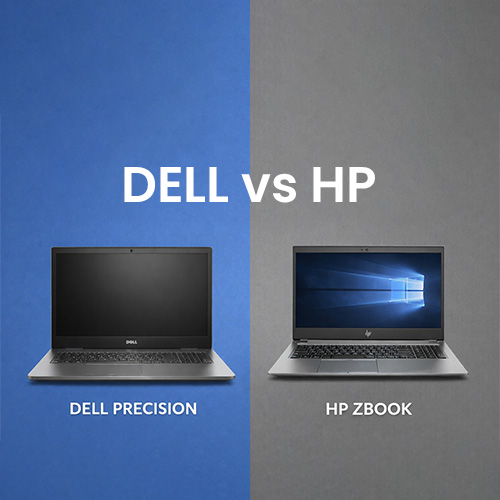
Choosing your new laptop can seem overwhelming, with numerous options on the market, all claiming to be the best. Even when you narrow your choice, you can still find yourself spending hours reading conflicting reviews, unsure who to trust or where to turn. Luckily for you, we are here to help! Our guide today highlights the differences between the Dell Precision and HP Zbook, explaining their features, price, and durability, to help you narrow your choice and find the perfect laptop today.
Let's start with an overview of both laptop ranges to help you determine which one is better suited to your needs.
Dell's Precision range has been around since the 1990s, offering powerful laptops and PCs that can handle multitasking and intensive tasks. The Precision range features powerful processors that are ideal for running multiple programs simultaneously or working with photo and video editing software. The crisp displays are perfect for editing, and make this range an excellent choice for graphic design.
High-performance components are utilised to handle demanding applications, with Independent Software Vendor (ISV) certifications that enhance reliability and stability. The Precision range is made up of the following series:
3000 series - delivering good performance and memory, without the high graphics of other models in the series
5000 series - is considered the mid-range option, with excellent mobility and enhanced colour and resolution
7000 series - provides a premium option with enhanced memory capacity, performance, and graphics
The Precision range also includes desktops, following a similar trend where the model number correlates with its power. The higher the number, the more powerful it is, with top models featuring larger and faster processors. They also use advanced cooling systems to prevent overheating.
.jpg)
HP's Zbook range has something for everyone, with powerful laptops that can handle any task thrown its way! The Zbook range is designed to be lightweight for effortless portability, and many models come with a longer battery life, making it easier for you to work on the go.
You can enjoy a powerful performance with HP ZBooks, which offer Intel Core and AMD Ryzen processors across all their models. The speed makes these perfect for schools, colleges, and work, especially if you work with graphic design. The dedicated graphics card (GPU) provides fast transitions between images and excellent quality, too. Whether you are editing videos and photos, gaming, or streaming, you will feel the benefit of the graphics card!
HP categorises their Zbooks in two tiers: entry level and high performance:
Entry-level Zbooks: include the Firefly 14/16, G11, and Power 16 G11, with an incredible battery life and portability that make them perfect for working on the go
High-performance Zbooks: include Fury 16 G11, Ultra 14 G1a, Power 16 G11 A, and provide desktop-class performance in a lightweight laptop, suited for engineers, 3D artists, and any demanding tasks
Many of the features of these two ranges overlap, but there are notable differences in their displays and certifications. The Precision offers desktop performance on the go, featuring the latest Intel Core i9 processors and AI Boost technology to help meet the demands of new AI workloads. You can often customise the storage too, adding more RAM and SSD storage that allows you to keep all your large files in one place.
As the Precision range is designed to handle more intensive files and tasks, it features an advanced cooling system to prevent overheating. This does make the range a little heavier, so you might struggle if you are regularly travelling with the laptop.
Its display sets it apart, with many Precision laptops featuring 4K, HDR, OLED, or InfinityEdge displays that make streaming, gaming, or editing a dream. The colour accuracy is a brilliant feature that allows graphic designers, editors, and photographers to see their images exactly as they should be.
The HP ZBook range is packed full of features, prioritising a portable design, security, and professional-grade performance for AI development, video editing, and 3D modelling. Intel Core and Ryzen processors provide power, with models including Neural Processing Units that can handle AI-accelerated workflows. As we mentioned earlier, their graphics cards set them apart, as they are suitable for handling AutoCAD and the demands of Adobe Creative Suite.
Its enterprise-level security sets the ZBook range apart from its competition, with hardware-level security, biometric authentication, and a self-healing BIOS to keep all your personal data safe. The enhanced security makes it the ideal laptop for use on the go.
When choosing between the Dell Precision and HP ZBook, consider which features are most important to you to determine which laptop is better suited to your needs.
Both ranges offer durable construction to ensure that your laptop lasts for years, but the HP Zbook range does take the edge. HP uses an all-aluminium chassis, giving the laptops a sturdy feel, allowing you to use them on the go worry-free. While the Precision laptops are durable, some of the models use high-quality plastic in their chassis, which can make them feel less premium and sturdy.
Both brands provide military-standard testing for their laptops, ensuring the Precision and ZBook ranges are durable against environmental conditions, including temperature, vibration, and shock. You can use them in any environment without worrying about them struggling. The vibration tests mean you can use the laptops on planes or trains without worrying about bumps disturbing you.
When the two laptop ranges are side by side, HP can have a slightly higher build quality and is known to have fewer hardware issues over time, making them more durable and reliable. However, the Precision range is still considered durabl,e and its advanced cooling systems still make it a good choice for demanding workloads.
The prices of the Dell Precision and HP ZBook laptops vary depending on the model you choose, with both ranges offering several models at different price points. Overall, the HP Zbook range is considered more affordable, providing better value for money than the Precision range.
When comparing the two ranges based on the specifications of laptops, HP ZBooks tend to be cheaper and provide better value for money (if we were to compare the HP ZBook Power G9 with the Dell Precision 7760). Of course, this does depend on the models you are comparing, so consider carefully what you want from the laptop before looking at the cost.
You can also find both ranges at lower prices when buying refurbished laptops. You can often access higher-spec laptops at a reasonable price when buying refurbished laptops, too, helping you get more for your money.
The Precision and HP ZBook ranges both cater to professionals, but the ZBook range offers more options for those on a budget. They both offer reasonably priced ranges, but HP has more models to choose from in their entry-level range than Dell does.
The ZBooks are also better designed for commuters or anyone working on the go. They tend to be lighter than Precision laptops, making them easier to carry. Zbooks are designed with portability in mind, with many models fitting easily in laptop bags and sleeves. You might find that you need a wider laptop sleeve to accommodate the bulkier Precision.
When choosing between the two ranges, it's worth considering your intended usage of the laptops. Both Dell and HP offer powerful workstations that provide desktop power on the go, so take a close look at the specs and ensure you select a model that aligns with your needs. The entry-level Zbooks and 3000 series Precision range are better suited to students or anyone who wants a laptop for streaming, web browsing, and editing documents. Should you need to run intensive tasks or have several programs open at once, you will want to consider the high-end Zbooks or 7000 series Precisoon to ensure you have the memory and power you need.
Security is an important feature to consider, and is something Dell and HP take seriously. Dell utilises integrated hardware to safeguard you and your data, including TPM security chips, fingerprint readers, and vulnerability detection capabilities. Thedir vulnerability detection is a fairly new addition, scanning for reported security flaws and making recommendations to keep your data safe. You also benefit from BIOS security, which protects your firmware.
HP take security seriously, too, and you get the benefits of the HP Wolf Security suite, offering protection for your operating system, hardware, and firmware. A self-healing BIOS provides automatic recovery from any corruption or firmware attacks, while hardware-enforced protection traps malware to prevent it from spreading across your laptop.
One of our favourite security features is the HP Sure View, which offers an integrated privacy screen. It prevents anyone from looking over your shoulder and seeing what you are working on, helping to keep data private when you are working on the go.
Both the Dell Precision and HP Zbook ranges offer fantastic power for students and businesses alike. Their powerful performance makes them better suited to running intensive tasks, with larger screen spaces on their premium models that ensure you can edit and create without running out of room. When choosing between the two, consider carefully what you want from the lpaotp to narrow your search. If you want power and portability in one, the ZBook range is the better option. However, if you are happy to sacrifice some weight for even more power, choose the Precision range.
When purchasing a Dell Precision or HP ZBook, consider opting for a refurbished model. Our refurbished Dell and HP ranges come with all the power you need, but at a reduced price. Plus, we throw in free shipping and a year-long warranty to keep the price low and ensure you are protected! Which laptop will you choose today?
19 February 2026
 6 January 2026
 29 December 2025
 18 December 2025
 18 December 2025
 18 December 2025
 18 December 2025
 23 December 2024
 23 December 2024

Thoroughly tested by qualified technicians

Most orders delivered within 3-7 business days

Our local team are here to help you

Industry leading warranty on all products
We're here to help! Click here to contact Customer Service


 Help Centre
 Contact Us