Luke Adkins
 6 January 2026
6 January 2026
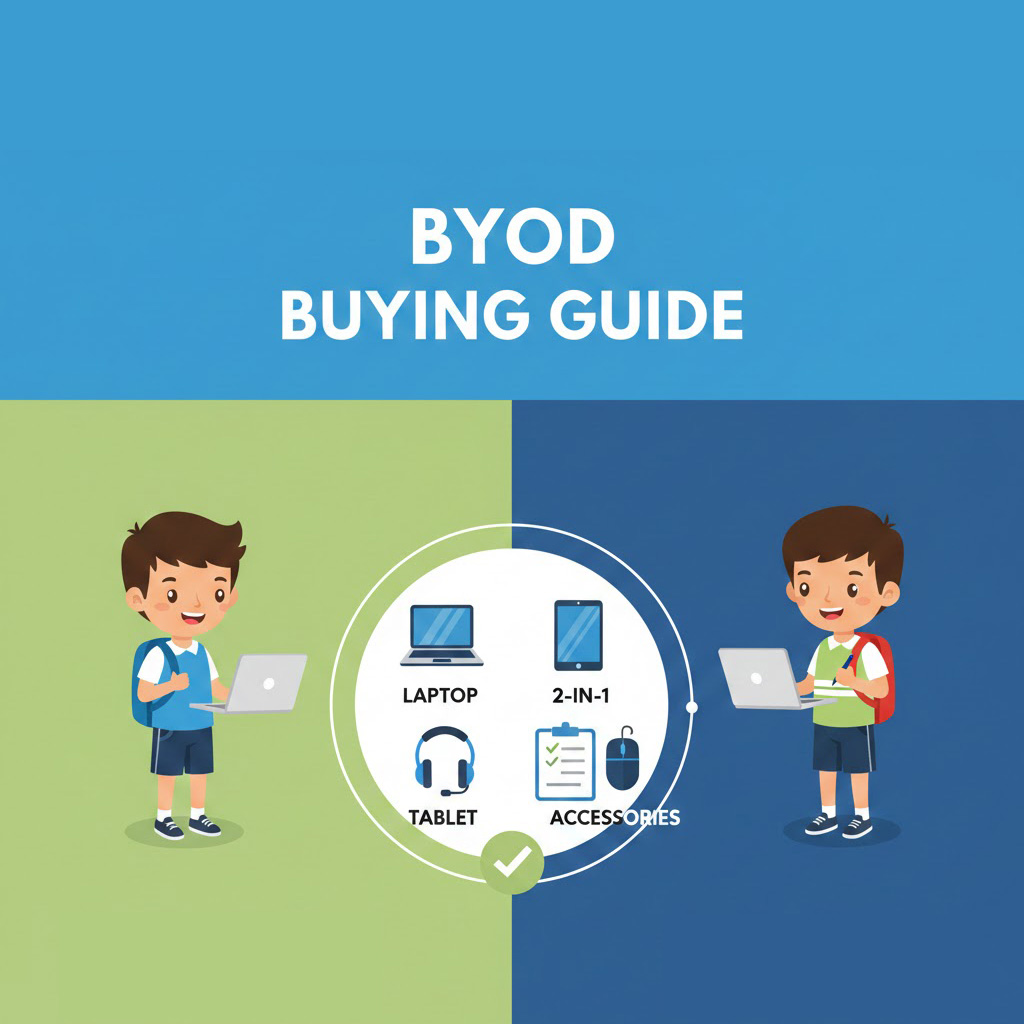
Back To School - BYOD Laptop Buying Guide
BYOD made easy — quick laptop tips for school & uni, plus our best-value refurbished picks.
Read Guide →

Author: Luke Adkins Date Posted: 27 February 2024
.jpg)
In today's digital age, tablets have become an indispensable tool for work, entertainment, and everything in between. Whether you're a professional on the go, a student cramming in study, or simply a tech enthusiast determined on keeping up to date with modern developments, a tablet can do it all.
However, with so many different options to choose from, finding the best tablet for your needs and ensuring it delivers both performance and value can become a difficult task. That's why we've done the hard work for you! Below, you'll find our ultimate tablet buying guide that will help choosing the right tablet easier than ever.
.jpg)
Let's kick things off by looking at what a tablet actually is. The simplest way of explaining is to say that a tablet is a portable computing device with a touchscreen interface. But what is a tablet good for?
Well, they have a multitude of uses, and while they are different from laptops, they can do almost exactly the same tasks. Tablets are great for web browsing, email, watching movies, listening to music, word processing, spreadsheets, gaming, and so much more.
While 2-in-1 laptops and tablets offer pretty much the same in terms of functionality, the key difference lies in their design. Tablets have no physical keyboard, and instead, all typing is done via a touchscreen (or, in some cases, a pen stylus). Some tablets are compatible with external keyboards, but they aren't integral and rarely come as standard accessories.
A 2-in-1 laptop, on the other hand, combines the functionality of a laptop with the flexibility of a tablet, and features a touchscreen that can be rotated, flipped, or detached from a keyboard base.
This allows them to be used in multiple modes, including as a traditional laptop with a keyboard and trackpad, a tablet with touch input, or in a standalone or "tent" mode for presentations or watching movies.
.jpg)
It's fair to say that investing in a tablet can be pretty life-changing for some people, opening up the opportunity to take something slimmer and lighter in weight than a laptop with you on business trips, holidays, or simply to keep things modern in your home.
However, when it comes to choosing the right tablet for your needs, there are some important factors you need to keep in mind. Let's look at these below.
The first thing you need to think about is how you're planning to use your tablet, whether it's for entertainment, productivity, gaming, or a combination of things. Doing this will help narrow down your choices and steer you towards tablets that have features that meet your needs.
You'll also need to think about what operating system is best suited to your needs. There are three main contenders here: Apple (Apple iPad), Android Tablets (such as the Google Pixel Tablet), and Windows (like the Microsoft Surface).
Another important consideration when looking into operating systems is which you're most familiar with, as this will make navigating your new tablet much easier. Likewise, choosing the same operating system as your phone or laptop means your tablet will be compatible with your other devices.
Another thing you'll need to think about when buying a tablet is the screen size. Bigger screens are good for gaming, multimedia use, and for looking at multiple apps on a single screen, while a smaller screen might be better for those who need a tablet for occasional use.
Look at the screen resolution, too, as this will determine the brightness, contrast, and colour accuracy your tablet is able to produce, which, in turn, will dictate your viewing experience.
One of the great things about tablets is how portable they are, but in order to make the most of this, you'll need a tablet with a good battery life. When choosing your tablet, take a moment to look at whether you think the battery will last long enough for your typical usage pattern (e.g. a full day's work or extended entertainment sessions).
It's also important to look at your chosen tablet's connectivity options. These days, all tablets come with WiFi compatibility as standard, but you might also need Bluetooth connectivity to pair it with a set of headphones or an external mouse.
Many people use tablets for business calls or for catching up with friends and family they aren't able to physically see very often. As such, the quality of both the front and rear cameras needs to be as high as possible.
It isn't just video calls that this is important for, though. Your camera quality should also be excellent if you want to use your tablet to take photographs or if you need to use it for scanning documents.
Since tablets are designed for portability and convenience, it's also important to look at the overall build quality. Those made from durable materials will be best, and it should also be ergonomically designed so it feels comfortable to hold and operate for long periods of time.
It's also a good idea to check if the tablet you're thinking of buying is compatible with other accessories, such as external keyboards, stylus pens, and external storage space options. Doing this offers you the ability to increase the tablet's capabilities and functionality.
As with any tech, it's important to make sure you're choosing a tablet that does everything you need it to do within your budget. Look at specifications, features, and overall value and compare different models on the market to see which suits you best for the budget you have available.
.jpg)
While the above considerations are the basic things that you need to keep in mind when buying a tablet, there are more detailed elements to think about as well. One of these is the Central Processing Unit (CPU) that your tablet operates with, as this will ultimately determine its overall power.
As with most elements of your chosen tablet, the CPU you need will depend on your usage needs and budget.
For basic tasks, a tablet with a lower-end ARM-based processor, such as quad-core Cortex-A53, would be enough to offer adequate performance for everyday use without breaking the bank.
Or, if you're planning to use your tablet mainly for multimedia consumption, you'd be better off choosing a tablet with a mid-range ARM-based processor, like octa-core Cortex-A55/A75. This will ensure smooth video playback and offers better multitasking capabilities.
Should you be buying a tablet for productivity purposes, such as word processing, spreadsheets, or creating presentations, a high-end ARM-based processor, such as octa-core Cortex-A77/A78, would be a good choice.
The same goes for those buying a tablet for playing games, too, and a high-end ARM-based processor will deliver excellent gaming performance and be able to handle intensive tasks smoothly.
.jpg)
Unlike traditional laptops or desktop PCs, tablets typically don't have dedicated graphics cards, and instead, they rely on integrated Graphics Processing Units (GPUs) that are part of a System-on-Chip (SoC) design. As such, you won't need to worry about deciding between integrated or dedicated graphics cards when buying a tablet.
However, there are still some key points to keep in mind when looking at the power of a tablet's GPU. The first thing you need to know is that the performance of the integrated GPU varies depending on the specific model of the tablet's processor.
Higher-end processors usually feature more powerful integrated GPUs that are capable of handling graphics-intensive tasks, such as gaming, streaming video, and image editing more efficiently.
The integrated GPU also plays a vital role in driving the quality of the tablet's display, including refresh rate, resolution, and colour accuracy. As such, tablets with higher-resolution displays require more powerful GPUs to ensure smooth performance and optimal visual quality.
Another important thing to note when looking at tablets and GPUs is that the overall graphics performance of your tablet is not solely determined by the GPU hardware. It is also led by software optimisations, including the operating system and application-level optimisations. With this in mind, it's best to choose a tablet with well-optimised software to ensure the best possible graphics.
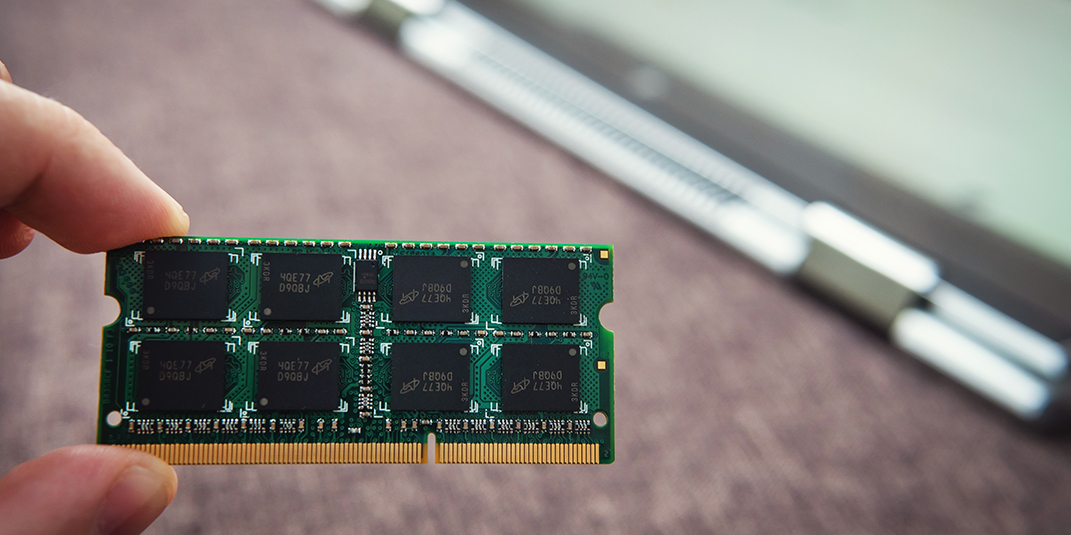
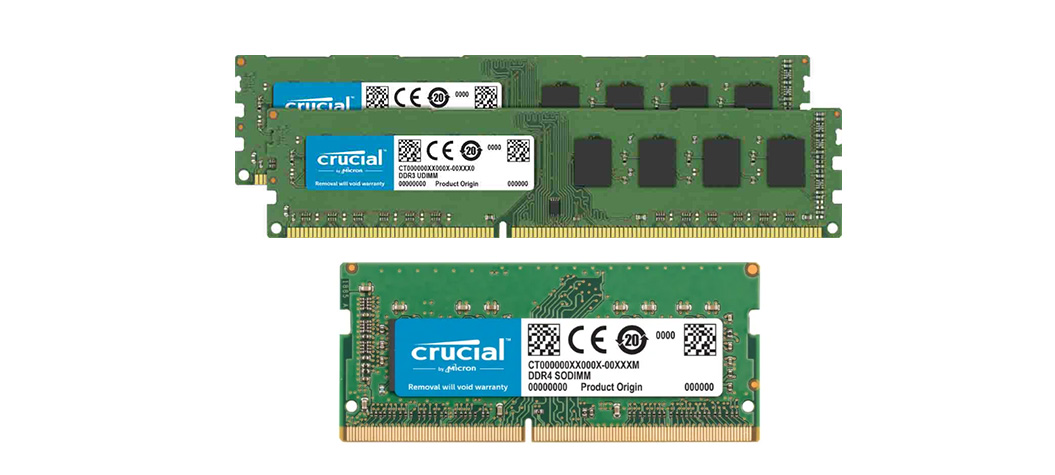
The amount of Random Access Memory (RAM) you need in a tablet is another thing that depends on your personal usage needs and budget. For instance, if you're planning to use your tablet solely for web browsing, checking emails, or posting on social media, 2GB of RAM should be sufficient.
However, if you're a heavy gamer or plan on using your tablet for resource-intensive tasks like video editing or graphic design, it would be best to choose a tablet with around 6GB of RAM or more. This will provide plenty of memory for running demanding games and applications smoothly without experiencing lag or slowdowns.
Also, something that is incredibly important to consider with RAM is future-proofing. Choosing a tablet with the highest amount of RAM that your budget allows means that, as apps and operating systems become more resource-intensive, your tablet is able to remain responsive and capable of handling future software updates.
.jpg)
As with most elements of a tablet, the amount of storage you need will also depend on how you use it. However, you also need to consider the amount of content you intend on storing and whether or not you'd like your tablet to be compatible with external storage options, such as microSD cards.
Tablets that are going to be used mostly for streaming video or music should have a storage capacity of between 64GB-128GB, as this will provide loads of space for downloading and storing offline content without worrying about running out of storage space too quickly.
However, this will be too little for tablets that are going to be used for gaming or resource intensive tasks. Tablets being used for these purposes should have a storage capacity of around 256GB, which will provide space for storing large game files, videos, and other multimedia content.
Some tablets support expandable storage options, like a microSD slot, and this is a good thing to look out for if you're working with a smaller budget, as you'll be able to purchase a tablet with lower internal storage and then expand as needed.
Some microSD cards have several hundred gigabytes, or even terabytes, of storage space, so a table that can support this is also a good option for anyone looking to increase storage as much as possible.
.jpg)
The display is one of the most important things you need to think about when buying a tablet, as this ultimately makes up half of the total device. Tablet screen sizes typically range from 7 inches to 13 inches or more, and larger screen sizes are better for multimedia consumption, productivity tasks, and gaming, while smaller screens are more portable and better suited for casual use.
However, the size of your screen is only one element you need to consider. Other things you need to think about when looking at the tablet's display include:
Tablets with higher resolution displays offer sharper and more detailed images, which is essential for videos, pictures, and gaming. Go for a tablet with at least a Full HD 1920 x 1080 pixel resolution, as this will ensure a crisp viewing experience, particularly on larger screens.
Some tablets have Quad HD 2560 x 1440 pixels or 4K 3840 x 2160 pixels, and these provide an even higher level of detail that is ideal for multimedia content and gaming.
Look at your potential new tablet's aspect ratio, too. Tablets usually have an aspect ratio of 4:3 or 16:9, and each has its own benefits.
For instance, a 4:3 aspect ratio is more square-shaped and is best suited for browsing the internet, reading, and productivity tasks. Meanwhile, a 16:9 aspect ratio is wider and is better suited for watching widescreen video content or gaming.
You'll also find yourself tasked with choosing between different display technologies when buying a tablet, and there are three common options here: In-Plane Switching (IPS), Active Matrix Organic Light Emitting Diode (AMOLED), and Organic Light Emitting Diode (OLED).
In-Plane Switching (IPS) offers wide viewing angles and accurate colour reproducing, making tablets with this display technology suitable for a wide range of tasks, including productivity and media consumption.
Active Matrix Organic Light Emitting Diode (AMOLED) displays provide super vibrant colours, deep blacks, and high contrast ratios, which makes them ideal for watching movies and viewing photos without any loss of detail.
Organic Light Emitting Diode (OLED) displays offer similar benefits to AMOLED displays, including vibrant colours and high contrast ratios, but with better power efficiency.
Higher refresh rates result in smoother on-screen motion, which is beneficial for gaming and scrolling through video content. So, if you're planning to use your tablet mostly for this, look for a model with a refresh rate of at least 60Hz, although you can go as high as 120Hz for super smooth motion.
.jpg)
It isn't just the components inside your new tablet that you need to think about. You also need to consider the overall design and build quality to ensure you get the best tablet to meet your personal preference. Some of the build quality and design considerations you need to keep in mind include:
One of the most important things to look at is the materials used in the tablet's construction, as this will ultimately determine its durability. Tablets made from high-quality materials like aluminium or reinforced plastics are extremely durable and, as such, offer excellent resistance to daily wear and tear.
Remember, also, that tablets are designed to be as portable as possible, so choose a model that is lightweight enough to carry around with you for extended periods of time. Smaller tablets tend to be lighter, too, so this is something to keep in mind when looking at screen size and what you'll be using your tablet for.
You'll also need to think about the tablet's battery life in line with your typical usage. For example, if you're planning to use a tablet to complete a full day's work or for extended gaming sessions, you'll need a battery that can last a long time without the need for multiple recharges throughout the day.
To ensure this, it's best to look for a table with energy-efficient components, such as low-power processors and display technologies. Really, it's all about balance, and while these may result in less detailed visuals, your batter will last longer. You simply need to think about what matters to you most.
No matter how long your tablet's battery life is, you're still going to need to recharge it. The best tablets support faster charging technology, and this essentially means you can bring your battery back to 100% in a shorter amount of time.
You should also look at the different charging options between tablets and choose one that works best for you. This includes ports such as USB-C, proprietary connectors, or wireless charging capabilities, each of which offers something different in terms of personal preference and charging environments.
Whether you're using your tablet to host video conferences, call friends and family, or take pictures on holiday, making sure the camera quality is up to standard is essential.
Some excellent features in terms of camera quality include autofocus, optical image stabilisation, and High Dynamic Range (HDR), as these enhance image quality in a variety of lighting conditions. Likewise, cameras with a front-facing camera of at least 5MP are the best for capturing clear, crisp images and videos.
Watching videos, playing games, and video calling all require sound for the best experience, so make sure you take a moment to asses sound quality when buying a new tablet, too.
Tablets with stereo speakers or front-facing speakers are the best, and there are other features that can improve sound quality even further, such as Dolby Atmos, which enhances spatial audio for a richer sound.
(1).jpg)
Along with the vital elements of a tablet, such as the CPU, GPU, and display, there are a few other considerations to think about when it comes to finding the best tablet for your needs.
Tablets come in both WiFi and cellular connectivity models, and each has its own benefits. WiFi models, for example, are ideal for use at home or in areas with reliable WiFi networks and offer cost-effective connectivity for browsing, gaming, streaming, and productivity tasks.
Cellular connectivity models, on the other hand, provide the flexibility of being able to access the internet on the go without being dependent on WiFi hotspots. This makes them a better choice for travellers without consistent access to WiFi.
You'll also need to think about the type of ports your tablet has for connecting external devices. Tablets with USB-C ports are among the most popular as they offer a huge amount of versatility for charging, data transfer, and connecting keyboards or external displays.
Take a moment to check for other ports, too, such as headphone jacks or a microSD slot for expandable storage. Likewise, explore your potential new tablet's compatibility with accessories like stylus pens and docking stations, as this will allow you to enhance the tablet's versatility.
This is something that is often overlooked, but it's really important to think about how many people are going to be using the tablet. It's best to choose a model that allows multiple user profiles if you're purchasing a tablet for family use, as this will allow each person to create their own personalised settings and app configurations.
Also, tablets being used by a family with young children should come with parental controls that allow you to manage and limit certain features. Some even lock profiles during certain times of the day, making it impossible for young children to stay up all night on a tablet!
.jpg)
Everyone has their own budget when it comes to buying a tablet, and the best way of ensuring you're able to stay within your budget while still getting the best tablet possible for your needs is to think about what you'll be using it for.
The tablets below offer a range of features and capabilities that meet the diverse needs of work-related tasks, including document editing, email management, presentations, and more:
Apple iPad Pro: Featuring custom-designed processors, the Apple iPad Pro offers a range of productivity apps and multitasking capabilities. It also features a sleek design, a high-resolution Retina display, and supports the Apple Pencil for note-taking and design work.
Samsung Galaxy Tab S9: This super powerful tablet features a vibrant AMOLED display and offers excellent multitasking capabilities. It also supports the Samsung S Pen and has ports for external keyboards and other accessories.
Lenovo ThinkPad X1 Tablet: An excellent choice for work, the Lenovo ThinkPad X1 Tablet has a robust build, business-focused features and offers expansion through optional accessories, giving you the ability to enhance productivity.
These tablets offer various features that cater to the different needs of students, from basic note-taking to advanced productivity and creative tasks:
Apple iPad Air: This is an excellent choice for students as it offers powerful performance with a lightweight design, making it easy to carry between classes. It also offers access to a plethora of educational apps and features a high-resolution display idea for immersive learning.
ASUS Chromebook Tablet CT100: With its rugged design, the ASUS Chromebook Tablet CT100 can withstand being thrown in a school bag and taken from place to place. It also runs on Chrome OS, making it super easy to navigate and offers easy access to the Google Play Store for educational apps.
Amazon Fire HD 10 (Plus): Featuring a large 10-inch display, this tablet is one of the most affordable options for students. You'll also have access to Prime Student Membership benefits, including downloadable textbooks and other learning resources.
The tablets listed below offer super vibrant displays, strong audio capabilities, and the efficient performance you need for watching videos, gaming, and streaming.
Google Pixel Slate: The high-resolution display of this Google Pixel tablet makes it capable of producing vibrant colours and crisp visuals. It also offers split-screen multitasking, making it perfect for keeping a video window open while you work on something else.
Samsung Galaxy Tab S7+: Another excellent tablet for watching videos, gaming, and streaming, the Samsung Galaxy Tab S7+ features a huge 12.4-inch Super AMOLED Display for a fully immersive viewing experience. You'll find powerful speakers with Dolby Atmos Support on this tablet, too, enhancing the multimedia experience.
Amazon Fire 7: A budget-friendly option that doesn't lack too much in performance, the Amazon Fire 7 is a compact tablet with stereo speakers and built-in access to a huge library of content. This includes Prime Video, Kindle eBooks, Audible, and thousands of games and apps.
When it comes to finding tablets for kids, there are certain special requirements you need to keep in mind. The tablets below are some of the best for children and are easy to navigate while containing features that ensure your children are safe online.
Apple iPad Mini: Due to its compact size and lightweight design, the Apple iPad Mini is a great choice for children. You'll also find access to a huge selection of apps and content through the Apple App Store, and it's super easy to set up parental controls.
Samsung Galaxy Tab A8: This is one of the most durable tablets on the market, meaning it can withstand accidental drops, knocks, and spills, making it ideal for children. It also has kid-friendly features and apps, easy to set up parental controls, and a super long battery life.
Lenovo Tab P11: The Lenovo Tab P11 is one of the safest tablets for kids, and not only does it feature robust parental controls, but it also gives you the power to set up content filters and usage time limits. It's also pretty affordable, so it's ideal for kids who want a tablet but won't cost you a fortune.
The best tablet will ultimately depend on your own personal preferences and needs. However, some of the most popular brands and models include Amazon's Fire Tablets, Apple's iPads, and Samsung's Galaxy Tablets.
Absolutely! Tablets are definitely worth it for their portability, versatility, and convenience for web browsing, media consumption, productivity, and gaming.
Tablet prices vary widely depending on brand, model, specifications, and features. The cheapest tablets are smaller and will have entry-level features, while more expensive, high-end models will have advanced features and larger, more dynamic screen resolutions.
While most tablets are designed to be as robust as possible, even the most durable can break easily if mishandled or subject to impact. However, with proper care and protective measures, you can dramatically reduce the risk of your tablet getting damaged.
Yes, many tablets support connecting to a monitor through ports like USB-C and HDMI. Some, like Android Tablets, also feature wireless casting, allowing you to connect to a monitor or TV without the need for any cables.
6 January 2026
 29 December 2025
 18 December 2025
 18 December 2025
 18 December 2025
 18 December 2025
 23 December 2024
 23 December 2024
 23 December 2024

Thoroughly tested by qualified technicians

Most orders delivered within 3-7 business days

Our local team are here to help you

Industry leading warranty on all products
We're here to help! Click here to contact Customer Service


 Help Centre
 Contact Us